My Plex app launches very slowly on my smart TV and I suspect it may be because my Plex meta data files have been growing. It wasn’t like this initially. My network is 1Gbps ethernet. I have read in the Plex forum and on other blogs it is important to keep these metadata files on a SSD. I currently have these stored on my C: in the appdata directory. This c: is a high performance .M2 SSD of 2TB total with 1 TB used. The plex media server folder here is currently 29GB including a metadata folder of 19GB. Is this Plex metadata and its storage location likely to be a source of performance issue? If so do you have any suggestions as to what I should do to improve the situation?? Please note also I have already run Plex’s database optimisation tool which provided minor improvements. I am also running a high performance 9th Generation I9 intel PC. Many thanks, Michael Power.
What Plex client does your TV use?
I hsve my PMS data folder on an SSD. I really don’t think it made that much difference.
My TV uses Roku. Plex seems slow to load but I don’t think it takes much more time than Netflix.
The reason your Plex app on your TV is slow is probably due to the app being remote and what you see in your store is a loader.
Then again changing your TV DNS to a Public DNS will increase the response time with Plex servers for Authentication. I suggest 1.1.1.1 or 8.8.8.8. Generally speaking, ISP DNS are not what there cracked up to be in all areas. I have seen response times so bad Plex will time out with No Connection.

Thankyou very much SE56 for your generous response. I am very grateful as I am trying to avoid purchasing a NAS which may or may not fix the problem and would likely be expensive and complex. Forgive me, I am not very technical and don’t understand how to implement your solution. Is there an organisation I need to contact to set this up or purchase this functionality or is this configuring I need to do in my TV, router or PC? Many thanks again. Michael Power.
If you could tell us what type of TV and Plex client you are using it would help.
Go to your TV network settings and input manually your network settings. If having an issue with that, message me and I will guide you through.
Another Aussie here
Thanks Dan for helping…
The TV I use is a Samsung MU9000 UHD smart TV [2017 vintage]. My TV uses the Plex app which I downloaded on to the TV using the store app which came with the TV. I hope this helps.
I don’t think so. How media is organize plays a bigger role*
I don’t think this is your issue. I mean, out of millions/billions of metadata files, Plex is only parsing a fraction of it when it has a demand for it.
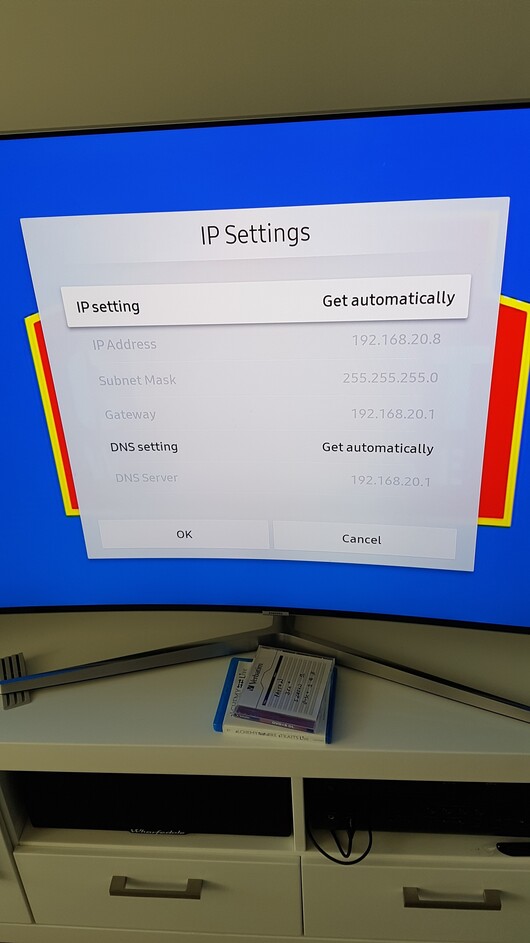

Thanks NewPlaza, It is great to be eliminating potential causes and hopefully avoiding unfruitful big ticket investment. Thanks, Michael.
Yes, 1.1.1.1 for CloudFlare or 8.8.8.8 for Google.
Thanks Dan Bev. I tried 8.8.8.8 and no improvement with that either unfortunately.
How slow is it?
Was it ever faster?
Hi Dan, launch time for the Plex app is approx 15 secs. launch time for a movie is approx 10 secs. About 3 months ago it was lightning fast. Only change I can identify is I have been building my music library progressively in that time so i surmise the size of the library is creating congestion on the ethernet network.
