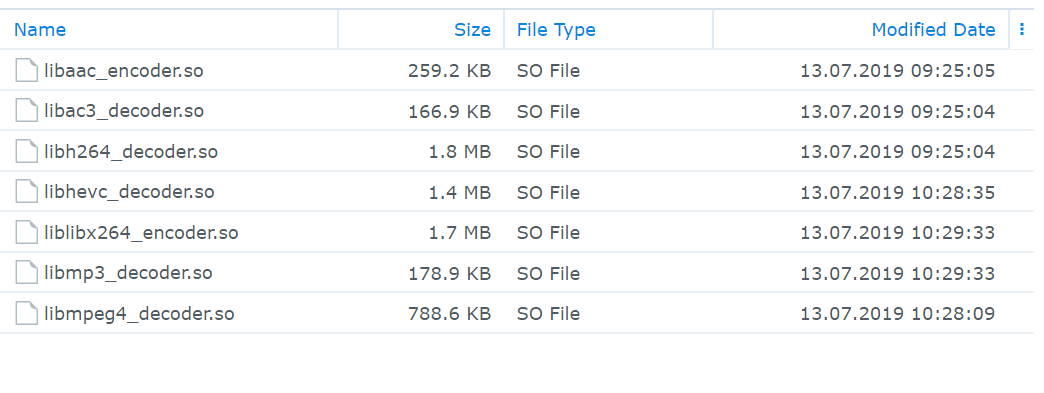
Hi. Just few hours ago I had a different issue which has been resolved. Now though I am completely lost…
Host: Synology DS1019+
PMS: Version 1.16.1.1291
Problem:
Shortly after the other issue was resolved, I noticed that most movies would not start anymore. They would open up and just load endlessly. The few movies that still did work may have been cached? I don’t now. The TV-Shows seemed to be still working. This issue however is only on Google Chrome. On Firefox and the Android App the movies stream fine.
Since I couldn’t find a solution online, I simply uninstalled Plex and deleted the Plex folder and the Plex user. Then I reinstalled Plex manually.
But the problem persisted. I repeated the process once more, double checking with sudo find / -name "plex" that nothing of Plex remained on the NAS. I also cleared Chromes Cache, History and Cookies. Same result.
Movies:
At the moment I have only one library with two movies. Here is their info: movies.zip (9.0 KB) .
When I look at these I can see information about other movies (movies I had in my library before the fresh install), so clearly some information is surviving somewhere.
Logs:
Here are the logs: logs.zip (140.1 KB) .
What is strange about these (besides the loads of errors) is the attempted contact of device 10.13.13.7. This device is an Access Point that is nowhere near the NAS (topologically speaking).
I hope somebody can help me!
The movies played fine a few hours ago. What have I missed?
It did not help however, after starting plex again and running some playback, it downloaded the same three files again. I let the stream loading for almost 10 minutes.
I created a new library for tv shows and added a bunch of different shows that use different codecs (mpeg4, hvec and h264). So now Plex has added the missing codecs. These are all there are now:
Here the info of the tv shows I added: tv_shows.zip (4.5 KB)
The tv shows play fine on Chrome, even the one that uses h264 like the movies. The only real difference seems to be the bitrate which is just below 1 Mbps for all the tv shows, but 5.4 Mbps and 8.2 Mbps for the two movies.
I just noticed that if I set the movie playback quality to 4 Mbps or lower, it does start playing.
Out of nowhere (I was not touching any settings) one of the movies (the higher bitrate one) started playing without an issue at original quality. The other one is still buffering. What is happening here? They use the same codec!
As far as I can tell it is only Chrome on Windows. Firefox and Edge work fine, as do the Smart TV and the Android Phone.
Luckily, I have an older Laptop that I haven’t used in a few months. It has Windows 1809 installed. I just tested it… with the same result: Chrome does not want to play back the movie.
Besides, Chrome on Windows 1903 played all my Media perfectly fine just 24h ago…
Ok, thank you very much for your help anyway! Hopefully a future Chrome update will fix the issue.
And thank you for your tip about graphics based subtitles from the other thread. It turns out most of my movies have PGS subtitles included, I will replace them with SRTs.
Any eventual success @aInT_tHe_sEcoNd? I have getting the s4032 (Manifest) error on my fresh fedora and plex install. Nothing plays. Attempting to play from my plex locally. Examples files are a 30mb mp3.
Hi @weston_a_greene_plex_gmail_com, I have been using Edge instead of Chrome for streaming these past three weeks.
I just checked, and Chrome seems to have “fixed itself”. I have no idea what I am supposed to have done (maybe it was a background update or the tenth reboot of my server or windows machnie? ) but Chrome is streaming my media again. At least for now…
On the Ubuntu VM I still get the s4032 error. I did not investigate that further, because this is just not one of my usecases.