Server Version#: 1.25.9.5721
Player Version#: Version 4.78.4
At seemingly random intervals (every three months? I don’t know for certain), Plex will clear my playlists of all music, but leave the playlists intact. I thought this was an issue with my previous Plex Media Server, but I have Plex running on a Synology now and still have the issue. I’ve asked friends who run Plex servers, and none of them have ever experienced this.
Settings - Server - Library - “Empty trash automatically after every scan”
Disable this, then monitor the behaviour of your play lists.
I assume the playlists are made by manually adding songs to a playlist?
Not by filtering the library according to one or several criteria and then save the resulting list as a playlist?
Because the latter will create a “smart” playlist, which will update continuously depending on whether the original filter criteria are still matching or not.
Aha! Yep - I had that setting turned on, and yes - I was manually adding songs to a playlist. I really like to listen to music from an artist in chronological order, and because Plex identifies albums, EPs, compilations, etc. as separate groups, I haven’t found a good way to create a smart playlist that would accomplish what I’m trying to do.
I have found during a period of sanitizing and improving my music library that dumb playlists with items entered manually would lose entries when I removed a song and replaced it with an updated version. The act of removing the song will scrub it from every dumb playlist, unlike iTunes that preserves the playlist entry. Not sure what Plex can do to address this. I have moved to creating smart playlists which has alleviated this issue, although it does not really allow strict sequencing.
That’s, frankly, what frustrates me. I would really just like a way to view releases, ordered by year, and then decide whether or not I want to include compilations, EPs, etc. on my own.
Regardless, if this setting keeps Plex from clearing out my playlists, it’s worth another attempt!
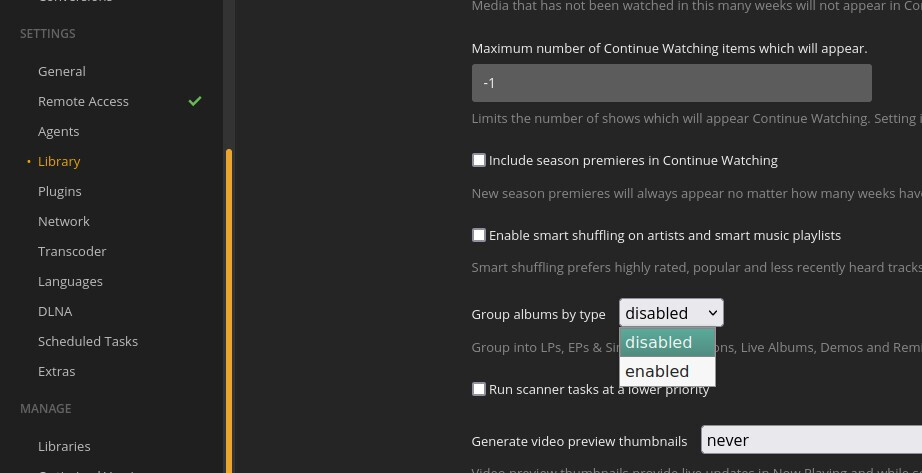
You can turn off the album type grouping:
You may know this, and it may not be enough for what you want to do, but just in case:
The order that is chosen at the time you save a smart playlist is how the playlist will be sorted.
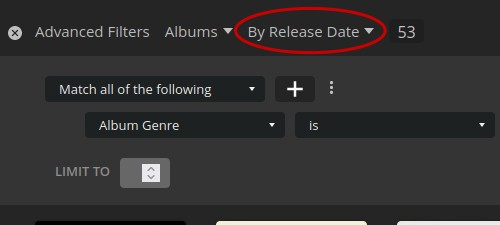
Ok, I have a Smart Playlist issue that may or may not relate to this. First the scenario: I have over 50000 tracks, 2600+ albums/singles/EPs. I create playlists on a separate machine with 200+ artists, selected release periods and selected Track Rating.
Issue: At some point (not sure when exactly) the number of artists reaches a point where the playlist cannot be saved. I get an error on the server saying the save operation failed. Even if this was an existing playlist, the update will fail. If I try to “Save As” to a new playlist rather than update, it also fails.
If I go to list playlists, I see the updated playlist with seemingly all of the tracks it should find (based an expected playlist duration). However, I cannot open it, edit it or play it. The playlist is effectively “bricked”…
Here is the catch. Before abandoning the playlist when I was trying to Save As a smart playlist, I tried saving it as a dumb playlist. So, while I had the browser opened to the edited playlist, and I already had an Update to the Smart Playlist fail, I saved it to a dumb (or static) playlist. That worked! All of the tracks that would have been selected using the Smart playlist was saved in the static playlist. And it was quick, vs saving/updating a Smart playlist which does take some time.
Observations: Smart vs. Static playlists - different storage and processing mechanism which accounts for time and complexity to save. Also, Smart playlists require more resources during the creation and retrieval process.
Questions:
does the type of browser affect the creation and edit of Smart playlists? I use Chrome, but will switch if so.
Is there something I can do during creation/edit that can mitigate this problem?
I have saved a copy of my DB if that can help Plex-gods in determining cause. DM me for file.