Plex Music not respecting album tag for embedded metadata (1.18.1.1973)

Server Version#: Version 1.18.1.1973
Player Version#: Web 4.14.2

After trying to add albums with proper using the Plex Music scanner and agent, I notice Plex often incorrectly merges albums together, despite the fact that the album tags are correctly set.

When using Plex Music Scanner and Local Media Artists it works correctly but I don’t get any of my album images or artist images correctly, even though it works on Plex Music (I also don’t get a bio, top tracks, etc).

Prefer local metadata is checked in both circumstances and in the Artists/Album agents, “Local Media Assets” is always first.

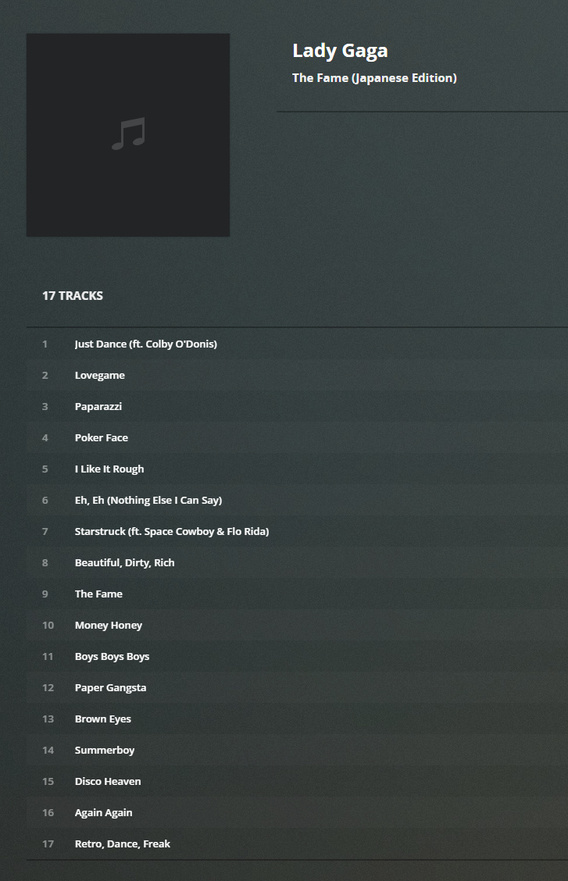
The two albums in this example are “The Fame (Japanese Edition)” and "The Fame Monster (Deluxe Edition):
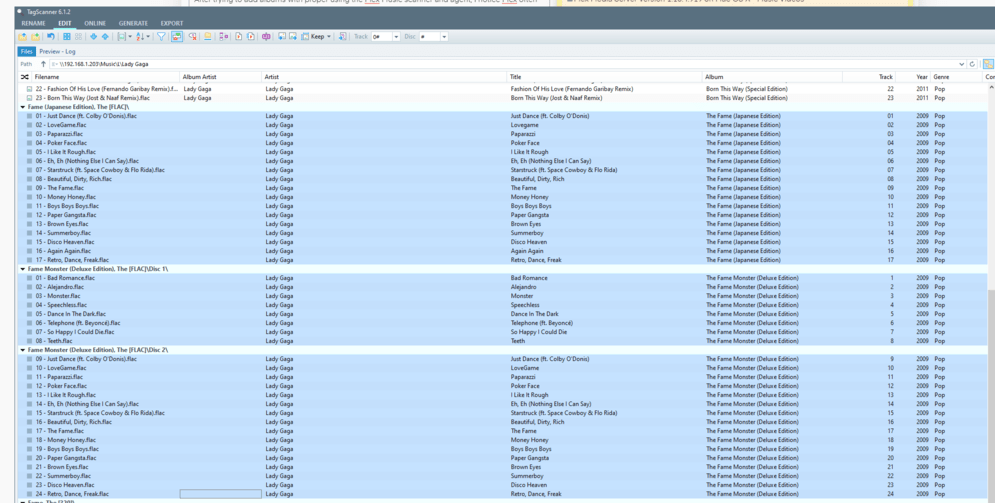
When I use the Plex Media Scanner and Local Media Artists, the result is correct, I get 2 albums with the correct tracks:
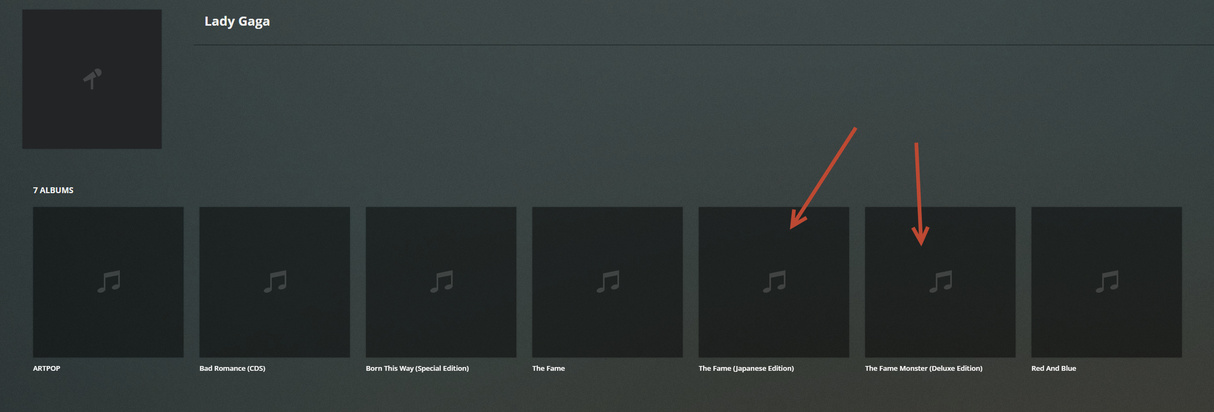
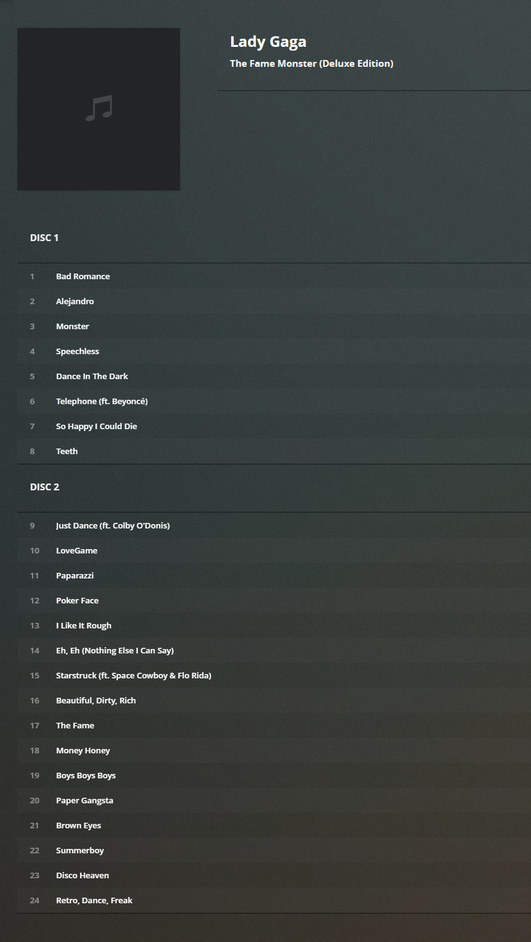
However, if I use Plex Music/Plex Music, it ignores the album tags and attempts to “merge” them together (“Prefer local metadata” is still checked):

Here you can see it’s merged these two albums together for some reason:
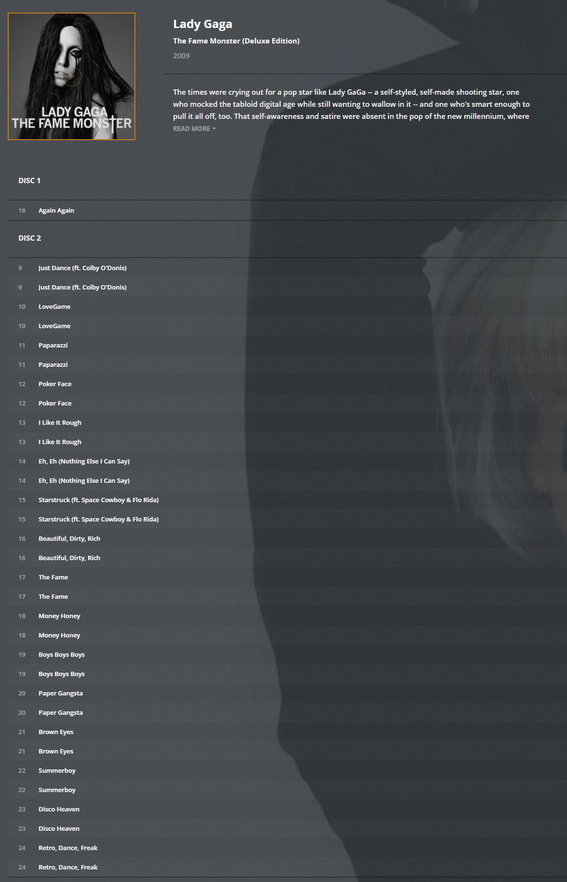
Track 9 (#1) → From the Japanese Edition:

Track 9 (#2) → From the Deluxe Edition:
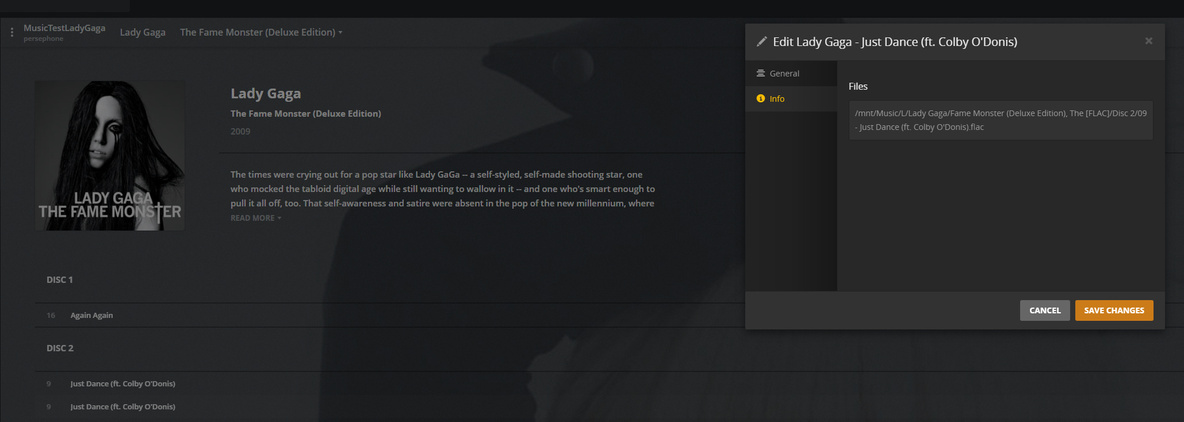
The other Fame Monster (Deluxe Edition) album is incorrect:

I have a feeling it’s trying to match the albums to MusicBrainz and is getting confused somehow.

However, shouldn’t “Prefer local metadata” enforce at least the album title? Why are my albums getting merged together?


2 Likes

Was having this same issue.

What I ended up doing was going into the library, and manually hitting unmatch for all of my albums.

image

Though it was time consuming, it seems to have fixed the issue I was having, and the albums are currently using my local metadata.

This might have been a stupid way to do it, but I figured I would be faster to just do it like this rather than spend time to find the proper solution.

1 Like

Hmm that’s frustrating though, especially due to the size of my collection. Hmmm.

@thevasilisk Just tried it on the example above, unmatched all of Lady Gaga’s albums, and it doesn’t report the album correctly still (shows 2 of the same album, mixed tracks). Even tried to ‘refresh all metadata’ and it didn’t work.

1 Like

Yeah I’m not sure, I’m not in any way staff or support, just mentioned what worked out for me.

Hope you find a solution though!

Thanks for your help! The scanner behaves very inconsistently.

I keep fanart.jpg/folder.jpg in the artists folder roots for all my artists and it loads about 70% of them, the other ones are ignored for some reason, even though the format is exactly the same between two different artists.

Sigh… Plex’s music seems like the stepchildren of the software.

1 Like

This topic was automatically closed 90 days after the last reply. New replies are no longer allowed.