i was finding new shows or movies i added to plex are not showing up… even when i do a scan library… i did try doing the Happy Dance… and if i had say 4000+ movies now i only have 650 movies… tv shows i had many and now its a handful… is there a glitch? it scans the tv shows and movies but its not saving it into plex… is there a work around or so to fix this … or something to delete to force it… or like a corrupt database or something?
Permissions? Sounds like entire folders of your media is being ignored, which can happen if Linux is involved and something changed with permissions.
What platform(computer /OS) is the server on? What platform is the media on? Are they the same platform?
@Divideby0
im running Unraid and nothing has changed i added new media and its just not adding
so i did more test Tabs to specific folders and it will scan you see the Spinning at the top and when you move the mouse over it you see its scanning the names, but it wont save in database
all the videos are under
/mnt/user/Videos on the same Server all on the unraid… it was working but for some reason it stopped taking new stuff i put in there… and when i did happy dance… it didnt add any videos if you make a test… or the happy dance didnt delete all the videos so only hand full
my tv shows only 4 show up even though i should have a few hundred…
So the server and the media are on the same unraid box? (just checking in case you have Unraid for media, and a separate one for Plex itself).
Double (triple?) check permissions for whatever user the server runs under.
I’m not much of a Linux guy (yet), but this sounds like classic permissions issue. If it’s anything else, then I have not much more to offer.
Next option I’d try myself would be a new database. This would mean a deletion of the old database/install (BACKUP FIRST!), and see if you have any trouble adding new libraries.
@Divideby0 ya both media and plex server on the unraid server
now i did the happy dance to delete the database but that didnt fix it…
how would i say delete the database without loosing the tabs on the left hand side i created without having to re create those as i made different sections like Action Tv shows Adventure Tv Shows
or Movies Action
Movies Adventure and so on
like i did add a
!!!Test Folder tab on the left side and i pointed to a folder
it scans it and it takes long time so its like downloading the artwork etc… but then after tells me the folder is empty when its not
Since you just did that and it failed, collect your server logs and post them here
You have a corrupt database
database corruption at line 69165 of [a29f994989]
qlite3_statement_backend::loadRS: database disk image is malformed
ChuckPa has a database repair tool but I’m not sure how it works for Unraid. I assume you follow the directions for docker but you might want to ping him if you need help
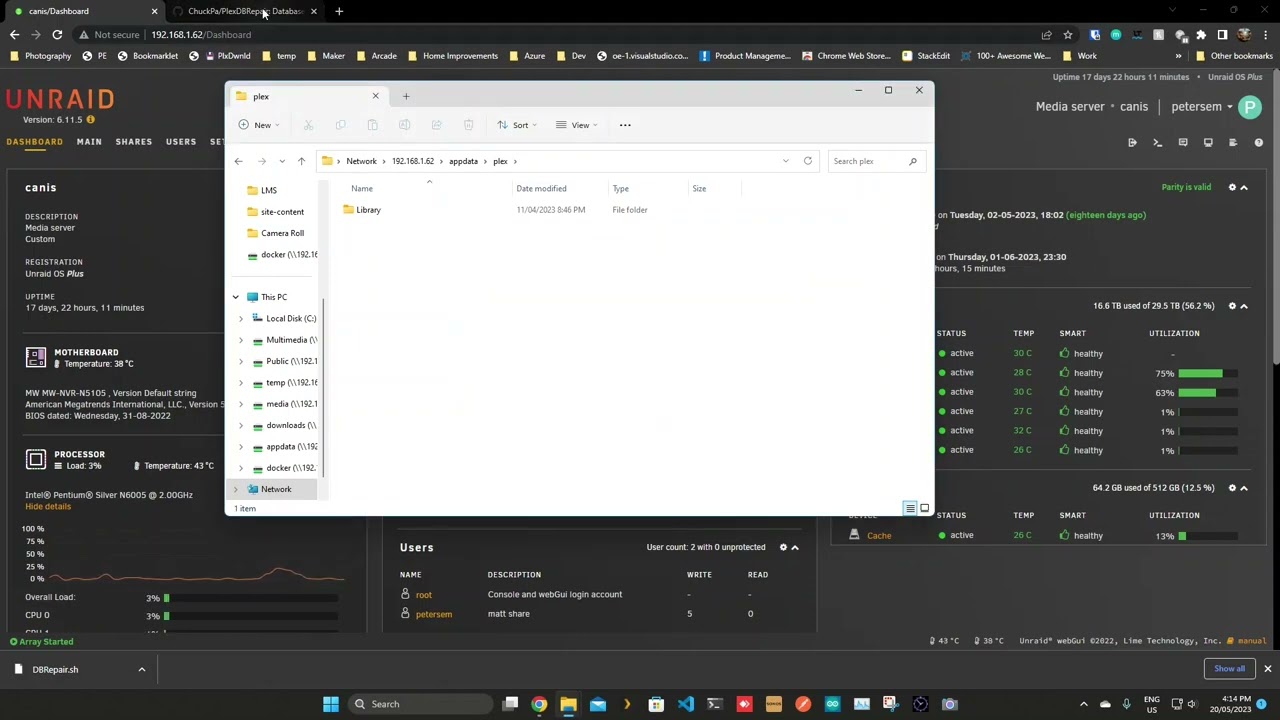
@JaysPlex thanks that seemed to fix it…it added shows it didnt add them all after a scan going to do it again…
but it seemed to fix it… what causes this database disk image malformed that it was corrupted? so i can try to avoid it
@JaysPlex can you see if there is another db error? i did run a new scan of the files i have
i have a tab for crime shows plex only added 36 of 71 it cant find the rest… i did multi dbrepair but it cant seem to re detect the other shows… is the logs showing another error?
i did also try reboot of unraid so it be fresh but still not finding the other shows it used to have … do i need to do a new happy dance? or can i delete the database without deleting the tabs on the left hand side i created
Plex Media Server Logs_2023-08-21_09-53-22.zip (2.8 MB)
and here is the log file in unraid for plex
text  error  warn  system  array  login

kill: usage: kill [-s sigspec | -n signum | -sigspec] pid | jobspec ... or kill -l [sigspec]
kill: usage: kill [-s sigspec | -n signum | -sigspec] pid | jobspec ... or kill -l [sigspec]
Connection to 172.105.29.68 closed by remote host.
Connection to 172.105.29.68 closed by remote host.
Connection to 172.105.14.106 closed by remote host.
kill: usage: kill [-s sigspec | -n signum | -sigspec] pid | jobspec ... or kill -l [sigspec]
kill: usage: kill [-s sigspec | -n signum | -sigspec] pid | jobspec ... or kill -l [sigspec]
Connection to 172.105.21.56 closed by remote host.
kill: usage: kill [-s sigspec | -n signum | -sigspec] pid | jobspec ... or kill -l [sigspec]
Connection to 172.105.3.158 closed by remote host.
[services.d] starting services
Starting Plex Media Server.
[services.d] done.
Critical: libusb_init failed
Stopping Plex Media Server.
[cont-finish.d] executing container finish scripts...
[cont-finish.d] done.
[s6-finish] waiting for services.
[s6-finish] sending all processes the TERM signal.
[s6-finish] sending all processes the KILL signal and exiting.
[s6-init] making user provided files available at /var/run/s6/etc...exited 0.
[s6-init] ensuring user provided files have correct perms...exited 0.
[fix-attrs.d] applying ownership & permissions fixes...
[fix-attrs.d] done.
[cont-init.d] executing container initialization scripts...
[cont-init.d] 40-plex-first-run: executing...
[cont-init.d] 40-plex-first-run: exited 0.
[cont-init.d] 45-plex-hw-transcode-and-connected-tuner: executing...
[cont-init.d] 45-plex-hw-transcode-and-connected-tuner: exited 0.
[cont-init.d] 50-plex-update: executing...
[cont-init.d] 50-plex-update: exited 0.
[cont-init.d] done.
[services.d] starting services
Starting Plex Media Server.
[services.d] done.
Critical: libusb_init failed
Stopping Plex Media Server.
Starting Plex Media Server.
Critical: libusb_init failed
The '--scan' operation is deprecated and will be removed in future versions of Plex Media Server.
Sqlite3: Sleeping for 200ms to retry busy DB.
Generated new chapter thumbnails for Episode 30.
The '--scan' operation is deprecated and will be removed in future versions of Plex Media Server.
Stopping Plex Media Server.
Starting Plex Media Server.
Critical: libusb_init failed
Stopping Plex Media Server.
[cont-finish.d] executing container finish scripts...
[cont-finish.d] done.
[s6-finish] waiting for services.
[s6-finish] sending all processes the TERM signal.
[s6-finish] sending all processes the KILL signal and exiting.
[s6-init] making user provided files available at /var/run/s6/etc...exited 0.
[s6-init] ensuring user provided files have correct perms...exited 0.
[fix-attrs.d] applying ownership & permissions fixes...
[fix-attrs.d] done.
[cont-init.d] executing container initialization scripts...
[cont-init.d] 40-plex-first-run: executing...
[cont-init.d] 40-plex-first-run: exited 0.
[cont-init.d] 45-plex-hw-transcode-and-connected-tuner: executing...
[cont-init.d] 45-plex-hw-transcode-and-connected-tuner: exited 0.
[cont-init.d] 50-plex-update: executing...
[cont-init.d] 50-plex-update: exited 0.
[cont-init.d] done.
[services.d] starting services
Starting Plex Media Server.
[services.d] done.
Critical: libusb_init failed
Stopping Plex Media Server.
[cont-finish.d] executing container finish scripts...
[cont-finish.d] done.
[s6-finish] waiting for services.
[s6-finish] sending all processes the TERM signal.
[s6-finish] sending all processes the KILL signal and exiting.
[s6-init] making user provided files available at /var/run/s6/etc...exited 0.
[s6-init] ensuring user provided files have correct perms...exited 0.
[fix-attrs.d] applying ownership & permissions fixes...
[fix-attrs.d] done.
[cont-init.d] executing container initialization scripts...
[cont-init.d] 40-plex-first-run: executing...
[cont-init.d] 40-plex-first-run: exited 0.
[cont-init.d] 45-plex-hw-transcode-and-connected-tuner: executing...
[cont-init.d] 45-plex-hw-transcode-and-connected-tuner: exited 0.
[cont-init.d] 50-plex-update: executing...
[cont-init.d] 50-plex-update: exited 0.
[cont-init.d] done.
[services.d] starting services
Starting Plex Media Server.
[services.d] done.
Critical: libusb_init failed
and i dont have a usb attached to plex
Is this a baremetal install on Unraid or Docker? I’m unfamiliar with Unraid, so pardon my ignorance.
This was the first thing that came up when I Googled the error message.
https://www.reddit.com/r/docker/comments/j0klle/critical_libusb_init_failed_what_does_this_mean/
Google Translate required for English.
@kazz3r24
ya like i have a small nas i built the Os is unraid so linux and id runs docker plex
like the tv shows were working in the past but if i added new content it wasnt showing up so i did the happy dance… and then it wasnt adding anything then i uploaded the logs and got told corrupt database… so i did the fix the database… it cured for the most part… it found alot of shows i have but not all of them… like for my crime it shows 36 shows yet i have 71 on the folder… so it found it…
i ddid try a optimize database and clean bundles in Plex… and then re scan … still didnt find them… so wasnt sure if its corrupt still. but the DBRepair didnt find any errors… was thinking to do another happy dance …and see if it will find it all
ill check out those links now too… i appreciate all the help everyone gives… as in past id just delete plex and start all over
There’s always a fix that doesn’t require purging your PMS. Hopefully one of those links helps you out. It sounds like the Docker specific ones will be the way to go.
Optimizing the db in PMS won’t do much if there’s an issue with Docker where it resides, getting that usb error fixed in Docker should resolve it for you.
@kazz3r24 from what i read from the articles i guess thats not a serious error something with a plex tunner its looking for and if i dont use one or something not to worry about it… least thats my understanding from those links
i guess i going to try the dbrepair program again… least it got me farther then i was lol it found some of the shows that werent being added but wont find all the shows lol…
always something right? lol
trying a new happy dance to see if it iwll fix it after i re scanned with the dbrepair
Did you experience any kind of power outage before you started having this problem?
That’s probably the most common reason for database problems. If you don’t have one, look into getting a surge protector and UPS
I’m not seeing any of the corruption in your logs so it appears as though your repair went ok
The issue you’re having now seems to be from some other problem
You have your media organized by genre.
/Videos/Movies/Western
/Videos/TV Shows/Action
/Videos/TV Shows/Crime
Are each of those their own separate library or you have just one TV library for all of those?
Can you verify the folder Plex is looking at
3 dots next to the library → Manage Library → Edit → Add Folders
/Videos/TV Shows/Crime ← Good
/Videos/TV Shows ← Not Good
@JaysPlex
ya i have a ups on the unraid box…so im covered there
and ya so how i do it
i made Tabs on the left
one for All Tv Shows and it links /Videos/TV Shows/Action etc all as root folder
and then i do a Indvidual Tab so TV Shows - Crime = /Videos/TV Shows/Crime
and then it normally finds all the shows currently in the Crime it only found 36 out of the 71 i have in there… so i make it Each tab gets its own Gnrea
so ya it points to /Videos/TV SHows/Crime it was working before and then just noticed recently it wasnt
so what i did now was
i did the happy dance… i ran the DBRepair… then i renamed my old directories back to the normal ones
so TV Shows = OldTVShows then i copied my templates over for Happy dance… then deleted and then renamed OldTVShows back to TV Shows
and then i forgot to Emptry Trash… so i did that
now i re scanning and since internet is slow may take till tomorrow to finish…
as i know plex cant find the Sue Thomas F B I show in normal scan i usually have to do the Match and link it … even though its correctly labeled so plex should adopt it but it cant…
but currentlly in my crime… it couldnt find the show at all period in the scan… but i currently doing a new scan so it hasnt made it to Crime yet…
but those are the steps i currently doing well done i just at the scanning library now
there seems to be something wrong
like i made a new tab
pointed /videos/tv shows/crime
it only finds 36 shows of 71 it doesnt even add them as unmatched it just only adds 36 and thats i… i even tried new permissions for videos folder in unraid.,… i dont get it… whats going on… might try to install a 2nd copy of plex… and just add 1 folder to the crime folder and see if it finds a all 71 tv shows or only 36 cuz this frustrating
What does your file naming convention look like?
Just as an example, here is the directory structure and naming convention I use and it works flawlessly 100% of the time, and my media is connected to PMS with a mount point from another server.
/mnt/Foxtrot/TV Shows/American Dad!/Season 14/American Dad!.S14E03.The Enlightenment of Ragi-Baba.mkv
It’s been years since I’ve had issues like this (not detecting files). If it’s not a file permission problem, or a USB problem - to me it sounds like naming convention if things aren’t getting picked up.
