Server Version#: 1.24.4.5081
Player Version#: Doesnt use hw transcoding on any player.
Hello guys, I have the problem that plex is not using intel quicksync on my debian 11 stable server. Yesterday I made sure and read many post containing fixes for this. I still have the problem. I choosed one my Media’s as example for not transcoding, but it happens on all types when it needs to transcode.
Plex Media Server Logs_2021-10-13_13-31-42.zip (4.0 MB)
Hardware:
CPU: Intel Core i5-2520M (Sandy bridge) (quicksync supported)
https://ark.intel.com/content/www/us/en/ark/products/52229/intel-core-i5-2520m-processor-3m-cache-up-to-3-20-ghz.html

(I also have Nvidia NVS 4200 gpu, but dont bother with it, im not gonna use it. I just want to use quicksync.)
Software:
Debian 11 stable with kernel 5.10.0-9-amd64
Plex Server Version: 1.24.4.5081 (Yes I have plex pass)
Media File Type:
I created a short file sample
https://www.mediafire.com/file/5rw6q4svdounmop/samplefile.zip/file
Media

(Subtitles off)
- Duration 1:08:05
- Bitrate 20253 kbps
- Width 3840
- Height 2160
- Aspect Ratio 1.78
- Video Resolution 4K
- Container MKV
- Video Frame Rate 24p
- Audio Profile lc
- Video Profile main 10
Part
-
Duration 1:08:05
-
File Westworld S1E1.mkv
-
Size 9.52 GB
-
Audio Profile lc
-
Container MKV
-
Video Profile main 10
-
Codec HEVC
-
Bitrate 15673 kbps
-
Bit Depth 10
-
Chroma Subsampling 4:2:0
-
Coded Height 2160
-
Coded Width 3840
-
Color Primaries bt2020
-
Color Range tv
-
Color Space bt2020nc
-
Color Trc smpte2084
-
Frame Rate 23.976 fps
-
Height 2160
-
Level 5.1
-
Profile main 10
-
Ref Frames 1
-
Width 3840
-
Display Title 4K (HEVC Main 10 HDR)
-
Extended Display Title 4K (HEVC Main 10 HDR)
-
Codec TRUEHD
-
Channels 8
-
Bitrate 3671 kbps
-
Language English
-
Language Tag en
-
Audio Channel Layout 7.1
-
Bit Depth 24
-
Sampling Rate 48000 Hz
-
Display Title English (TRUEHD 7.1)
-
Extended Display Title English (TRUEHD 7.1)
-
Codec AC3
-
Channels 6
-
Bitrate 448 kbps
-
Language English
-
Language Tag en
-
Audio Channel Layout 5.1(side)
-
Sampling Rate 48000 Hz
-
Display Title English (AC3 5.1)
-
Extended Display Title English (AC3 5.1)
Troubleshooting:
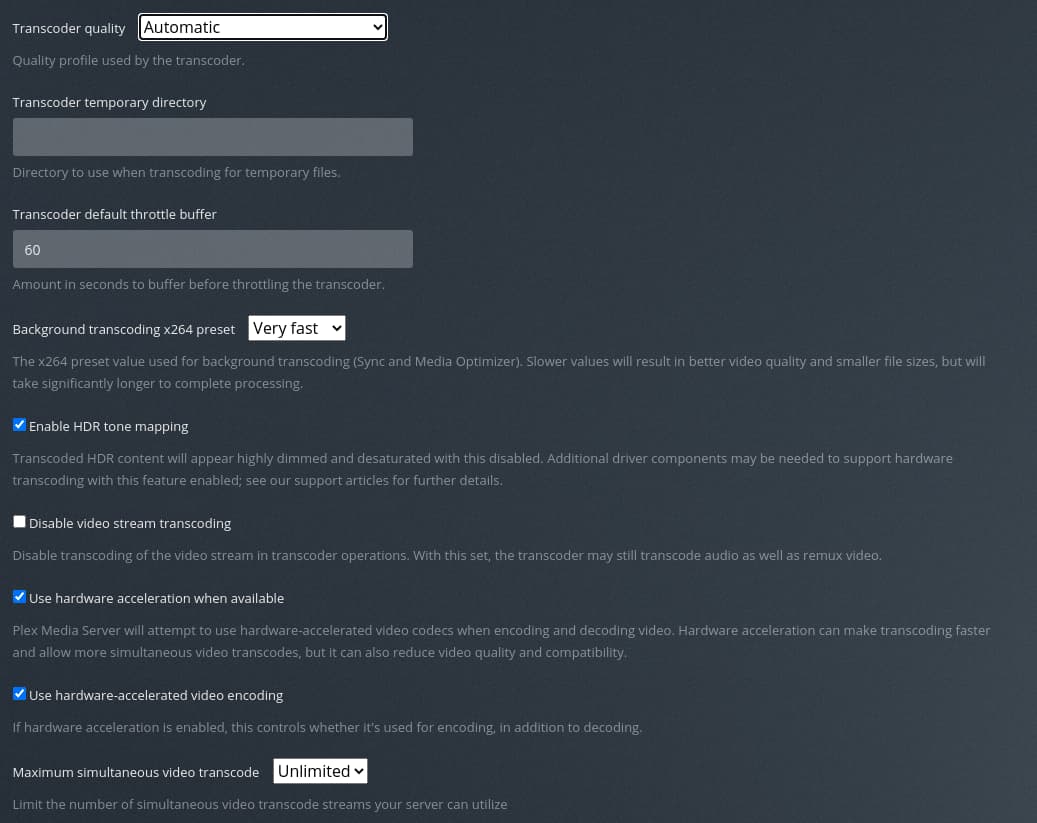
Hardware transcoding is on
vainfo

lsmod | grep i915

ls -la /dev/dri

grep render /etc/group

grep video /etc/group

apt install ocl-icd-libopencl1 beignet-opencl-icd

I dont understand what’s the problem? Is it because my cpu doesnt support it? Or do I have to install something/configure? I dont use an hdmi dummy plug.
Thank you all very much!
