Server Version#: 1.19.4.2935
Player Version#: 4.30.2
Good day
I’m using Plex from a Roku player connected to a TV and it just keep getting to 33% and then freezing. Every other channel on Roku like Netflix, or Youtube works so it’s not a connection issue and I have another Roku player at the house with Plex on it which works although it sometimes lags also but way less. Is it that Plex is not optomized for use on Roku players?
Typically, the 33% hang happens when the transcoder is called upon, but there aren’t enough horses in the barn to get the job done.
Find out why they’re transcoding and do something about it - one way or the other - whatever that ends up being.
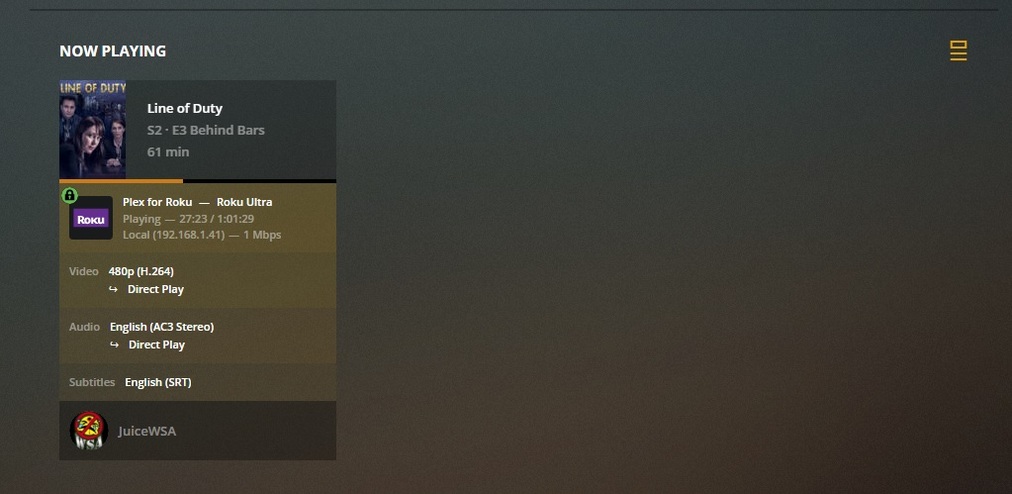
Another, mostly inadequate method of viewing a transcode (and trying to figure out what is causing it) is open the OSD, slide right to the ‘Settings’ icon, go to Stream Info and look at that (for all the good it’ll do).
There are usually a few things about a file that would cause a transcode - a Dashboard image may lead us there… may not.
As a last resort - if no headway can be made - some client logs and advanced support to read them may be called for. Go now to:
Server/Settings/General
and disable Verbose - Enable Debug.
(Verbose is useless - unless specifically requested)
In case they’re needed.
There’s an issue with the PLEX Roku app. I and others have discussed it in other threads (link below). Some attribute it to unsupported content, while others to networking issues. I can confirm based on deductive testing that the problem lies with the PLEX Roku app, itself.
In summary, the PLEX Roku app puts a severe strain on my server, resulting in buffering and failure, while the same server doesn’t break a sweat streaming the exact same content to an Android device.
Interestingly when I use the Plex app that’s on my smart TV, I have less problems. I still do but way less. This looks like it’s going to be difficult to narrow down.