Eek! Now I’m thinking I should disable any further updates…
The same here.
Nothing has changed for me. Still a problem. And because this tread has the label ‘solved’ I am not expecting anything will be solved soon.
We should probably start a new topic. Because this is useless.
1 Like
I guess I cursed myself—problem has started recurring 
Not as frequently though, really weird.
@BigWheel any chance of any updates on the dev side for this issue? It’s been going for quite some time now.
1 Like
Progress! The reworked app that is now in beta testing has fixed this issue for me. I’m really happy!
Wow! Cautiously expectant…
Oh no oh no, it is not fixed after all. The connection is no longer lost after every single opening of the Plex app on AppleTV, but still gets lost frequently. So it’s back to settings and toggling the announce button all too often. Why is this so hard to fix?
Still no news?
As a temp solution, can the devs please set the setting ‘advertise as player’ as ON by default for both iOS and tvOS apps.
I believe that the app is just changing the setting to its default value after x amount of time, or when the app has been force closed.
Perhaps until a perm solution is found, this could help those who want to use this feature but can’t use it practically cause it keeps disabling itself.
2 Likes
That would be a good ‘solution’ for now.
At the moment, I don’t see any damage done by changing the current default setting.
I suspect it won’t help. As far as I’ve been able to determine, as far as the app is concerned the settings is already on. Something is timing out or disconnecting even though it’s supposed to be enabled. A better option might be for the app to regularly check if the setting is actually still responding as it should.
The difficulty seems to be that the devs seem not to have an Apple TV that displays the issue, so it’s either proving difficult to reproduce, or else it’s just not high on their priority list.
Still an issue. I mentioned it during the fireside chat to hopefully get some attention.
1 Like
@TheLivingBubba Can you please provide some additional information about the AppleTV model, Plex on tvOS version, the app and it’s version that is being used as the controller, and the PMS logs and Plex for tvOS logs.
2 Likes
I sent you a message with the logs with it not working and after toggling it from ON to OFF to ON again and it working fine. It will be fine for a day and then revert back to not being found.
Plex Versions: apple tv 8.38.1
iOS 8.38.3
server 1.40.5.8921
Apple TV is the 2022 4k 3rd gen, iphone 12, server is a Synology ds224+ running PMS in docker.
3 Likes
To hopefully provide more info, I toggled both “announce as player,” on my ipad and apple TV yesterday morning. I checked in the afternoon and they were both fine. I then checked this morning roughly 12 hours later and they were all still marked, “on,” but not announcing.
I updated all my devices to 8.39 and toggled them all and verified they are announcing. Using the mac OS app I see them all. I will check again tomorrow around this time and see.
Please let me know if you need different server logs, or what I should be looking for in the logs to help.

I predict the connection will be there tomorrow but will also disappear within a minute. That’s at least what happens in my case. Toggling brings it back, but again only for a session.
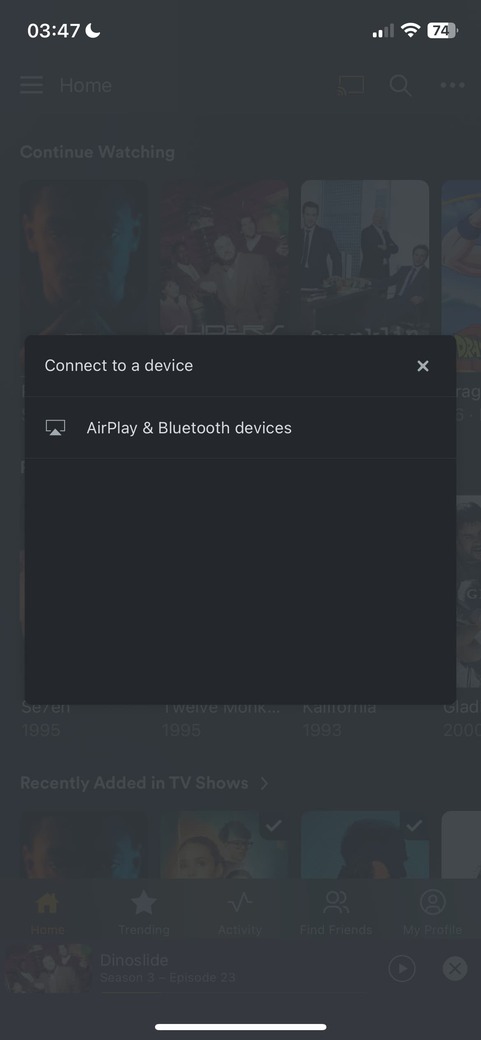
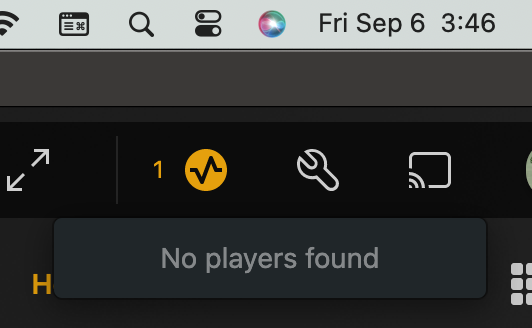
I noticed and sent a message off to @Atomatth that I think the problem is user account related. I have a 2nd apple tv on wifi that always shows up without needing to be toggled, but it’s always on a normal home account. The first apple tv that always has the problem is ethernet connected (I had it on wifi for two days to rule it out,) but always uses the admin account.
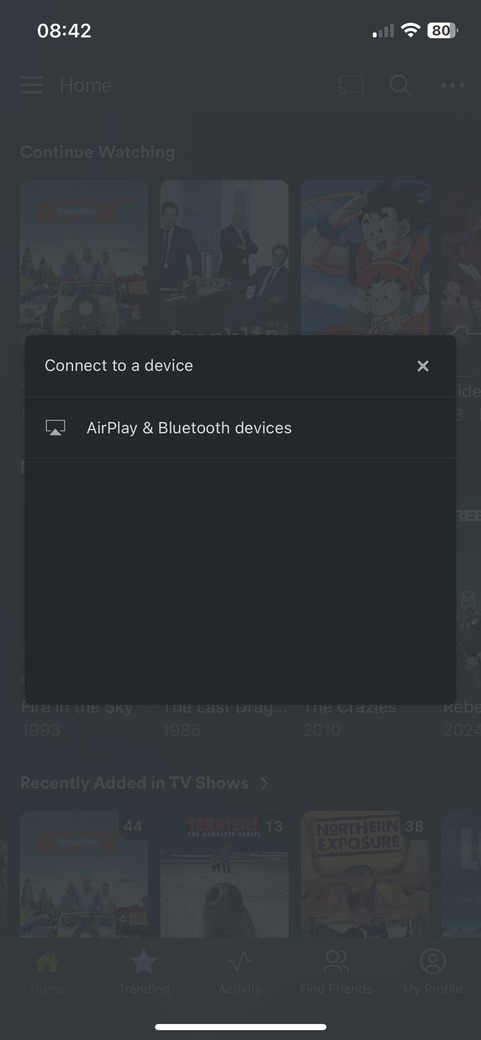
That said I noticed that when I switched from my admin account to the only other home user account on my iphone the apple tv is right there, switching back to my admin account it goes away. If I use the home account it streams fine.
Iphone Admin account:
Iphone Fast user switch to Home account:
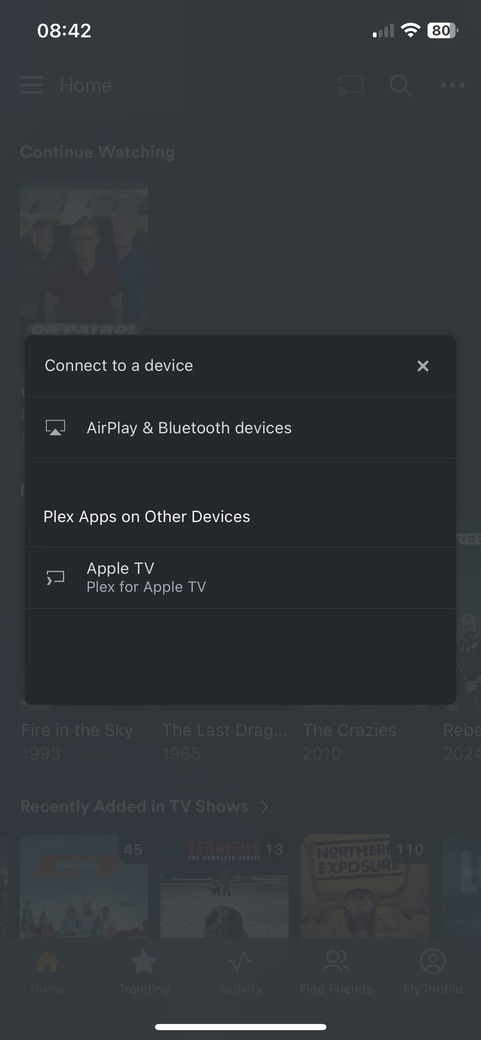
I can go back to the admin and on my iphone I still won’t see the apple tv, if I then fast user switch on the apple tv to the other account it must reset something because I can then see the apple tv from both accounts on my iphone.
I’m more then willing to do more testing and send logs etc, just need to know the parameters and steps you wanted tested.
2 Likes
That’s interesting and a great workaround for my purposes. I can confirm that when my ATV4k is on a non-admin account, the atv does announce as player; whatever account I use on my iPhone.
I hope that your observation will narrow down things for a permanent solution.
EDIT: But only temporarily … :face_with_raised_eyebrow. Back from holiday, and everything is as was. I now at least have the benefit of two toggle-adventures: I can choose to toggle in the announce-setting, or I can flip the users on ATV and iPhone back and forth. At some point, the ATV will appear as a player. But either way, I’m destined to toggle.
I simply give up as of now. This has lasted way too long in my opinion - lost faith in a solution. Too bad. 
1 Like
The issue is also mentioned here and it is affecting both Apple TV as well as iPhones: PlexServer()clients() returns nothing · Issue #1447 · pkkid/python-plexapi · GitHub
When a session ends, a client stops advertising. When advertising stops, the device cannot be found anymore. When a new session starts, the advertising does not start. The session can be found, but the client cannot be found.
Work around 1: Toggle the ‘advertise as player’ setting to off and on. Then the client starts advertising again.
Work around 2: You can still connect to a device using its hardcoded ID, as fregapple explained here: PlexServer()clients() returns nothing · Issue #1447 · pkkid/python-plexapi · GitHub
Can you please check why a client doesn’t start advertising when a new session starts? Would be nice if this bug could be fixed.
3 Likes
I still have intermittent issue with this and toggling the option working for me .
TBH found the workaround accidentally before finding this article. 
I have developer background and happy to help if logs are needed for troubleshooting.
I will test the non-admin account workaround too and will update here.
1 Like
