You tried too many things. I lost track, whether you still have the old plex data somewhere available or not.
Is there still a folder on your SSD drive which looks like this inside?
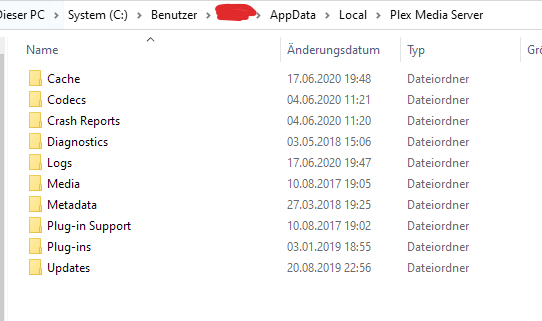
If there is, make a note of its drive letter and folder path.
(It’d be better if it were not directly in the root folder of the drive.
e.g. F:\Plexdata\Plex Media Server would be preferable over F:\Plex Media Server or even F:\.)
Make sure that your current Windows user account has full “read/write” privileges in this folder and all its subfolders.
- Install Windows on your regular C: drive.
- Install Plex Server into the default location on drive C:
- After you have verified that Plex server is actually working correctly, by creating a small(!) test library, perform this procedure, starting with step 4) [HowTo] An extended guide on how to move the Plex data folder on Windows
