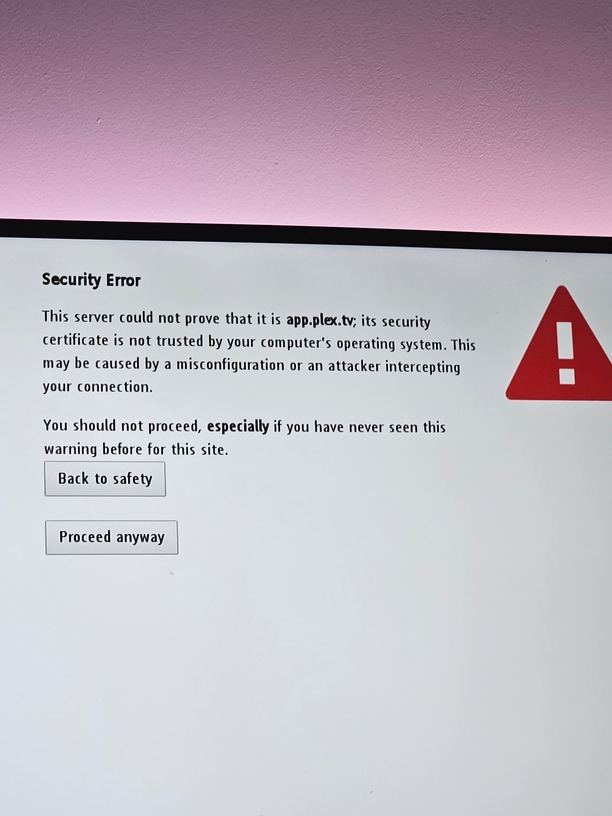
App on my tv suddenly stopped working… it give me white screen with text that connection to app.plex.tv is not secure and i should not proceed. If i press procced anyways button, it shows the plex logo and then blank screen. On my other tv and on web, server is working fine. I tried factory reset tv and everything and its not working at all.
Yes, date/time is correct and i tried to unplug the TV as well. I’ve also tried factory reset and also tried to open plex on web ui on the TV but it gives me the same error.
Note: its not working only for this TV, on pc, phone and other TV is working fine.
I don’t see the TV on the supported list and it looks like it is trying to do dns rebinding protection or can’t establish a SSL connection.
You are running Plex in a docker on Windows System Linux, not really going to be a lot of support there either. You can’t turn off secure connections on the server anymore but you can set it to “Preferred”. Time for a supported external device.
Yeah but i think the problem is TV itself and not the server. Since even when i did factory reset, app still shows that secure error even before i could try to login again or connect application to my server.
Its just weird because there was no update for TV or any other change.
The error you show where “This serer could not prove that it is app.plex.tv” is a basic HTTPS error. It is “below” the level of whether or not the plex app can run.
This is communication error and the TV is refusing to connect.
Causes can be
TV’s internal clock is not sync’d to internet time ( NTP.org )
TV software/firmware updates pending (bug fixes)
The most common ones are DNS rebinding (modem) & TV internal clock is not correct.
HTTPS must have both sides in time-sync to work.