Hey all so as the title says playback is blurry as all heck. It seems one episode plays fine then the next one is blurry for any show i choose. I am using chrome browser for playback in my home. I have it set to maximum in the playback area but when i checked it says .7Mbps?

Does it give you more options when you click “show all”
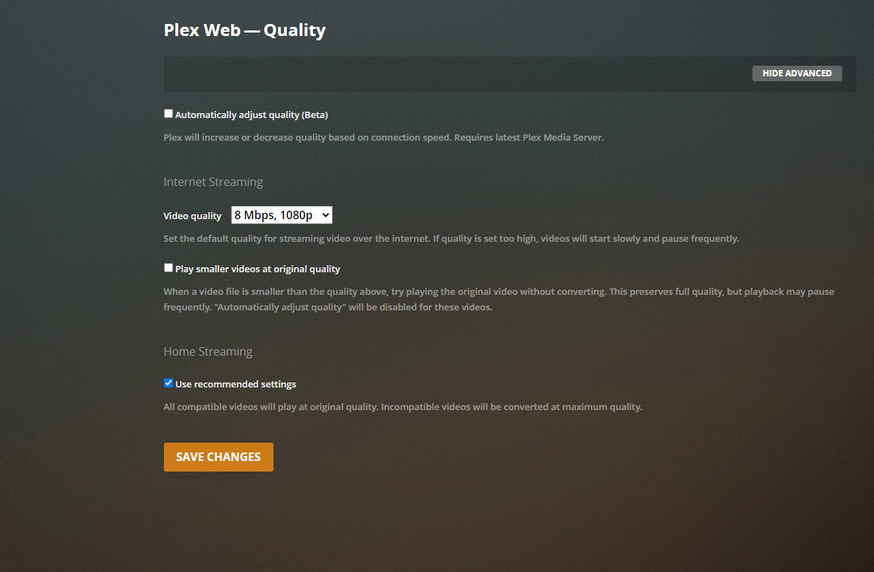
what are your quality settings here set to?

My Internet streaming setting is 8Mbps, 1080P
My Home streaming is use recommended settings so it converts if it needs to.
I have also unchecked that and checked 20Mbps 1080P. No matter what I do it auto changes it to pointX something on the second episode.
While the thing is playing can you minimize it by clicking on the down arrow that will show up on the top left of screen then go to the dashboard and see what is says for its Now Playing block.
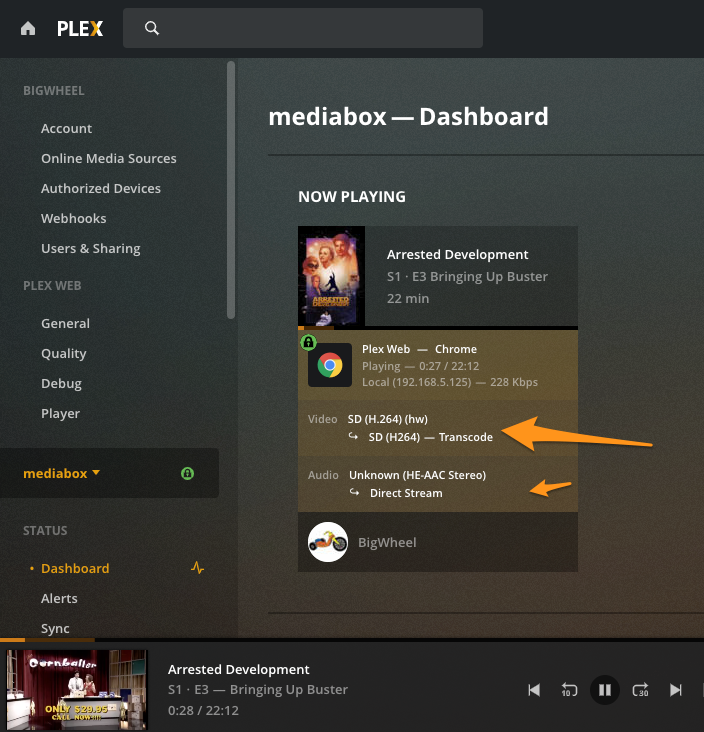
Here is what I have when the episode is blurry.

A web browser cannot play HEVC natively that is why it is kicking in a transcode. Is the original bit rate of that file also about 3mbps?
You might want to try out the Plex for Mac app. It can play HEVC natively and has basically the same interface https://www.plex.tv/media-server-downloads/#plex-app
I would just put home streaming on maximum. And I would leave Play smaller videos at original quality enabled.
But why is it trans-coding at point 7mbps? Even id it has to trans-code it shouldn’t be that low.
Probably need to see the server logs after the second episode starts. Was hoping it was something simple.
What is the original bitrate of that american dad episode?
I hope that this is what you need.
Plex Media Server.log (514.6 KB) Plex Transcoder Statistics.log (1.1 MB) Plex Media Server.1.log (10.1 MB) Plex Transcoder Statistics.1.log (201.3 KB)
Sorry which episode of what is doing it in these logs? I see a bunch of stuff playing on an Xbox not the Web app.
I believe that the Plex Server Media .1.log has the videos I was playing on edge browser. I will try again today to play videos and get some fresh logs. Whiteshadow1 would be the account playing the videos. I ran plex for about an hour today and these are the logs. Do you need transcoder logs as well?
Note: I left it playing when I came back to it it was just doing the spinning buffering thing.
Plex Media Server.1.log (10.1 MB)
I forgot to ask about your precious screenshot. It shows the media playing at 3mbps at 720p. Was it not actually playing that quality?
No when it is blurry it is playing at less that 1Mbps usually point7 or point 4 Mbps. I also just noticed it happens when it is transcoding form MPEG4 to H264

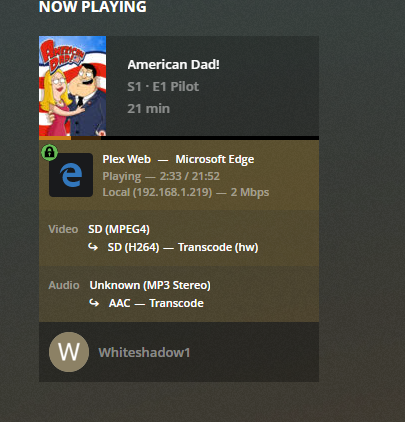
Can you grab the xml for one of the files. ( get info on an episode then "view xml"in window that opens) it looks like the file are just so low resolution to begin with.
(I’m curious what it looks like with HW transcoding disabled)
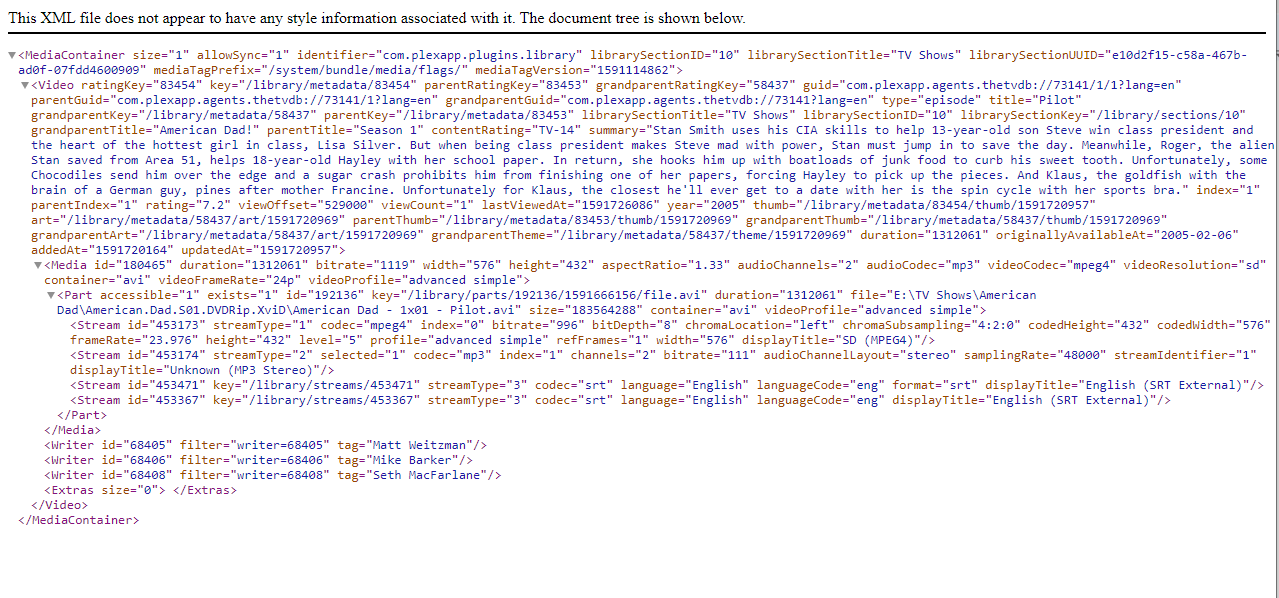
bitrate="1119" is the original bitrate. which is the 1.1kbps it shows as maximum.
HW transcoding is not as good as SW. so I would try disabling HW
IF a Player App was used instead of Plexweb.
The dam thing would Direct Play.
Why all the Drama?
Just sayin…
I already suggested that. he might have reasons for using Plex Web
I can’t think of one right now - can you?
(rhetorical - I’ll watch)
This topic was automatically closed 90 days after the last reply. New replies are no longer allowed.
