Server Version#: 1.29.0.6244-6000
Player Version#: 1.29.0.6244
Hey everyone. So I’m running into an issue that doesn’t make any sense to me: I’m trying to Direct Play a 320p video encoded to a bitrate of 696 Kbps on an iPhone set to limit cellular bandwidth to 0.7 Mbps, but the Plex client iOS app is throwing an error that says I need 1,541 Kbps to do so. Huh? Where is the extra data coming from?
Here are some screenshots:

Details on the video in question
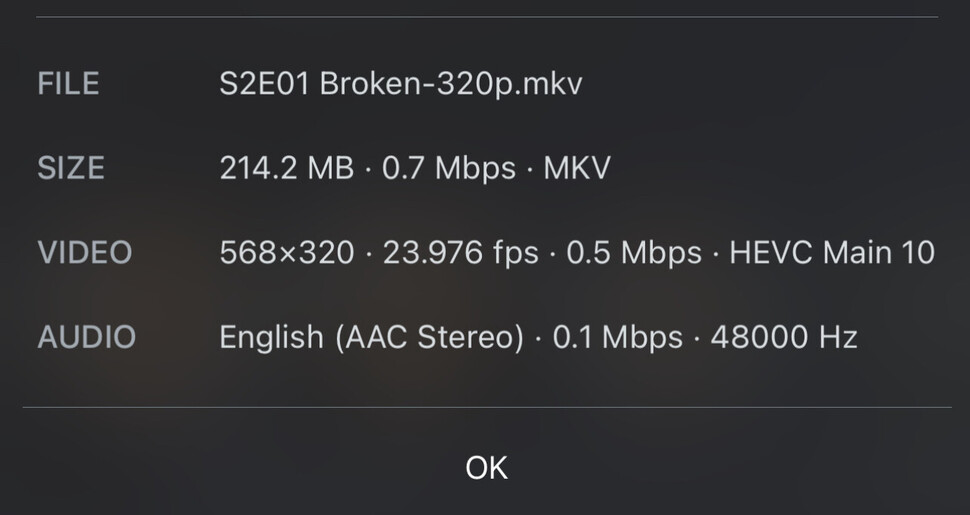
Plex’s details about the video file
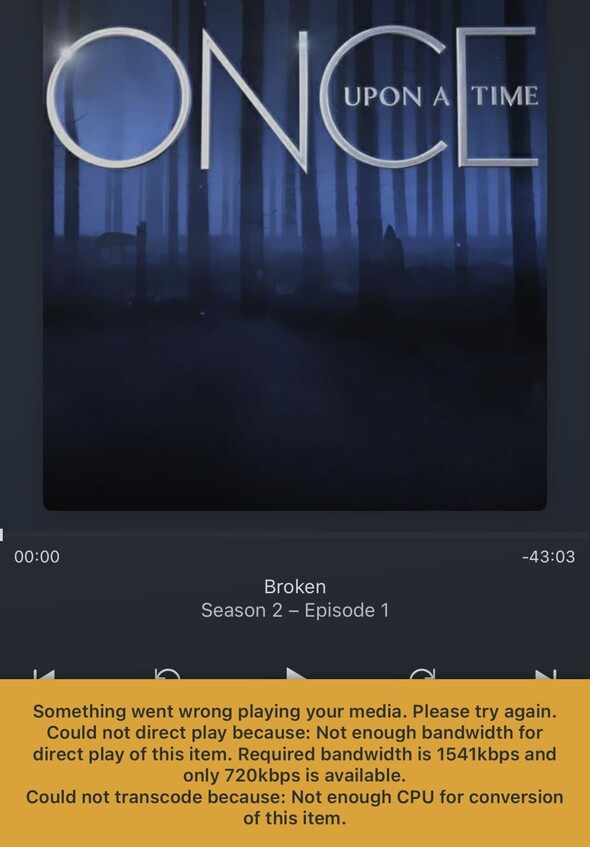
The error message
I’m pretty sure it isn’t a unit conversion error because even defining Kbps as kibibits and Mbps as megabits would still only mean that 696 Kbps equals 0.712704 Mbps, which is under the 720 Kbps limit. And I know it isn’t other streams adding to the bandwidth requirement because I remuxed this video file to only include the 568x320 px compressed video stream, the 128 Kbps stereo AAC compressed audio stream, and the PGS subtitle stream, which total to the aforementioned 696 Kbps.
The only thing that occurs to me is maybe the audio stream being encoded as VBR instead of CBR means there’s a point in the audio stream where the audio bitrate peaks highly enough to push the cumulative bitrate above the 720 Kbps limit, but I don’t know how to check that; also, if that’s the problem, the only solution that occurs to me is using ffmpeg on an Intel PC or Mac to re-encode the audio stream through libfdk_aac — my main computer is an Apple Silicon Mac, for which libfdk_aac has unfortunately not yet been updated. That would be a hassle, so I’d rather not resort to it but I can and will if necessary.
Thanks 
