Server Version#: 1.29.1.6316
Player Version#: 1.58.1.3380-ea159c52
I was playing an anime on Plex and started to notice a rapid-changing artifact effect on the screen. I then used IINA (a movie player on macOS) to play the file in order to get a comparison. I’ve got no issues replaying the movie in IINA.
Here are the playback settings for the Plex Player. Notice I’m not using the transcoder (Quality is Original) but I am using a subtitle stored in the same directory as the movie on the Plex server:

The artifact pattern seems to be a high frequency, alternating artifact as one would seen in a very low bitrate-encoded H.264 file. However the resulting image is still viewable and doesn’t really pose a serious issue, but I do notice some color inconsistencies as well the somewhat noticeable alternating pattern so it would be great to be able to somehow still avoid that.
Here are some screenshots to illustrate what I mean:
Edit: seems that the screenshots are compressed by JPEG by the forum so it might affect the representation of what I see on the screen. However I’ve attached another fullscreen screenshot for Scene 2 and the artifact there shall be very clear to see.
Scene 1, Plex Player

Scene 1, IINA
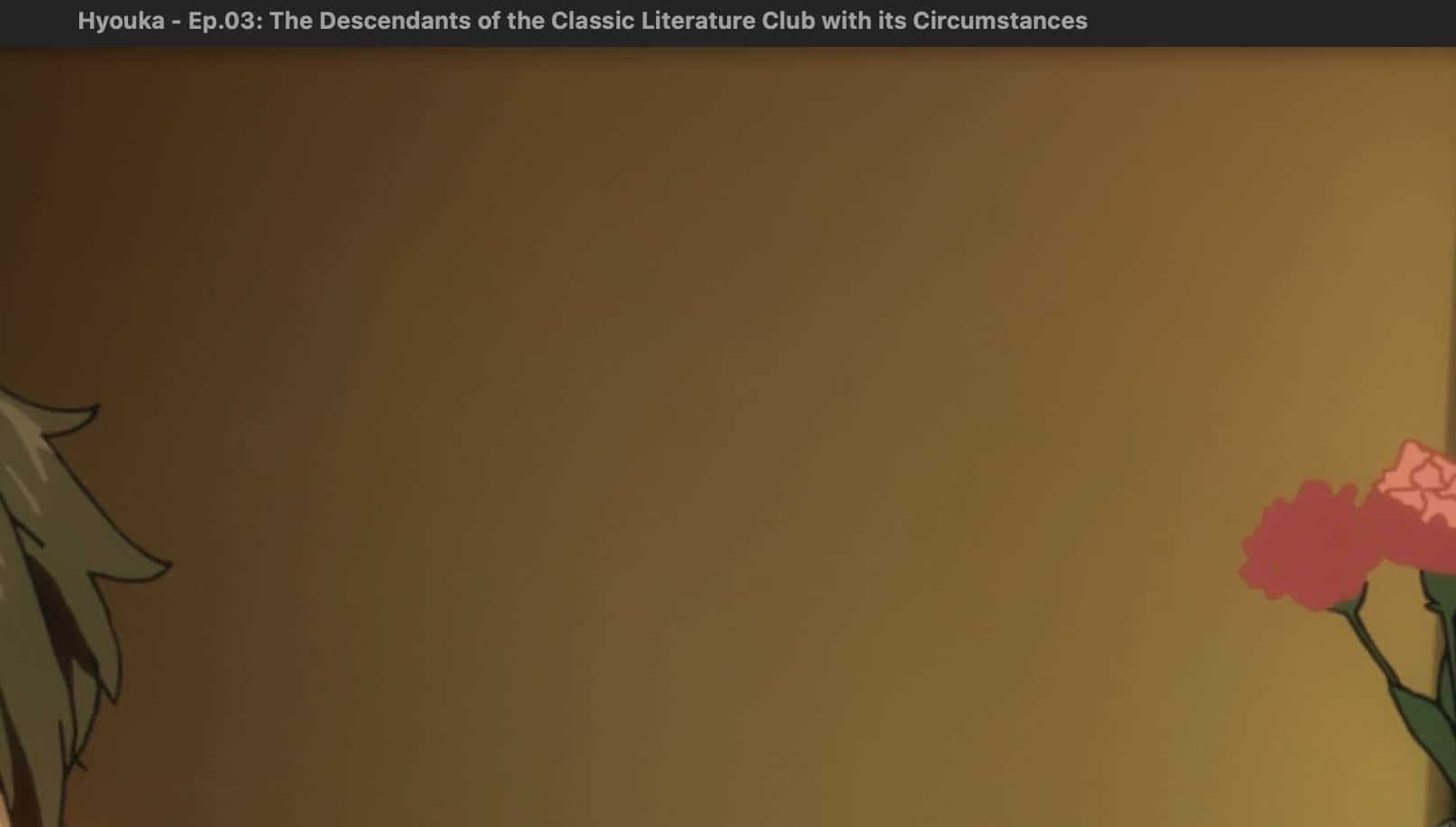
Scene 2, Plex Player
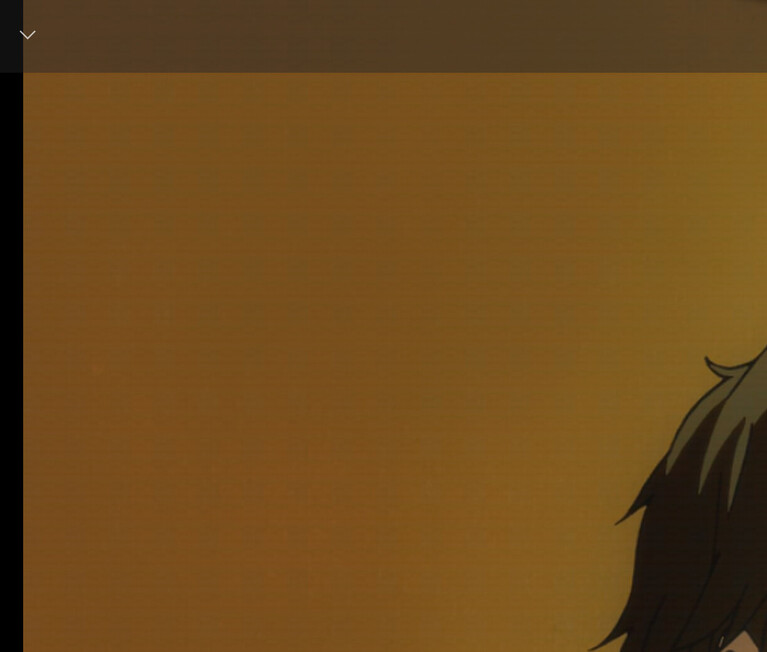
Scene 2, IINA

Scene 2 (Fullscreen), Plex Player
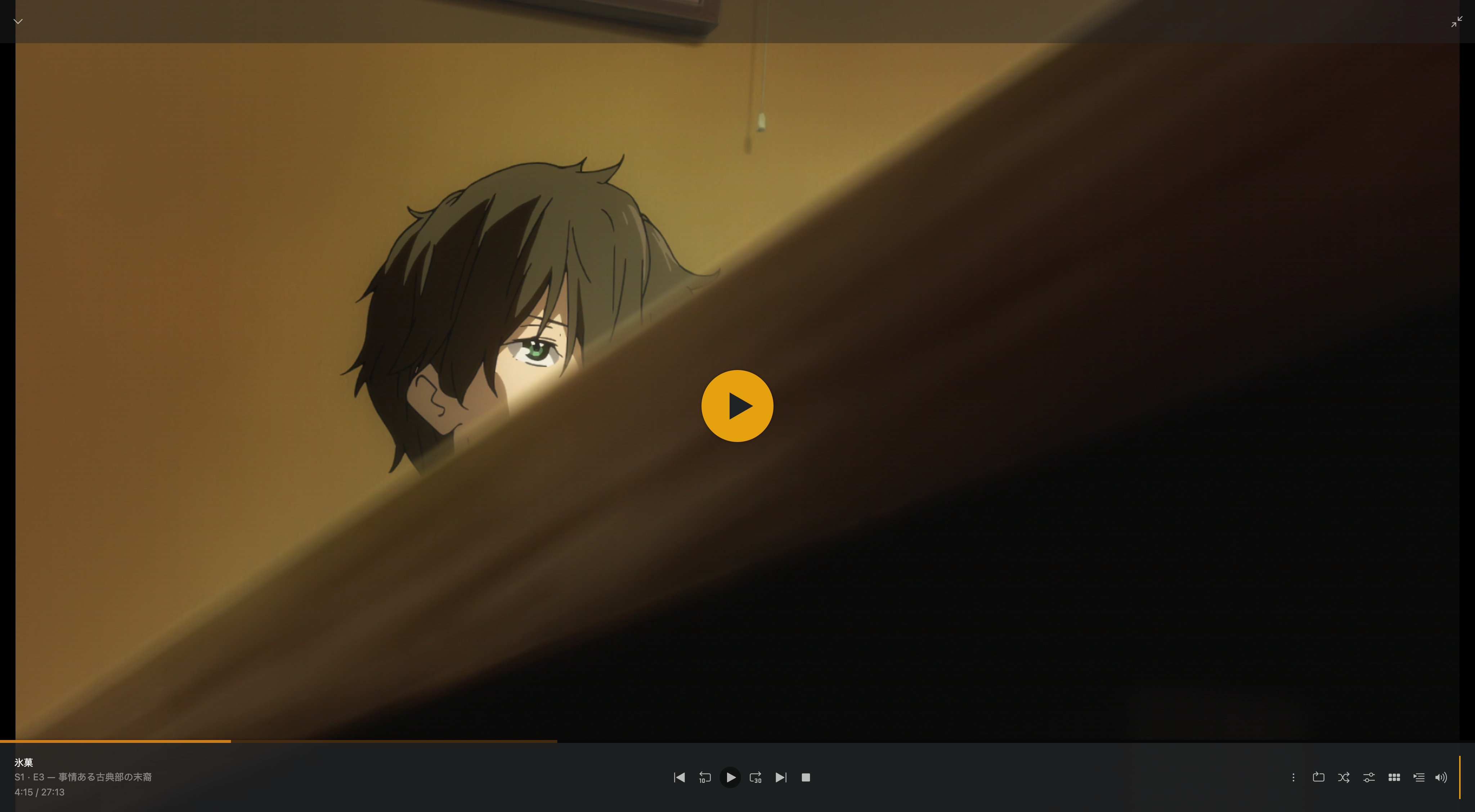
Scene 2 (Fullscreen), IINA
https://i.v2ex.co/L8z82Ly6.png
Here’s the ffprobe output of the mkv file I was playing from.
$ ffprobe Hyouka\ -\ S01E03\ -\ The\ Descendants\ of\ the\ Classic\ Literature\ Club\ with\ its\ Circumstances\ Bluray-1080p.mkv
ffprobe version 4.4.2-0ubuntu0.22.04.1 Copyright (c) 2007-2021 the FFmpeg developers
  built with gcc 11 (Ubuntu 11.2.0-19ubuntu1)
  configuration: --prefix=/usr --extra-version=0ubuntu0.22.04.1 --toolchain=hardened --libdir=/usr/lib/x86_64-linux-gnu --incdir=/usr/include/x86_64-linux-gnu --arch=amd64 --enable-gpl --disable-stripping --enable-gnutls --enable-ladspa --enable-libaom --enable-libass --enable-libbluray --enable-libbs2b --enable-libcaca --enable-libcdio --enable-libcodec2 --enable-libdav1d --enable-libflite --enable-libfontconfig --enable-libfreetype --enable-libfribidi --enable-libgme --enable-libgsm --enable-libjack --enable-libmp3lame --enable-libmysofa --enable-libopenjpeg --enable-libopenmpt --enable-libopus --enable-libpulse --enable-librabbitmq --enable-librubberband --enable-libshine --enable-libsnappy --enable-libsoxr --enable-libspeex --enable-libsrt --enable-libssh --enable-libtheora --enable-libtwolame --enable-libvidstab --enable-libvorbis --enable-libvpx --enable-libwebp --enable-libx265 --enable-libxml2 --enable-libxvid --enable-libzimg --enable-libzmq --enable-libzvbi --enable-lv2 --enable-omx --enable-openal --enable-opencl --enable-opengl --enable-sdl2 --enable-pocketsphinx --enable-librsvg --enable-libmfx --enable-libdc1394 --enable-libdrm --enable-libiec61883 --enable-chromaprint --enable-frei0r --enable-libx264 --enable-shared
  libavutil      56. 70.100 / 56. 70.100
  libavcodec     58.134.100 / 58.134.100
  libavformat    58. 76.100 / 58. 76.100
  libavdevice    58. 13.100 / 58. 13.100
  libavfilter     7.110.100 /  7.110.100
  libswscale      5.  9.100 /  5.  9.100
  libswresample   3.  9.100 /  3.  9.100
  libpostproc    55.  9.100 / 55.  9.100
Input #0, matroska,webm, from 'Hyouka - S01E03 - The Descendants of the Classic Literature Club with its Circumstances Bluray-1080p.mkv':
  Metadata:
    title           : Hyouka - Ep.03: The Descendants of the Classic Literature Club with its Circumstances
    encoder         : libebml v1.3.9 + libmatroska v1.5.2
    creation_time   : 2019-11-16T17:31:30.000000Z
  Duration: 00:27:13.15, start: 0.000000, bitrate: 3175 kb/s
  Chapters:
    Chapter #0:0: start 0.000000, end 70.987000
      Metadata:
        title           : Intro
    Chapter #0:1: start 70.987000, end 161.035000
      Metadata:
        title           : OP
    Chapter #0:2: start 161.035000, end 697.029000
      Metadata:
        title           : Part A
    Chapter #0:3: start 697.029000, end 1534.699000
      Metadata:
        title           : Part B
    Chapter #0:4: start 1534.699000, end 1624.039000
      Metadata:
        title           : ED
    Chapter #0:5: start 1624.039000, end 1633.150000
      Metadata:
        title           : Preview
  Stream #0:0: Video: hevc (Main 10), yuv420p10le(tv), 1920x1080 [SAR 1:1 DAR 16:9], 23.98 fps, 23.98 tbr, 1k tbn, 23.98 tbc (default)
    Metadata:
      title           : By Punisher694
      BPS-eng         : 2934737
      DURATION-eng    : 00:27:13.132000000
      NUMBER_OF_FRAMES-eng: 39156
      NUMBER_OF_BYTES-eng: 599101631
      _STATISTICS_WRITING_APP-eng: mkvmerge v40.0.0 ('Old Town Road + Pony') 64-bit
      _STATISTICS_WRITING_DATE_UTC-eng: 2019-11-16 17:31:30
      _STATISTICS_TAGS-eng: BPS DURATION NUMBER_OF_FRAMES NUMBER_OF_BYTES
  Stream #0:1(jpn): Audio: aac (LC), 48000 Hz, stereo, fltp (default)
    Metadata:
      title           : JAP AAC 2.0
      BPS-eng         : 237183
      DURATION-eng    : 00:27:13.130000000
      NUMBER_OF_FRAMES-eng: 76553
      NUMBER_OF_BYTES-eng: 48418971
      _STATISTICS_WRITING_APP-eng: mkvmerge v40.0.0 ('Old Town Road + Pony') 64-bit
      _STATISTICS_WRITING_DATE_UTC-eng: 2019-11-16 17:31:30
      _STATISTICS_TAGS-eng: BPS DURATION NUMBER_OF_FRAMES NUMBER_OF_BYTES
  Stream #0:2(fre): Subtitle: ass (default)
    Metadata:
      title           : FR Full ASS (VocaMiku)
      BPS-eng         : 125
      DURATION-eng    : 00:26:50.740000000
      NUMBER_OF_FRAMES-eng: 424
      NUMBER_OF_BYTES-eng: 25257
      _STATISTICS_WRITING_APP-eng: mkvmerge v40.0.0 ('Old Town Road + Pony') 64-bit
      _STATISTICS_WRITING_DATE_UTC-eng: 2019-11-16 17:31:30
      _STATISTICS_TAGS-eng: BPS DURATION NUMBER_OF_FRAMES NUMBER_OF_BYTES
  Stream #0:3: Video: mjpeg (Progressive), yuvj420p(pc, bt470bg/unknown/unknown), 680x1000 [SAR 1:1 DAR 17:25], 90k tbr, 90k tbn, 90k tbc (attached pic)
    Metadata:
      filename        : Cover
      mimetype        : image/jpeg
Any help or hint on how this would happen would be appreciated!
