I broker in locals - why does PLEX rename Davisson Brothers as “Davidson Brothers”? How to stop please.
Short answer:
Try “unmatching” this artist. It should fall back to reading embedded meta tags.
Long answer:
- make sure your music is organized into a folder structure of
Music > Artist > Album > Tracks - Verify the presence of ‘Album Artist’ meta tags. These are very important in Plex. Of course you want all the other relevant metatags to be present as well: TrackTitle, TrackArtist, TrackNumber, DiscNumber (only in multi-disc albums)
- The Album Artist tag within one album must have identical content in all tracks.
- Only Albums with the same Album Artist can be stored within the same “Artist” subfolder, in the above mentioned folder hierarchy.
As a consequence, there can be no “collaboration” album with several artists in the Album Artist meta tag. You’ll have to decide on one of these artists and then place the files and fill in the meta tags accordingly.
If you can guarantee that the above is the case for all of your albums, then enable “Prefer local metadata” – before starting the first library scan.
And keep in mind: “sampler” and soundtrack albums are handled exactly the same as a regular album in Plex [with the Album Artist name Various Artists ], so these too must be put into the same folder structure.
Example with file and folder names and embedded meta tags for a multi-disc album:
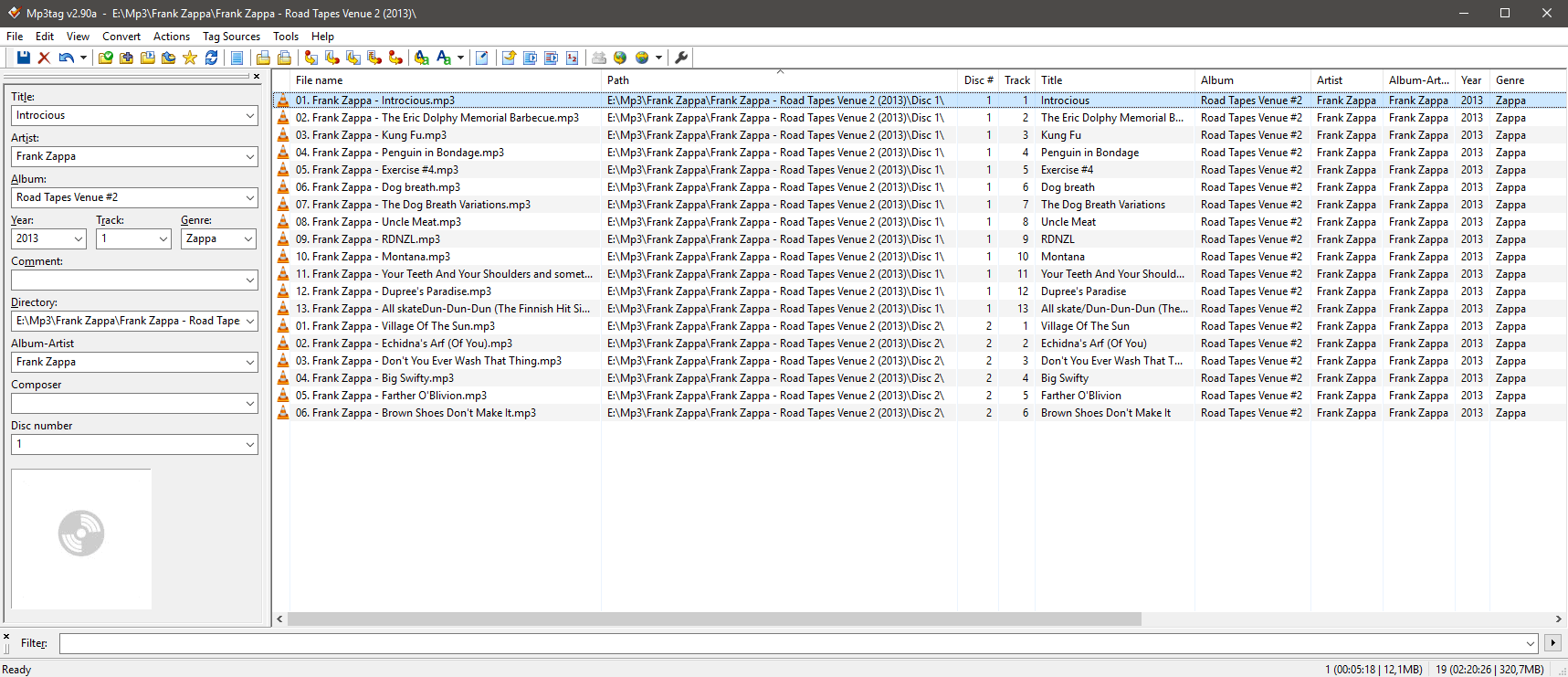
The same for a sampler album:

