Plex running but going into some kind of sleep

Server Version#: 1.31.3.6868
Player Version#: 4.104.2

I have just reinstalled on a new Windows 11 laptop dedicated to running PMS. I’ve changed the power settings to never go to sleep. Everything working well apart from one thing.

After periods of inactivity, player apps are unable to connect to PMS. When I log into the computer using Microsoft Remote Desktop, I’m able to connect to the laptop. When I do that, the plex players suddenly refresh and can connect to PMS.

I can only think that there’s some kind of sleep still activating, but I cannot find a setting for it. Please help!
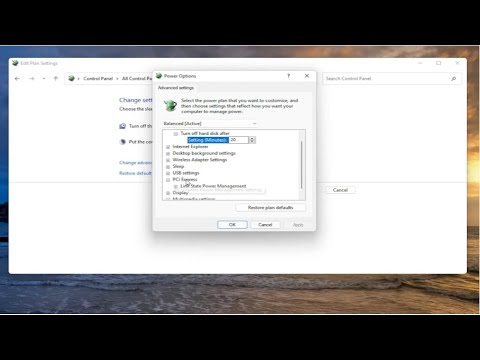

I’m not sure what you’ve tried but there’s a few things in this video that appear to be slightly hidden

Inspect the power saving settings of the network adapter. Prohibit it from going to sleep, or degrading the connection speed.
Do also disable the possibility to shut down the server by magic packet (if supported – I’ve seen this on newer Realtek network chips).

Oh, and always use a wired connection. Disable all other network adapters you might have on that machine. You must prevent it from switching willy-nilly between network adapters.

1 Like

This worked perfectly. Thank you!

This topic was automatically closed 90 days after the last reply. New replies are no longer allowed.