Plex Server Version#: Version 4.76.1
Plex Player Version#: Can’t find version #
Unraid Server Version#: Version 6.9.2 2021-04-07
Running in Unraid Docker for several years
Repository plexinc/pms-docker
Last Update:|May 16, 2022
Server Log shows Starting Plex Server appears ok (not sure what libusb_init failed, something to do with DVR?
<[s6-init] making user provided files available at /var/run/s6/etc…exited 0.
[s6-init] ensuring user provided files have correct perms…exited 0.
[fix-attrs.d] applying ownership & permissions fixes…
[fix-attrs.d] done.
[cont-init.d] executing container initialization scripts…
[cont-init.d] 40-plex-first-run: executing…
[cont-init.d] 40-plex-first-run: exited 0.
[cont-init.d] 45-plex-hw-transcode-and-connected-tuner: executing…
[cont-init.d] 45-plex-hw-transcode-and-connected-tuner: exited 0.
[cont-init.d] 50-plex-update: executing…
[cont-init.d] 50-plex-update: exited 0.
[cont-init.d] done.
[services.d] starting services
Starting Plex Media Server.
[services.d] done.
Critical: libusb_init failed>
Server locked up (no idea why) after running for months.
Server starts normally Server Log shows: May 20 19:26:08 HunterNAS rc.docker: PlexMediaServer: started succesfully!
Plex Docker running as usual and accessible from normal WebUI
When I log in to the server, I do not see my local server in the Plex WebULI, nor my local libraries.
I see other shared plex servers, just not mine. Its like the server isn running, but I’m accessing the plex docker from my server! Very confused. Do not know how to diagnose this.
That’s interesting. Would there be something in the logs (either plex or unraid) that I could look for? At this point I just don’t know how to diagnose this issue… I’m about to install the current docker and try another…
Do you have a GUI access to the linux machine? Just see if you can access/play the files at a basic level. Could be an issue below the docker container
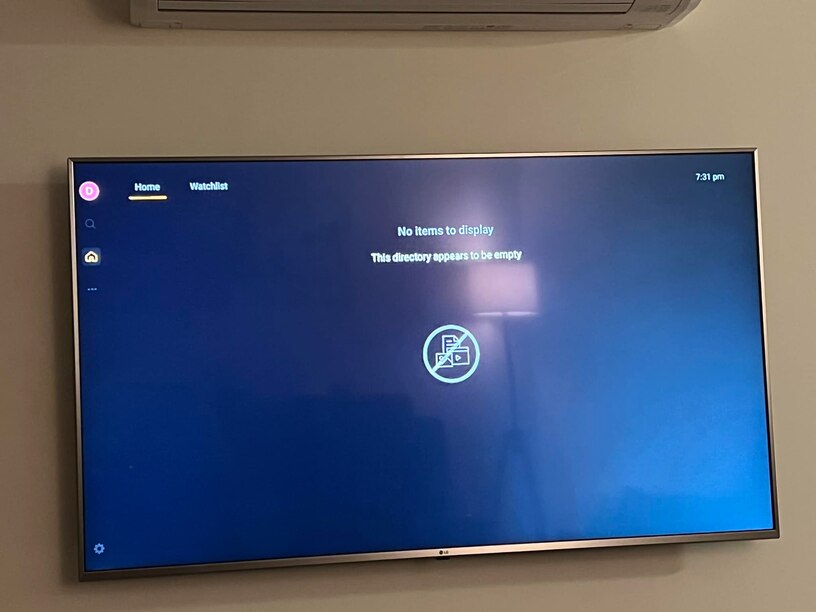
I had been having this problem also since the former update to the one i did today… (hoping that fixes it). It would periodically (every 2-3 days) when logging in, show nothing on my home screen. But as you say, it would show me other servers. I also run my plex server from my own NAS (a qnap), and I use nvidia shieldtv pro’s for clients in the house. I found the way around it was the ‘reset customizations’ link next to the Home button. The 3 dots. It’ll make you redo your main page, but it brings it back up again at least. This is all it would show me when it happens… same thing? if so, try that… might work for you.
I see something different. The Home Admin user only sees a server shared with me (which is actually remote, outside of my local network), while another managed user sees the correct local server. That’s what’s blowing my mind. I can’t find anyplace where I can manage the servers that the Home Admin user can see.
You can see the image of the same server, logged in from 2 different users. The Home Admin is on the left, another managed user is on the right. Home Admin can’t see the local server. I used to see 3 different sources in the left column. My Local Server (HunterNAS), my sons remote server (HunterNASNDH) and the Plex Library. Now I only see my sons library from the Home Admin… so strange…I must not understand something…just can’t find out how to manage this…
Could it be that you might have set your sons server as the default on your account? When you reset customisation that’s the first thing you have to set, so I’d do that again and make sure you’re definitely picking the right one, then set your tabs.
Thanks for the idea! Clicking reset customization in the Settings>General>Advanced page does not change anything. I still see the same information (See my previous post with the PINNED page). After doing another reset customization, this is all I see. My sons remote server and the Plex.tv connection (which I’ve turned off all the options, just to see if that made a difference, which it didn’t…)