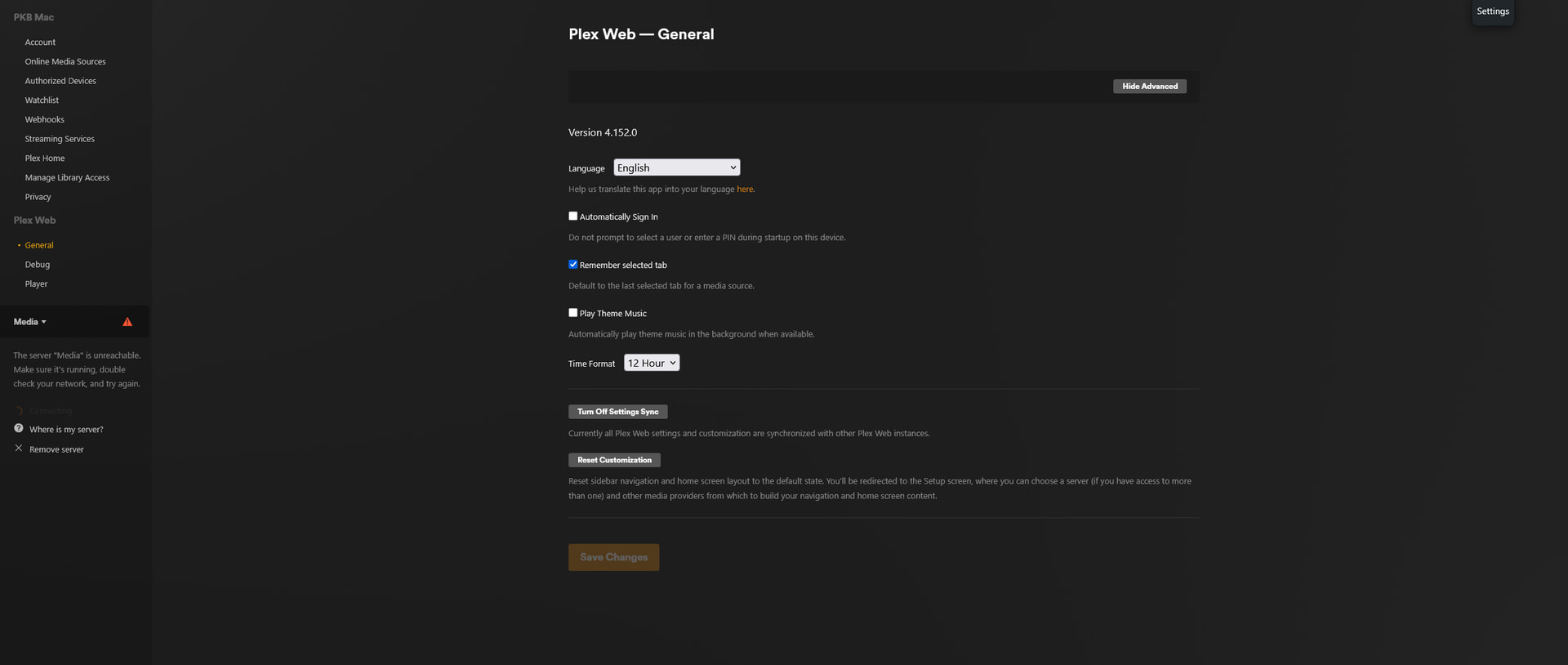
I’m running Plex as a docker container on Unraid. Since yesterday morning, plex has been unable to connect to my server. Logging in through plex.tv gives me a “Server unreachable” error when trying to select the server, and attempting to connect directly through ip:port gives me: PR_END_OF_FILE_ERROR
The unraid dashboard itself can be reached, and the share is available as a network drive on windows; just plex seems to be unable to reach it.
I tried updating plex (to the version listed above), updating unraid to 7.2, double-checking the port-forwarding settings in the router, and power cycling everything. Everything checked out, but the issue persists.
If anyone has any advice about how I can solve this, it would be greatly appreciated. Thanks in advance!
@PKB_Mac When we ask for a copy of your server logs please follow the instructions in the linked article. That edited log file covers about 5 hours and appears to have most of the useful data edited out. Please see the server log article and upload the entire zip. What was left in that log is either the server doing a really odd loop (which I’ve never seen before), or relevant data has been omitted.
The only information that was edited out was the public IP and the titles that were scanned. The linked article doesn’t give a tremendous amount of information about which log you’re looking for.
Downloading logs through the web app doesn’t work because the server responds with “unreachable” (see attached screenshot). The log I uploaded was the one that was modified by my last attempt to access plex via local_ip:port.
That log was pulled off of the unraid file manager, but there’s no zip file in that folder. Do you need all the logs? What should I be pulling?
Sorry for any confusion. Thanks for your continued assistance.
For a quick connectivity test, from a system on the same network as the server, point a browser at https://pms_ip_address:32400/identity (ex: https://10.1.2.3:32400/identity). You should see one line of XML. It will contain claimed=“0” or claimed=“1”, the PMS version, and some other information.
When connecting to the IP address of the server via Plex Web, don’t forget the /web at the end. Ex: https://10.1.2.3:32400/web.
Thanks. In the previous log, the public ip had not been deleted; it was replaced with “xx.xxx.x.xx.” The same thing was done this time.
I tried checking the permissions in FF, but at the moment, there is no such Local Network Access permission, as nothing has requested the permission yet (which is a bit expected, due to the error I’m encountering; it doesn’t appear to be making it far enough to request the permission).
As previously reported, trying to connect both through “https” and “/web” yielded the same result. I attempted the connectivity test you mentioned using “/identity” and again ended up with the same result (see attached screenshots). However, the identity checks in the logs appeared to return a “1.”
I’ve attached the new logs following the process you indicated (I grabbed the Crash Uploader logs, Tuner Service logs, as well as the requested Media Server - Media Server 5 logs). If any other files are needed, please let me know.
Thanks again for all of your help!
(Screenshots below are from /web and /identity tests. The same results appeared with both http and https.)
Couple of points, looks like you may have DNS issues, Nov 13, 2025 14:20:33.612 [22547817392952] WARN - [HttpClient/HCl#22] HTTP error requesting GET https://plex.tv/api/v2/features?X-Plex-Token=xxxxxxxxxxxxxxxxxxxxe host name) (Could not resolve host: plex.tv)
Are you using a hosting provider?
Have you tried http://[Local Plex Media Server IP Address]:32400/web (NOT HTTPS)
Does this show anything http://<IP_OF_PMS>:32400/identity (Please don’t post the contents of what it shows)
There are a fairly large number of reasons that can happen, including just randomly. But if you changed your plex password, removed it from authorized devices or a number of other things.