I just got today’s update to PlexAmp and immediately noticed a glitch.
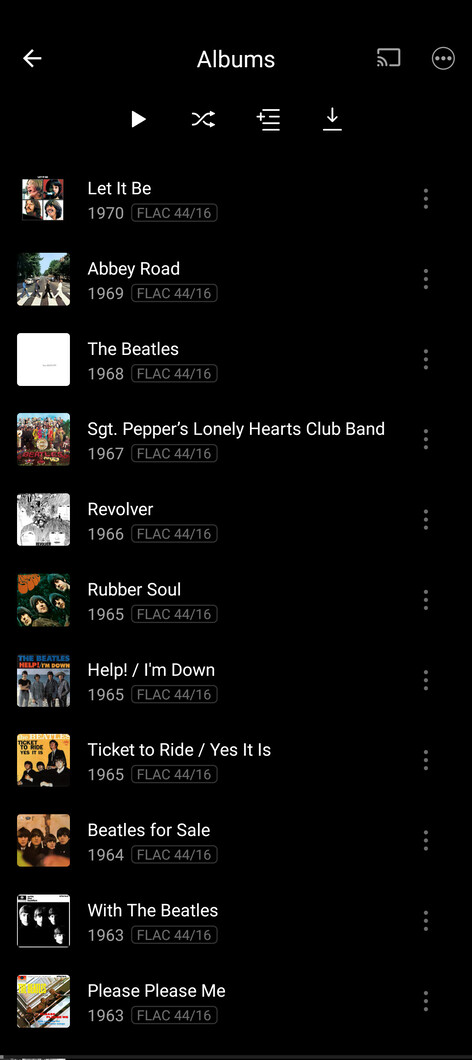
When you open up an artist you see the first 30 albums of their discography in chronological order (that’s fine) but when you click “Albums” or > where you should see the full discography, the listing is in reverse chronological order and omits things like live albums and soundtracks.
For example, my Beatles library has 36 releases. On the main page I see everything from the Love Me Do single through to the Free as a Bird single. When I click > to view the other six, what I actually see is 11 releases and what’s missing is all the movie soundtracks, half the singles, and the Anthology discs.
It’s the same story with Frank Zappa. I have 41 albums, 30 show on the main page, 22 show up on the full discography.
I do not have my library set to separate release types so it’s not a setting on my end. I don’t have a problem with only 30 releases showing on the main page (that’s most band’s complete discography) but the button for more albums shouldn’t cut the offerings in half.
Just thought I’d drop that here in case nobody had noticed it. Happy new year!
I came here to report the same issue - first 30 albums are displayed chronologically, and then clicking the arrow seems to show everything in reverse chronological order instead.
Personally I’d much prefer to see everything in 1 long scrollable list again, but I realise that this might not be to everybody’s taste. Maybe make this an option to give us the choice going forwards?
I was happy to see that grid view had been added to artists pages, but I’m not thrilled about the way it was implemented either. Only showing 30 albums on the main page is not a big problem, but the underlying page should have sorting options, and should of course show all releases by that artist.
I can confirm some issues with the artist screens too. For artists that have a large number of albums (like ‘Various Artists’, for example), listing only a limited number of albums (which seems to be 30 in my case) means that some albums are not listed at all.
For example, in Various Artists I have a total of 57 albums. In Plexamp 3.9.0 the first 24 albums are listed in alphabetical order, no matter if I select List, Grid or Carousel. If I click on the arrow on top only the following 6 are then listed. Meaning that the other 27 albums are just completely missing.
Here are some photos of the PlexAmp artist page, the Full Discography page, and my full collection (taken from Plex app). There is no way to view the full discography within PlexAmp.
I see that the latest 3.9.1 version has fixed most of these issues, and you can now choose a sort by option on the ‘overflow’ page - thanks. However, I’ve noticed that the sort order on that overflow page reverts back to Reverse Chronological every time you go back into it. Is this by design, or should it remember the previously-selected sort order?
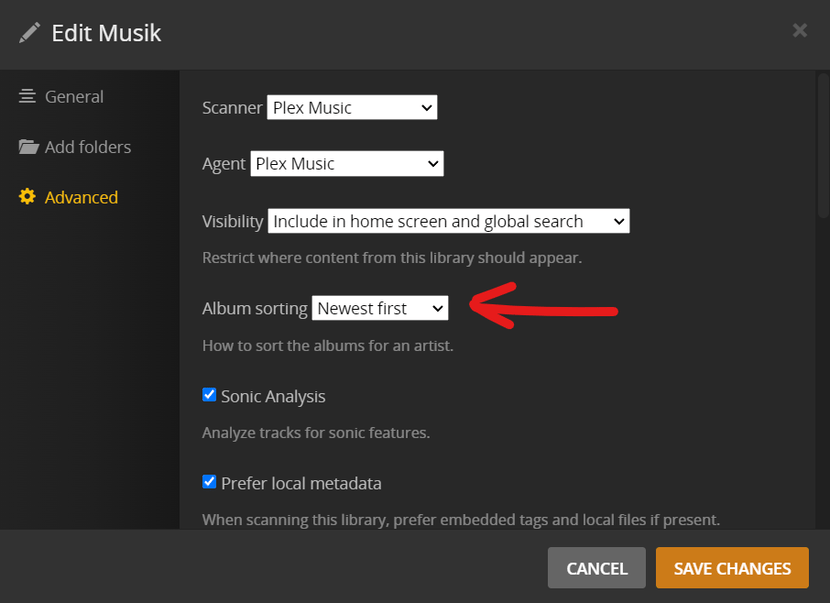
The default sorting order for albums is defined in the properties of the music library.
It can be overridden for each individual album artist on the server side.
I don’t have “reverse chronological” as the sort order for anything on the entire server. What the poster is saying is that expanding the discography seems to take on a sort order all of its own regardless of the preset rules
And like I just said, I don’t have that set as a default for any library anywhere on my Plex. My global default is always set to oldest first. I’m not really sure what the point of this forum is other than for you to snarkily try to make people feel like THEY’RE wrong instead of acknowledging a bug in the system.
My question is, why is there an overflow folder at all? It didn’t exist until two versions ago. Why does there need to be a 30 album display limit? I want all of my albums in the various artists category to display on one page as they did before in the sort order I have chosen.