This has solely been an iPad issue, but good thinking and thank you for the crazy thought!
Well, I think I figured out what’s going on and it has nothing to do with similar track names - it’s multiple disc based! The ratings weren’t random at all, they are mirrored!
For example, Disc 1 Track 1 is 5 stars, so Disc 2 Track 1 is 5 stars regardless of the naming.
While I’m glad to have figured out the why I’d still like to understand how I can stop it from happening. Thoughts?
Thanks!
Good, that makes much more sense 
Please do a Get Info > View XML on Disc 1 Track 1 and Disc 2 Track 2 so we can have a look.


Embarrassing?! That’s a terrific album! 
I’ve enjoyed it more than I’d like to admit, but I would have certainly loved for this happen while listening to a much cooler album 
I like that track too!
The issue is that it’s matched using ancient metadata sources (last.fm). Make sure if it’s an old music library, you’ve selected the upgrade option (found off the context menu for the library). You should then be able to e.g. refresh metadata for Toto or the album and it’ll upgrade it to the new metadata schema which doesn’t suffer from this problem.
I had previously upgraded to the new music library and refreshed metadata for my entire library, but hadn’t gone into each artist/album individually. I’ll test that theory out by manually refreshing the metadata on the next multi-disc album and report back as to whether that fixes the issue. Thanks for all of your help thus far!
There’s an upcoming change which will do a rolling upgrade of all music, but for now we do recommend a Refresh All Metadata at the top level. But yes, you should be able to quickly confirm with that artist. Get Info > View XML should show plex://-prefixed GUIDs.
I have exactly the same problem as OP (in Plex and of course also in Plexamp). I rate the first song on a mult-disc album, and Plex also rates the first song on the other discs, regardless of what the track is called. Driving me nuts, just this morning I was looking into Plex alternatives out of frustration. I’d really like to avoid that.
While I am tech savvy, I really need an ELI5 explanation. Please help?
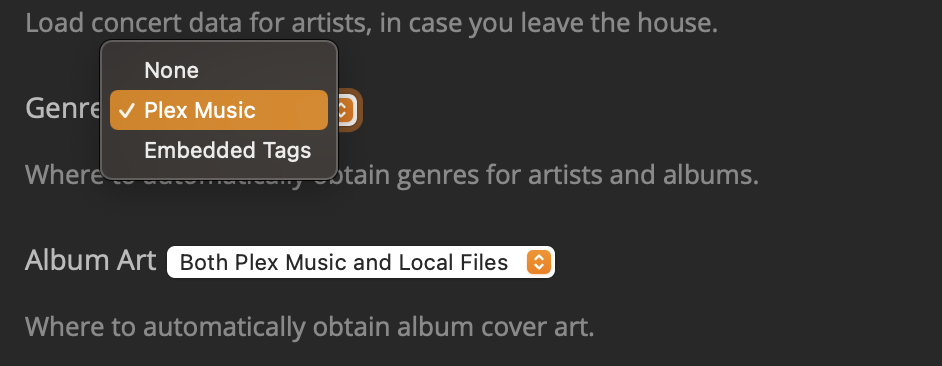
This is what I have:
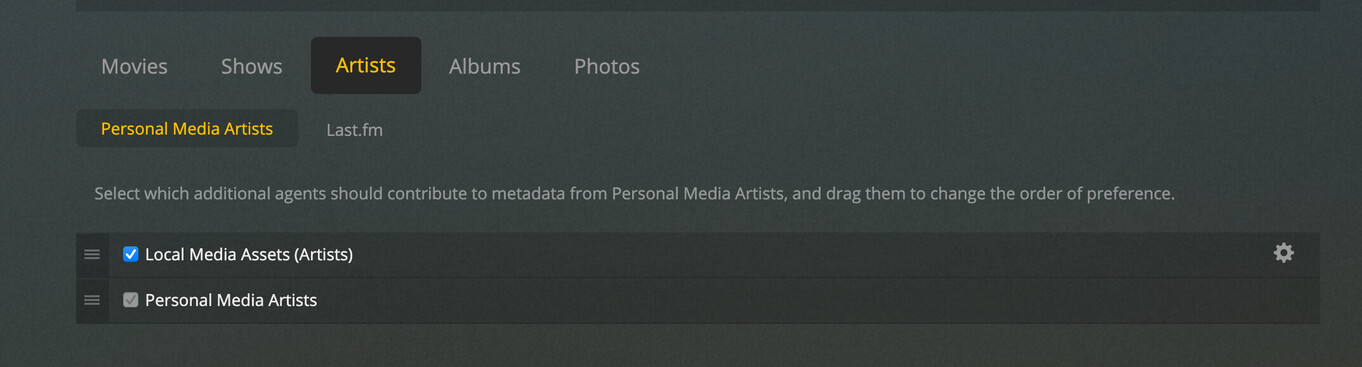


(everything checked OFF)

I don’t care at all about external agents, I just want Plex to use the embedded tags in my music files and leave it at that. I’ve tried to set Plex into “just do it!” mode, but apparently I haven’t found it yet.
I see the Last.fm thing, but there seems to be no way to get rid of it completely. I have updated my entire music library several times, I have done it individually. I do not see the plex://-prefixed GUIDs. I don’t know what to do next. Please help.
You need the Plex Music agent rather than personal media. With embedded tags preferred, there is very little reason to use Personal Media agent and many reasons why you shouldn’t.
Alright. Scanner and Agent set to “Plex Music”. Refreshed metadata over the entire library. And… still the same problem. If that helps, the GUIDs still don’t have the plex://-prefix.
Anything else I can try?
is this an album which should match? like is it in musicbrainz?
Yes, most definitely. I just looked up the one I’ve been testing with the most and it is on Musicbrainz. The problem however is not limited to just this album though, it is more widespread.
Could you elaborate why you asked? Why is matching important? I just want Plex to leave my music alone, no ‘smartness’, and to just use the embedded tags.
Generally the “right” way to do that is to use a regular music library and tell it to prefer embedded tags. Then you get all the goodness from our metadata, but it doesn’t override whatever is in your tags.
The purely “personal media” library doesn’t distinguish between the same track on different albums (an ancient bug). I’ve added it to a list of things for us to look at.
Generally the “right” way to do that is to use a regular music library and tell it to prefer embedded tags. Then you get all the goodness from our metadata, but it doesn’t override whatever is in your tags.
The purely “personal media” library doesn’t distinguish between the same track on different albums (an ancient bug). I’ve added it to a list of things for us to look at.
Well… things have changed! I’ve set my scanner and agent to “Plex Music”. “Prefer local metadata” was always checked. After the rescan nothing happened. At first. A few days later I looked for an album… and couldn’t find it. I don’t know why, but Plex incorrectly lumped everything I had under artists “Various Artists”, “Soundtrack”, “Ambient”, and “Dream Dance” under… “538 Dance Smash”. Correction, a couple of these albums, a mixture of actual albums and my own mixes, were now under “Chicane”. Makes absolutely no sense to me whatsoever. After correcting all that stuff, I noticed Plex had actually updated a bunch of fields in my entire library: genres mostly. It also seems to offer me more artist poster choices and a bunch of side-effects I have yet to fully discover/verify. But more importantly, the problem with the automatic star ratings seems to have disappeared.
I can’t say I am entirely pleased, I mean it seems like 2 steps forwards and 1 weird step backwards, but for now I am happy.
TL;DR: set your library’s scanner and agent to “Plex Music”. This will fix the incorrectly applied ratings, but it will also have unexpected side-effects on your library.