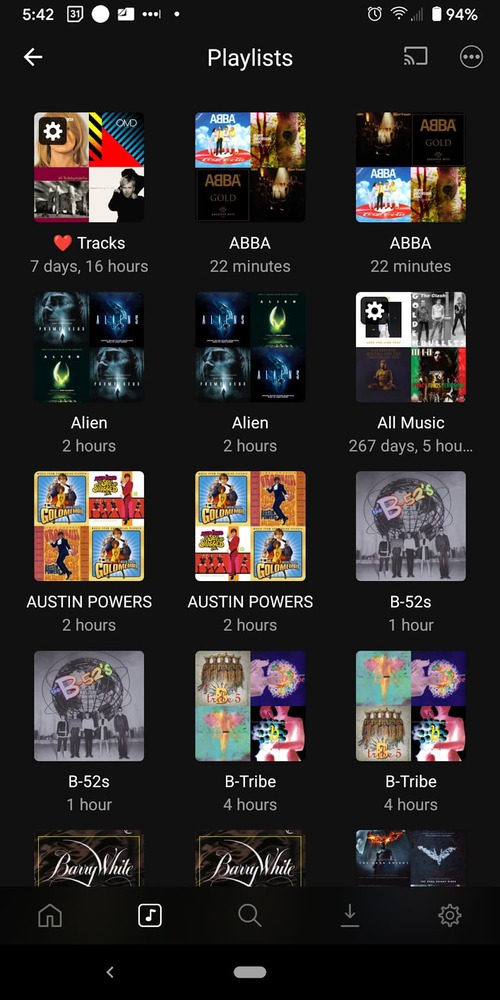
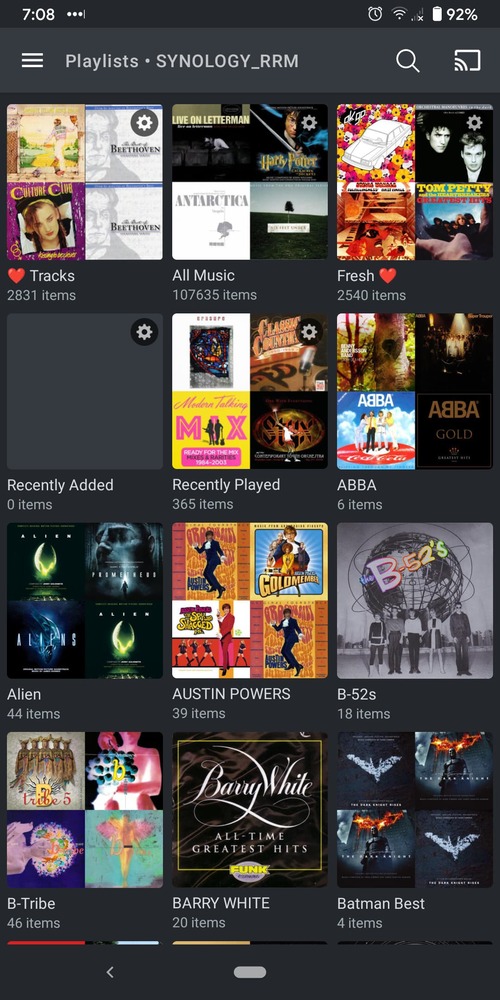
Server Version#: 1.23.5.4801
Player Version#: plexamp - 3.5.0 - Android
Hello Team Plex!
To say I love Plexamp would be an understatement! It’s so fast in finding files in a large library. It’s everything apple/google/MS SHOULD have created for us.
One question I’ve found in a number of FORUM searches is the inability to DELETE playlists from within Plexamp.
Now, this wouldn’t be an issue, if, when I deleted the playlists on my web/desktop interface it populated back to Plexamp. But, far as I can tell it doesn’t. I had to delete duplicate playlists I re-imported by mistake. Worked fine with the web interface, but they remain on Plexamp.
I tried the following:
Cleared cache and Memory - no effect
Deleted the app, reinstalled - no effect.
So, somehow, Plexamp won’t let go of those duplicates.
Is there any chance you could please look into this? I didn’t find a thread where this issues was solved. If it was, and there is some way to do this, please let me know.
on the web interface I simply selected them with a checkbox in the upper corner, then hit delete/confirm/delete.
I can’t seem to find the way here. Odd it isn’t synced, but maybe that’s “as designed” to protect local playlists? But, still can’t delete them from mobile at all.
Correct, I cannot delete playlists on Android Mobile.
Yes, I have tried, quitting and restarting the app, as well as deleting it. Neither had an effect on refreshing the grid/list of playlists.
Again, though, the web interface, where I delete the dupes worked fine and updated, so it would appear to be something isolated to this mobile version.
So, in terms of help, this is only a low priority bug, as it doesn’t affect any working features of the app, just can’t get rid of those duplicate playlists.
I can’t reproduce any issue here. There’s no need to kill the app or delete it. If it’s showing the playlist, it exists on the server because it doesn’t cache the information.
Library > Playlists (grid)
Create playlist in web app.
Back out of playlists to main library screen and browse into it again (shows up)
Delete playlist from web app
Back out of playlists and then browse into it again (disappears)
Confirmed. I was able to add and delete a playlist on the web interface and it synched with Plexamp.
However, the duplicate playlists do NOT show up in the web app, so I am unable to delete them. They ONLY show up in Plexamp. Odd.
I’ve tried restarting the server, going home and back to playlists, nothing enables me to be able to see those duplicate playlists that are showing up in Plexamp only, nor am I able to delete the dupes from within Plexamp.
Is it possible to add the “delete playlist” functionality to Plexamp (android mobile)?
When I click on the PINNED playlists it shows 103 (the correct number) in the web app.
When I navigated to Music/Playlists it shows the 206 (dupes).
So within MUSIC if I delete the dupe playlists then they are gone gone.
I had previously deleted the dupes from the PINNED playlists, so that suggests to me that once PINNED, that’s a snapshot of your Music playlist until you unpin and repin it…
The pinned playlists are just a global view of all the playlists, vs Music > Playlists which are your playlists for a single library. But deleting them from either place should delete them from everywhere.