I am digging all of the various ways to spice up the “currently playing” queue. I’ve just got a couple of questions about functionality.
- In the “Related” tab, I can see a selection of Sonically Similar or related tracks. I can play them next, add them to the queue, etc. But there’s also a + symbol in front of each of them.
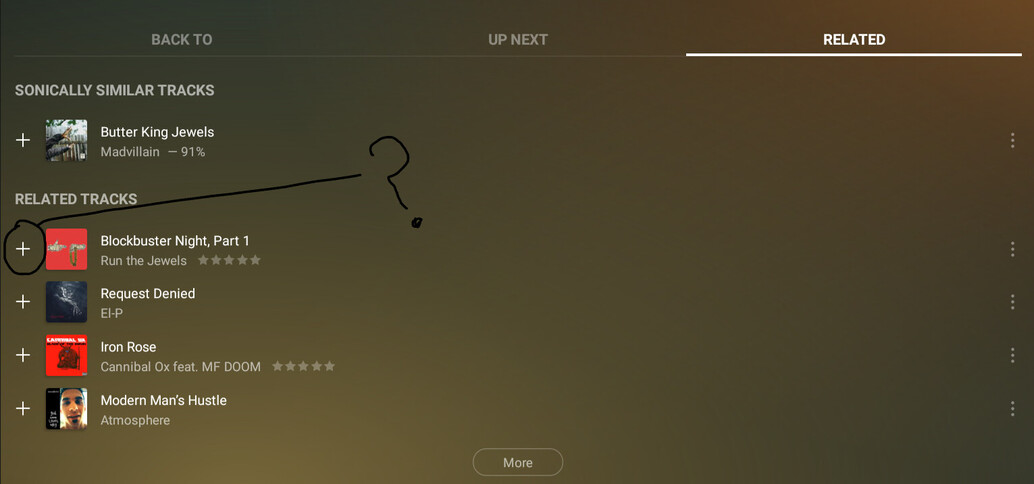
I circled it in the screenshot above. I clicked the button thinking it was just a shortcut to add the track to the queue. But… it doesn’t do that. Once clicked, it turns into a checkmark. And it can’t be reverted to the plus sign again. Any idea?
- Also, do some of the DJ functions not work on servers that are not my own? They all work fine on my library, but on my buddy’s library it seems like only Contempo and Groupie work. Maybe he hasn’t deployed the sonic analysis on his bazillion track library? Thoughts?
