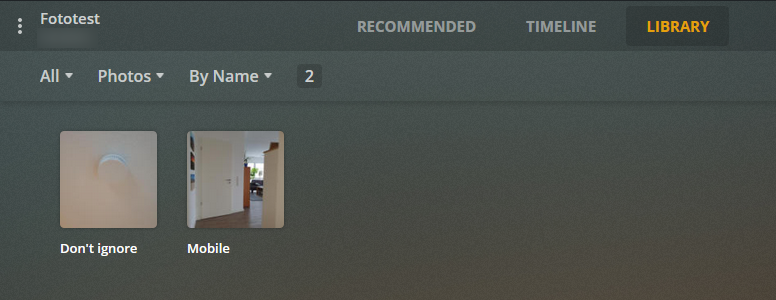
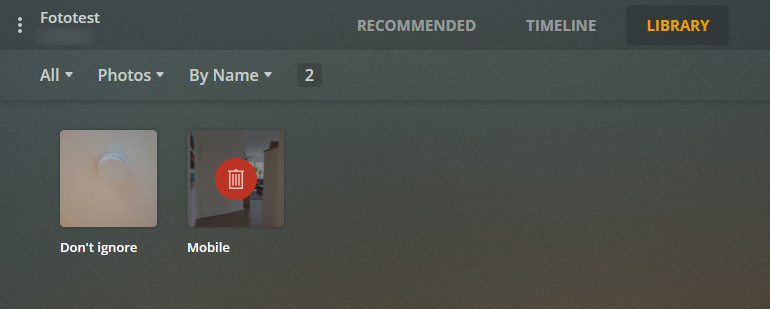
I have a photo library for which I want to exclude some directories. Especially the one to which my Moments app (I’m running an Synology NAS) is backing up it’s photos to. My .plexignore file works well but only if there are no changes to the excluded folders. Once I add a new file to an excluded folder the media scanner scans the hole folder. After scanning the library manually, the folder mobile is marked as deleted. Then I can run a “Empty Trash” on that library and the folder Mobile will disappear. I would have expected that newly added files are also exluded directly and not only after rescanning the library.
Folder structure:
Moments (Library root, it contains the .plexignore file)
|-> Mobile
   |-> SM-G973F
       |-> DCIM
           |-> yyyy-mm-dd (this folder contains the files created at that date)
.plexignore content:
*Mobile/*
Steps to reproduce:
Create a folder structure similar to mine
Create a .plexignore file with content above in the root folder
Create a library and add the root folder
Add some files to the deepest subfolder
Wait until the media scanner automatically reconizes the change and adds the mobile folder to the library
Scan the library manually and see that the folder is marked as delete
On Windows the behavior is quite similar except when recanning the library. Instead of marking the folder as delete, it is just removed. But that applies also to non-excluded folders.
Can anyone confirm this behavior? Sure, it’s not a big thing but in my opinion this is a bug and should be resolved.
As you can see for me it doesn’t work as expected. I even tested with adding a movie file instead of a jpeg file with the same result. I will check that with the latest version later.
I’ve just installed the latest version 1.22.1.4200 just like you and have still the same problems. Can you make sure that you have automatic library scan enabled?:
Settings → Library
If I disable this setting on my server, it behaves the same like yours.
Sorry, I’m not a native speaker and still quite new to Plex. Thus, I appreciate your help much. I’m not sure what you mean with “is NOT true”. Maybe you misunderstood me before. “Your library will be updated automatically when changes to library folders are detected.” means to me that once a file is added a scan automatically triggered. Exactly that happens, I never said this is not the case. Indeed, I have “Scan my library automatically” enabled and “Empty trash automatically after every scan” disabled.
I checked again with Scan automatically > enabled and Empty trash > enabled:
Initial situation: ignored folder doesn’t show up, as expected.
I’ve added a file to a subfolder of the ignored folder.
The automatical scan kicks in.
The ignored folder appears in the library.
I’ve run a manual library scan.
The ignored folder disappears.
With my understanding the folder shouln’t appear at any time. I don’t want to scan the library manually after files are added by Moments app. I love the setting that it is done immediately after changes are detected.
With Scan automatically > disabled, Empty trash > enabled it works as expected. But it was intentional to enable the automatic scan und disable the empty trash after scan setting. The settings do what they are intended for, but I have still the problem with folders appearing that should be ignored.
Anyway, in my opinion it looks like the automatic scan doesn’t honor the plexignore file and to me it looks still like a bug. No matter what is the best setting, could you please try to reproduce the steps with automatic scan enabled?
Thanks in advance, Daniel
Just to complement: I set up a fresh installation and checked what are the defaults: Scan automatically > disabled, Empty trash > enabled.
I checked the settings in detail and noticed the setting to run a partial scan when changes are detected (don’t know how I could miss this setting):
And now the behavior is plausible: With “automatic scan” and “partial scan” enabled it scans only the directory for which the change has been detected as written in the description of this setting. Thus, the partial scan obviously doesn’t respect the .plexignore file in the root folder. I have following settings configured and now it works for me:
Scan my library automatically - enabled
Run a partial scan when changes are detected - disabled
Empty trash automatically after every scan - disabled
Sure, it would be better if the scan is aware of the .plexignore file in a folder structure even for a partial scan, but that’s ok for me.
Conclusion: It seems that the automatic scan ignores the .plexignore file if partial scan is enabled. Maybe this information will help someone else.