0.7.9-prerelease2.2: script.plexmod.zip (2.8 MB)
Temporary Changelog:
- Episodes: Fix exception introduced with 0.7.9-prerelease2
0.7.9-prerelease2.2: script.plexmod.zip (2.8 MB)
Temporary Changelog:
I don’t have multiple servers at the moment to be able to describe or screenshot how it looks but design wise it’s pretty similar to Plex for Windows/Plex Web/Plex Android Client (non-TV mode) except that the Filmography has it’s own little button/screen on Plex for Android TV. Hope that helps a little.
If you want you can always install Plex HTPC for Windows and test that to get a better idea of things as it’s pretty much the same interface. It’s just not as polished off design wise like Plex for Android TV for instance. For example, The Plex HTPC posters are Square compared to Rounded on Plex for Windows / Plex for Android TV etc.
EDIT: While on the subject of rounded posters though, that might be something to add to the addon. 
Just seen the test build now, I tested with the 2.2 build you posted and after a quick test it does seem to be working again.
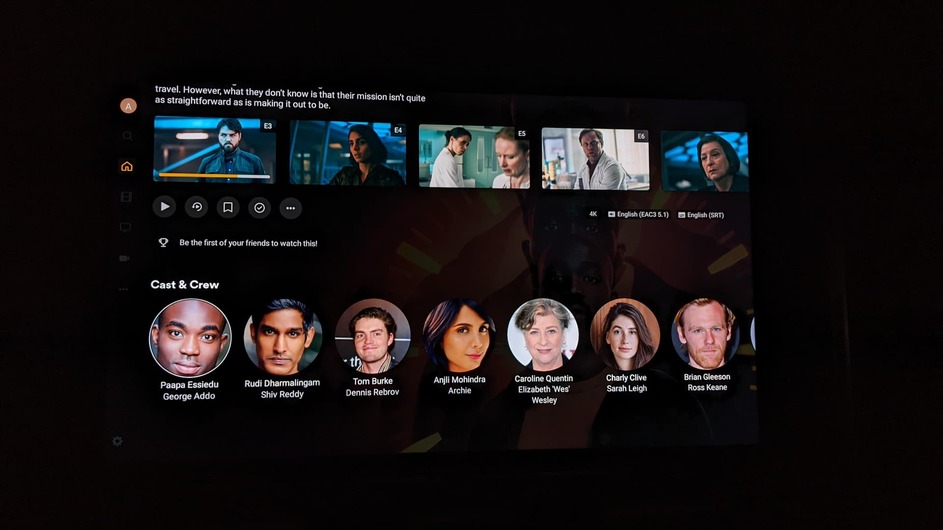
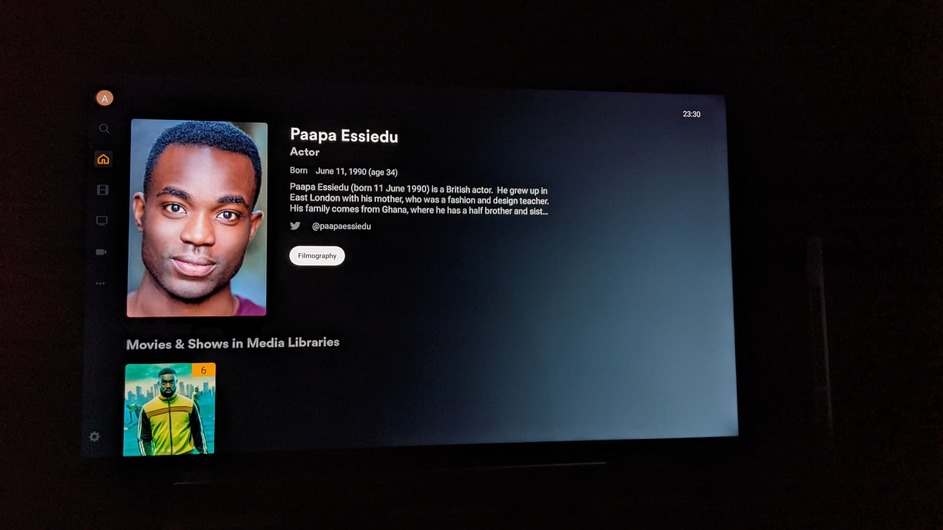
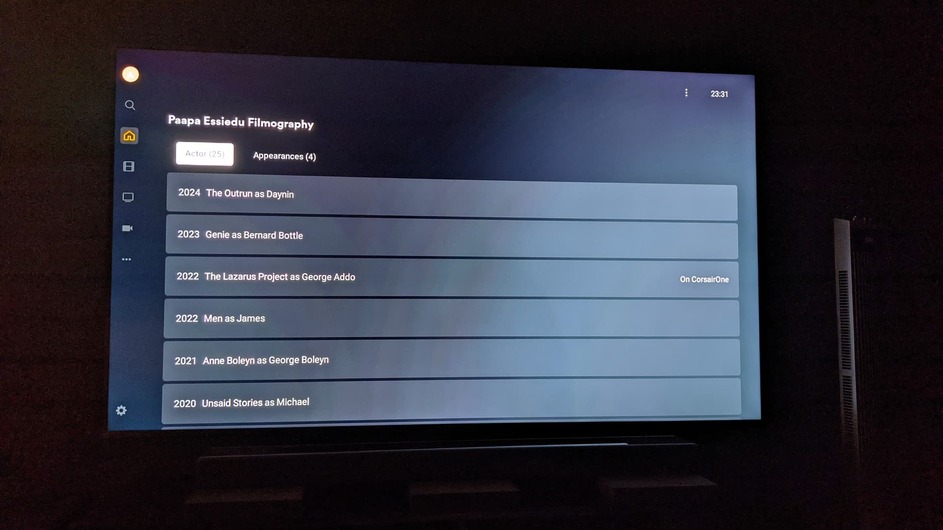
Regarding actor info, here are some pics from Plex Android TV app.
Pic 1, in this instance I am on a TV show and below episodes you can see the cast :
Pic 2 after you select the actor you get a mini bio and a filmography button is displayed :
In Pic 3 you can see what you get when you click that filmgraphy button :
Sure but that data gets added to a cache thats stored alongside the app data itself on android tv anyway so that less data is needed to be grabbed in the future as far as I know.
I’m also a bit confused why the data cache isn’t maintained at least while PM4K is open… Leaving the library view and going back to the home destroys the cache as far as I can tell from comments made here and from what I’ve seen myself. I think it would be better if that didn’t happen.
I do think it would be great if we could maintain a small dynamic cache (preferably that I can set in the config to say 200-500MB of storage space).
Thanks for this! 
I’m getting a failure to start the addon if I’ve exited it without going thro the full exit routine (eg pressing home). Tried it several times. Only a system reboot resolves it.
Logs please, and which kodi version on which box?
Edit: did this work before? I only tested it using the minimize function on the exit screen, as I have no home button (other than the one that exits to the android home on my shield). I might have made the check a little too strict.
Edit 2: I’ll DM you a test build tomorrow.
I can confirm this is happening on OSMC also.
I can’t find any log errors (with debug off). Kodi 20.5. Vero V.
I think it worked before, but I’m not sure. I would have to test it with a previous release, in order to confirm it.
Minimize function still works well. It fails only if I long-press the back button (Go to home screen shortcut), as @sonofdibnah described. Only a system reboot resolves it, as @sonofdibnah wrote.
I can confirm what @MadVet said about the addon not reopening if you leave it without exiting properly, I think it was still working on the last beta (before prerelease 1) not sure when exactly I last exited the addon improperly to say when it was last working.
I’m including a debug log where I tried to re-enter the addon after an improper exit, there is an error in the log but I think the error is related to something else.
kodi-bug.log (3.0 MB)
edit: This is on kodi 21.1 on fedora 40. I also just noticed by accident if I press the backspace button on the keyboard the addon loaded up, but trying to relaunch the addon before that didn’t work.
Found a bug with the latest version (and the previous one too). On the TV Post Play screen, selecting a different On Deck show gives you the Pre Play screen but without all of the relevant information - director/writer names, audio & subtitle info is missing. You also can’t move around the UI except for going back to the previous show’s Post Play screen.
0.7.9-prerelease3: script.plexmod.zip (2.8 MB)
Should both be fixed.
Temporary Changelog:
Thanks panni, I can press the home button again.
Same here. It’s seems to be fixed now. Again, it returns back to where I’ve left it, when I long press the back button ((Go to Kodi’s home screen shortcut).
Thank you.
0.7.9-prerelease3.1: script.plexmod.zip (2.8 MB)
If nothing major comes up, this is going to be the final 0.7.9 release.
Temporary Changelog:
Edit: Reuploaded zip (18:51 CEST)
The recently added movies hub focus resets after exiting from any movie playback the focus moves from the watched/exited movie.
A few nice to have feature requests for the future:
Watchlist.
Plex Companion support for remote control from phone app.
Sort by bit-rate. Ideally it would would list the bitrate centered below the name of the movie on a 2nd line like the android tv client.
Sort randomly.
A slightly less cramped small-poster movie library view. Perhaps instead of 10 by 3.5 rows (3840 x 2160 4K), 8 per row and slightly larger artwork?
Some more types of views for the movie libraries. Some good inspiration here. I am a big fan of this one personally cause it shows all the nice logos at the bottom for aspect ratio, video / audio codec etc.
Dynamic always updating caching system. If too much work, at least maintaining cache while PM4K is open and not destroying cache when leaving library view.
21:9 / 32:9 ultra-wide support.
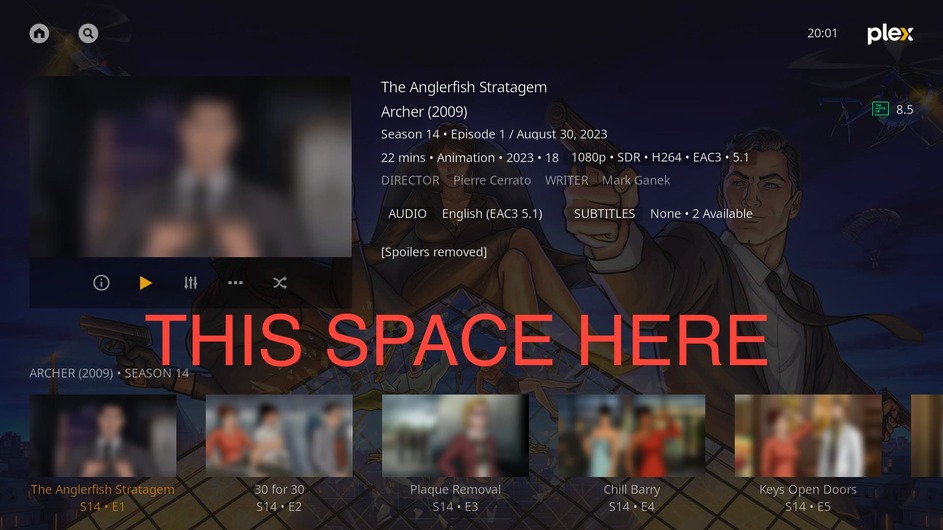
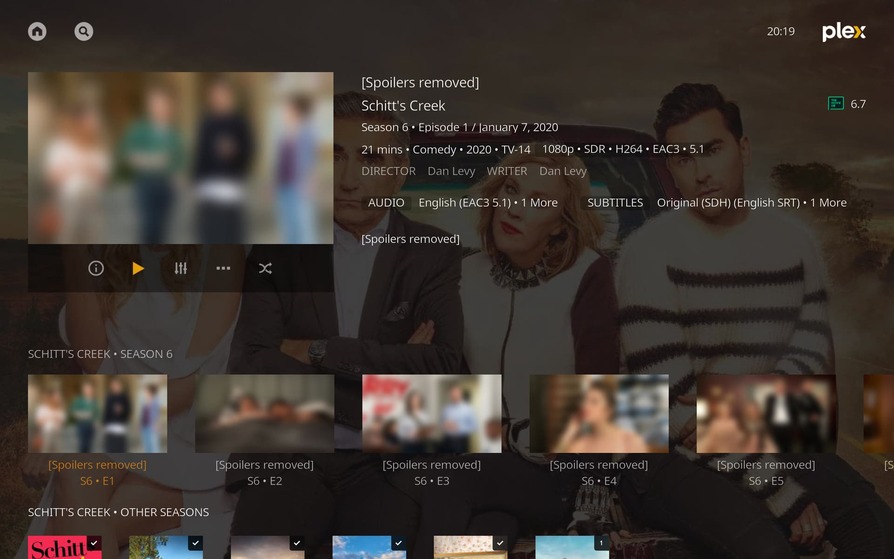
Sorry for the obnoxious text but just curious why the large gap here? Seems like the episodes could move up and show a bit of the actors / actresses faces below?
Personally I think the spacing is just fine as it keeps a a sense of uniformity (is that the word I’m looking for?) to the design of the UI as it keeps extra info like cast and seasons etc separated from the rest of the main area until you choose to scroll down. I do prefer that about 16:9 otherwise It could look like this.. 
EDIT: In fact I was gonna suggest going the other way and maybe look into the possibility of adding extra spacing underneath the episode info to push everything down for 16:10 resolutions to make it look how it is on normal 16:9 but not sure if that can be done without it affecting either aspect ratio though. 

Well I mean we all have our own preferences but I think there’s no denying the gap is large enough / distracting enough to the eye to make you question whether it should really be there at all… perhaps the top section and text could move down a bit to make it more evenly spaced?