Oh I totally get that. Everyone has a different eye and preference for things. Nothing wrong with that at all. 
1 Like
That’s not new (at least I haven’t changed anything in the hubs focus in the last few weeks); I can add it to my list for 0.8.0 if it’s annoying. Where does it move to?
Hmm, it looks worse than normal, because you have no summary text (no spoilers) 
We’ll see for 0.8.0.
I’ll think about it. I’m still not convinced as to why we would do that. It adds a whole lot of complexity and we’d need smart cache pruning when things get added/changed.
The biggest amount of work done in general is by the client, rendering all those list/grid entries (the posters essentially). Not the data or waiting for it, itself. I’ve profiled that a couple of weeks ago.
Edit: you asked how to lower the load on your PMS recently, and I just remembered: you can lower the quality scaling of the posters, as the PMS will transcode/scale them for us. The setting is in the external AddonSettings.
1 Like

I don’t understand. It scrolls to the END of the hub?
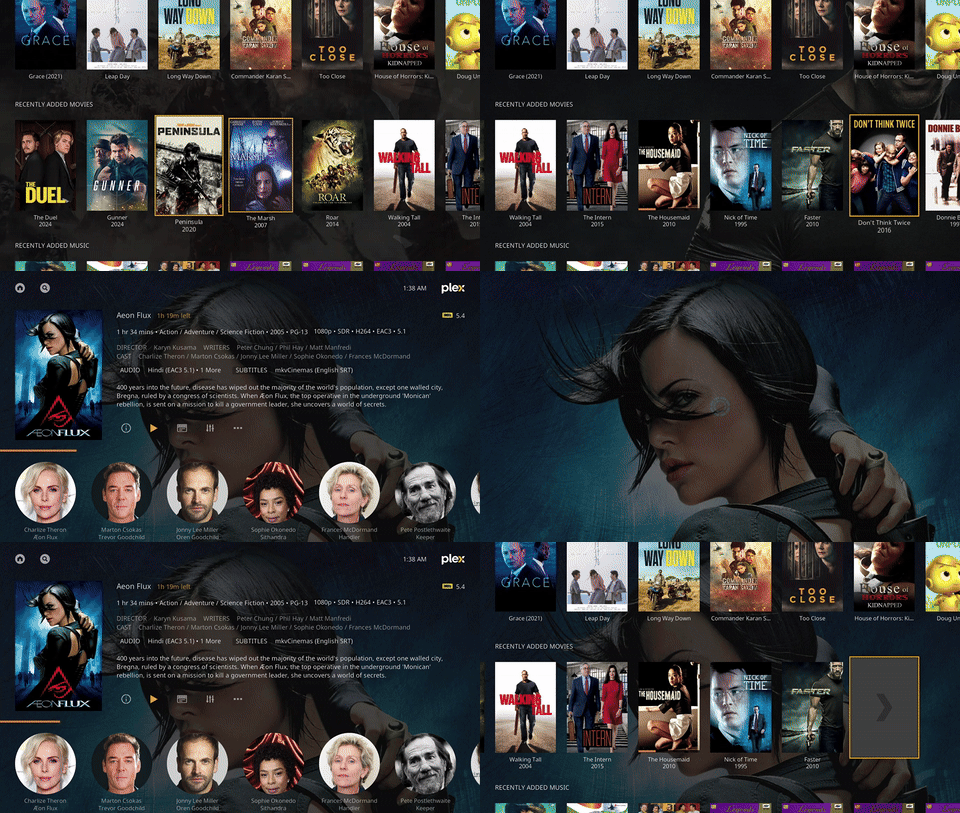
Edit: huh. Never seen that. I guess you were scrolled in the hub, started the movie there, and when it returns, it doesn’t expand until the movie is shown again.
No, it scrolls to the end of the hub on the home screen till the data is cached.
I started scrolling from this point… and after much scrolling, watched a movie and when exited the movie i came back to the start of scrolling
You mean til the data is loaded?
Edit: I can’t make sense of this. I’m sorry.
My watched movie is much later in the scrolling, Instead of focus to the watched movie tile it comes to the very first hub row displayed in the home
        if self._odHubsDirty:
            self._updateOnDeckHubs()
self._odHubsDirty = True on onReInit is pushing me to the visible added movies title on the home screen after playing & coming out of the movie screen.
Thank you for considering it and I really do believe it’s one of the last things that could improve the user experience drastically. I am aware of the downscaling options but I do love high resolution artwork as well, I typically use 200% scaling at 4K.
Personally I am not a fan seeing posters load in before my eyes, even for a split second while the view populates.
Caching artwork takes care of this because the data is already there. To me, a strong UI/UX experience is as much about moving around the interface as it is the smoothness of the animations while doing so. Not seeing artwork load because it’s already taken care of is something that I consider a big plus and a gives off a strong professional user experience in my opinion. Just my thoughts but I thought I’d say my piece of it so I will leave it there instead of rambling on further.
Thank you for all the work you have done on this client. I truly believe it is the best client Plex has ever had. Thanks panni!
2 Likes
Sorry to do this to you panni but TV intro skipping has stopped working for me. I’ve not had much chance to use my Plex today and it’s late now but I can produce logs tomorrow if needed. Pre release 3.1 on Coreelec Kodi 21.
Wtf, I didn’t change anything in seekdialog and have been using intro skipping a couple of minutes ago. I’ll be surprised if this has anything to do with prerelease3.1
Yes, because you watched a movie and it’s state changed, so the hub is dirty. I’ll take a look tomorrow, it should try scrolling back to where you came from, automatically.
It’s a setting. You can turn it off (I’m actually not sure it’s on by default. If it is, I’ll turn it off for 0.7.9)
Probably the CoreELEC seek bugfix acting up for you. Which hardware?
Edit: Please try increasing the delay for the CoreELEC resume fix in PM4K’s external AddonSettings (long press on the icon), under Player. Try going up by 50ms at a time and please tell me which value works for you. The default is 200ms
2 Likes
If intro skipping is working for you, I’ll have a good look into this on my system in the morning. Forget this for now. Thanks for the prompt reply.
Plex had issues with the feature flag for credits skipping a couple of days ago, but that has been fixed and was only happening for managed users. Probably not related.
The artwork is cached by Kodi, always, immediately. It’s not getting any faster displaying those, even if we add a cache. Rendering the UI is expensive and I have no control over the C part of the python layer.
1 Like
There is an option to “retrieve all media upfront” that would cache everything upon entering the library. But it will take some time to get all of the requests back from the PMS and process them. I suppose if you waited long enough then everything should be there. But depending on what type of client you have I’m going to guess you’ll still see posters “loading”. Not because we have to fetch them from the server but because it takes a while to render all of those posters.
I’ve sorted intro skipping by uninstalling and reinstalling the addon. I have other installations (wow, that sounds pompous) and they were all working fine, so it had to be a local issue.
Before I did this, I tried various things with the existing addon but skipping just wouldn’t offer itself up. So, it’s solved without knowing why but I’m happy to put it down to a one off.
Hello Panni
Hardware : UGOOS AM6B Plus (S922XJ chipset) - forgot to mention it
Ok, increased the seek to 250ms / will keep testing and revert back.
I dare adding, on 200ms (default, as it was) - the bug was on and off, it didn’t happen every time, quite rarely i would say.
Thank you
Understandable, I can deal with it. 
Thanks panni & bowlingbeeg.
Just curious on something else and forgive me if I am completely wrong about this (I don’t know anything about programming) but why does PM4K seemingly report the playback state back to PMS every second?
2024-08-20 09:06:52.573 T:17832    info <general>: script.plex: UpdateNowPlaying: 27897, force: True refreshQueue: True state: None (player: playing) overrideChecks: False time: None (player: 1374.849)
2024-08-20 09:06:53.601 T:17832    info <general>: script.plex: UpdateNowPlaying: 27897, force: True refreshQueue: False state: None (player: playing) overrideChecks: False time: None (player: 1375.886)
2024-08-20 09:06:54.632 T:17832    info <general>: script.plex: UpdateNowPlaying: 27897, force: True refreshQueue: False state: None (player: playing) overrideChecks: False time: None (player: 1376.914)
2024-08-20 09:06:55.661 T:17832    info <general>: script.plex: UpdateNowPlaying: 27897, force: True refreshQueue: False state: None (player: playing) overrideChecks: False time: None (player: 1377.931)
2024-08-20 09:06:56.691 T:17832    info <general>: script.plex: UpdateNowPlaying: 27897, force: True refreshQueue: False state: None (player: playing) overrideChecks: False time: None (player: 1378.959)
2024-08-20 09:06:57.720 T:17832    info <general>: script.plex: UpdateNowPlaying: 27897, force: True refreshQueue: False state: None (player: playing) overrideChecks: False time: None (player: 1379.974)
2024-08-20 09:06:58.754 T:17832    info <general>: script.plex: UpdateNowPlaying: 27897, force: True refreshQueue: False state: None (player: playing) overrideChecks: False time: None (player: 1380.989)
2024-08-20 09:06:59.796 T:17832    info <general>: script.plex: UpdateNowPlaying: 27897, force: True refreshQueue: False state: None (player: playing) overrideChecks: False time: None (player: 1382.018)
Is this line the culprit? Reporting back to the PMS every second seems… excessive?
Looked at the logs for android tv… on that platform, it only seems to fetch the timeline data every 10 seconds and ignores any update “as less than 8 seconds has passed since last update without any state change”.
Yes, that’s the culprit and no, that’s not really excessive. Once a second for such a lean endpoint it extremely rare.
BTW, on your “I don’t want to see stuff loading” comment: You can upgrade your client’s hardware. How fast elements are displayed depends on the CPU cycles the GUI gets, how many threads it allows, and how fast the storage is where the Kodi artwork cache lives on.
While it doesn’t really matter for local servers, I’m thinking lowering the reporting rate would help with slower remote PMS servers, particularly over long distances. sqlite3 isn’t exactly the most performant database solution but it’s what is included with PMS and I think anything to reduce the level of load caused to it can help in these circumstances.
Re the artwork, I’m stuck with the am6b plus until another newer amlogic based chipsets comes along that can do all the dolby vision stuff.
