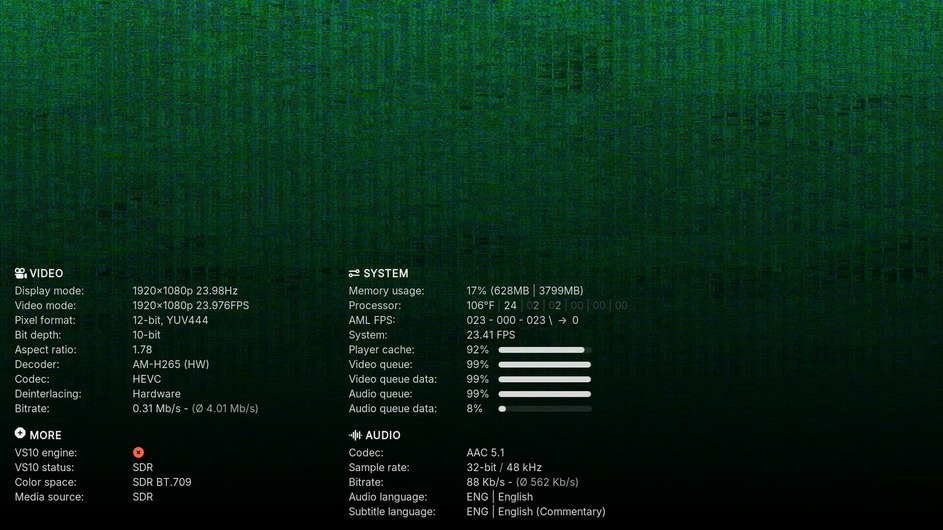
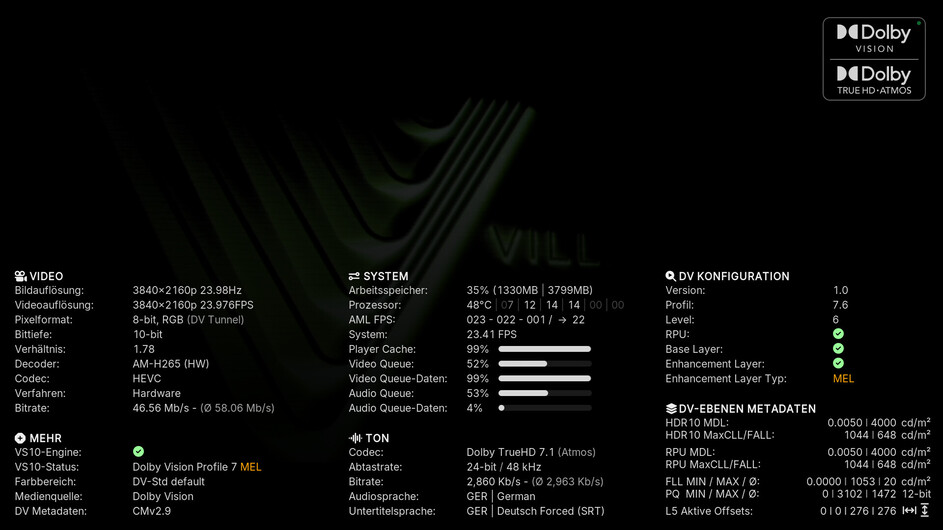
Yeah, to be clear all previous screenshots before the latest did not have a “Name” tag set for the subtitle being used. Hadn’t realized it was something to consider until stumbling on it.
Will check a file with the “Name” tag set with skin.plextuary - 4.zip and upload a screenshot shortly.
I’m on 0.79-rev4.
I can’t find that in the player settings. In which on the sub menues (General, Video, UI, Player, Playback (user specific), Network, System?
To see the “PlayerProcessInfo” screen, as pictured:
While playing a media file in PM4K, navigate to “Settings > Show Stream Info” within the on-screen display, then long press ENTER/OK.
or
Keymap Editor add-on within CoreELEC: Assign a remote button shortcut for the “Player Process Info” pane under “Global > Other”. Once assigned, pressing the assigned button while a media file is playing in PM4K will display the screen.
It may be worth adding the “Name” tag to the “Audio language” section as well, in the use case of having a commentary audio track paired with a commentary subtitle, etc.
Also, I tested the scrolling setting for the “Subtitle language” section now that the “Name” tag is included. It does scroll, but does not seem to honor the column width:
Thanks for info @jamal2367, the width setting did fix the scrolling width problem in the most current Plextuary CPM version from @panni should he choose to implement the fix:
I think for the sake of consistency, I do like @panni’s current implementation of using braces when the “Name” tag is present, and also keeping the fully-spelled portion of the language label (example: “English”) to match what’s displayed with “Audio language”. Non-scrolling examples of both here:
I think it would also be a great feature if the “Name” tag was also displayed for the “Audio language” track. Say, in the above labeled instance if an audio commentary track was chosen and Name tagged “Commentary”:
Audio language: ENG | English (Commentary)
Subtitle language: ENG | English (Commentary)
or, with @jamal2367’s implementation which retains more display and scrolling space for the “Name” tag:
Audio language: ENG | Commentary
Subtitle language: ENG | Commentary
Just my two cents, of course. Maybe others can chime in. Thanks for both of your work in any case!
I took a bit of an amateur crack at it myself, and you may be right. Unless I’m missing something, with VideoPlayer.AudioName it seems to display both the audio track’s “Name” tag and additional audio codec information, which makes it all a bit messy in comparison to using VideoPlayer.SubtitlesName.
All the names of audio tracks and subtitles are available from the on-screen display in PM4K, so not a big deal to keep it clean and not surface this information in PlayerProcessInfo