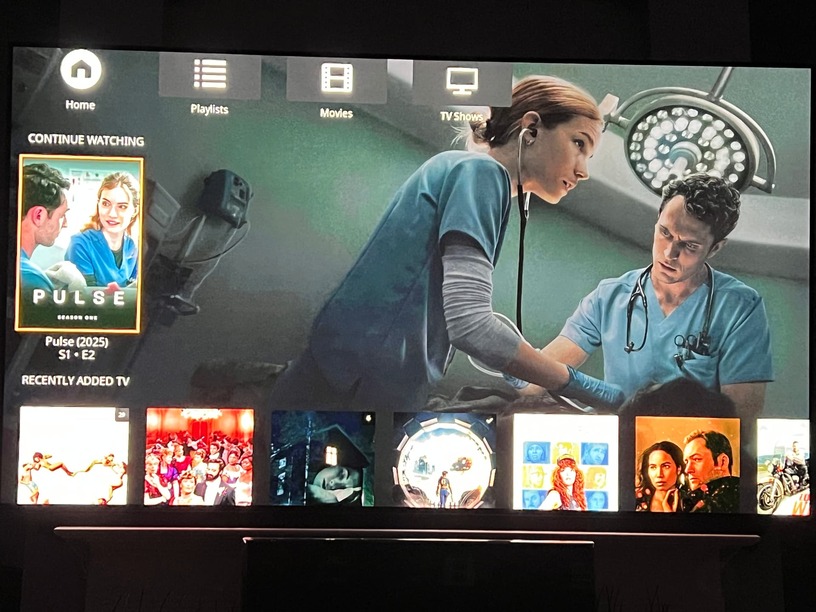
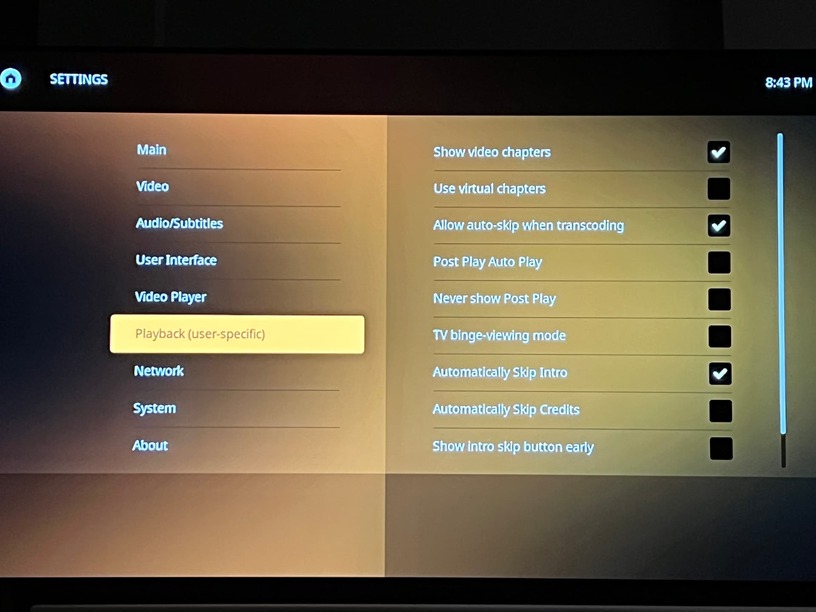
Noticed a bug sometimes, where if you hit back (RW?) twice quickly to jump back, it can skip to post play and onto the next episode.
doesn’t always happen but enough to notice it.
Noticed a bug sometimes, where if you hit back (RW?) twice quickly to jump back, it can skip to post play and onto the next episode.
doesn’t always happen but enough to notice it.
Hardware/kodi version?
Which version of PM4K are you using? If it’s not the latest beta, try that first, please. I think I have hidden libraries excluded from the hubs query, I just don’t know when I implemented that.
I currently have no server active under Plex, how do I get into the settings of Plex. I would like to deactivate the autostart!
Slight oversight on my part I guess. You’ll need to edit the xml of the addon to disable the autostart (in addon_data/script.plexmod/settings.xml).
Ugoos AM6B+
CoreELEC 21.2 CPM version
pm4k CPM skin
alternate seek on
I figured, hence the question. Seek handling is semi broken on CoreELEC PM4K and there’s nothing I can do about it. You can try turning the alternate seek fix off or on, to see which works best for you.
Edit: which PM4K version?
Edit 2: if you can live with possible temporary passthrough audio delay after seeking, try turning it off.
0.8.0-beta12.2.
I’ll try that, thanks.
Bug: Go to Settings → About → Press right, get stuck in about section.
I might be able to handle multiple seeks with alternate seek on by waiting for the current seek fix to apply and applying the next seek afterwards. It’s hard to test, though. Once I get to looking at this issue, I’ll message you with test builds.
It didn’t work. Both the server and PM4k are set to 80%, things still always show 10% or so. I just finished Duster.
Hi, unfortunately I can’t find an entry for Autostart in the xml file!
Might be called kiosk mode.
Ok I figured out something that should help narrow down why the watch state isn’t being synced. Usually when I finish with an episode I shutdown from the show screen. That’s when it doesn’t sync. But I go back one more to home, it does.
Huh, interesting. You’ve disabled binge mode and related stuff for TV shows, right? This might be a bug. I’ll note that for the next major version.
Edit: Are you using the cache feature?
I don’t know if it’s a bug or not but if you’re near the end of an episode and hit the next button (the one to the right of the FF button), the episode gets marked as played in PMS but not in the PM4K episode UI, it’s not shown as played with a tick in the corner.
If you reboot the box and have PM4K launch again, it’ll then briefly show a watched tick which then disappears within a half a second, exit back to Home, reopen the Continue Watching item again and it briefly appears ticked then disappears. This tick appearing and disappearing is repeatable for everytime you exit the season UI to Home and then go back into the season UI.
So for example, Episode 4 is watched and the Continue Watching shows Episode 5 is next (which is correct) but there’s no tick on Episode 4 unless you go and mark it played manually despite the fact PMS knows it has been watched.
Before the next major beta, here’s another bugfix increment; 0.8.0-beta12.3: script.plexmod.zip (4.1 MB)
Changes:
Edit: Don’t be afraid of the size, it’s at 4 MB vs 3 MB, that’s just because I’m on Linux at the moment vs. Windows and the compressed size of the archive is different. (And I’ve included .pyo files; shouldn’t be an issue, though)
Good hint, thanks! It’s very possible that starting something from the Show screen triggers this. I’ll investigate.
Ending, not starting. I start from home.
I’ve just filed a bug report on the GitHub repo about stutter/judder on specific files - before I install this beta, do you know if any fixes have been made that might help with this?
Edit: Can confirm that the latest beta doesn’t resolve the issue for me unfortunately!