I’d also like to see this native Plex feature implemented.
2 Likes
The first one is on my list. It might seem easy and data-wise it is, but this involves creating a new view, which takes a lot of effort in the Kodi skinning engine. Before I tackle this, there’s two things I’ll tackle first: Separating the updater code into a separate addon and dynamic home hubs.
The second one is new. The official clients have something like this?
1 Like
Plextuary CE CPM 4.0.0-pm4k1.12cpm.a14.6 pushed to Don’t Panic.
The configurable codec logo hide delay was only implemented for the top-right position. That’s now fixed.
1.1.3-beta4.1: script.plexmod.zip (3.2 MB)
Changes:
- Player: Set playback_started flag for a short time so Plextuary CPM can pick up the event for codec logo display
Just a minor fix for Plextuary CE CPM codec logo delay. skin.plextuarycpm: 4.0.0-pm4k1.12cpm.a14.7 pushed as well.
3 Likes
The first one is on my list. It might seem easy and data-wise it is, but this involves creating a new view, which takes a lot of effort in the Kodi skinning engine. Before I tackle this, there’s two things I’ll tackle first: Separating the updater code into a separate addon and dynamic home hubs.
That’s great news! Also, looking forward to the changes you are planning on the Home Hubs. I know you mentioned awhile back you would like to update the UI, but that there are limitations given the platform you are dealing with.
The second one is new. The official clients have something like this?
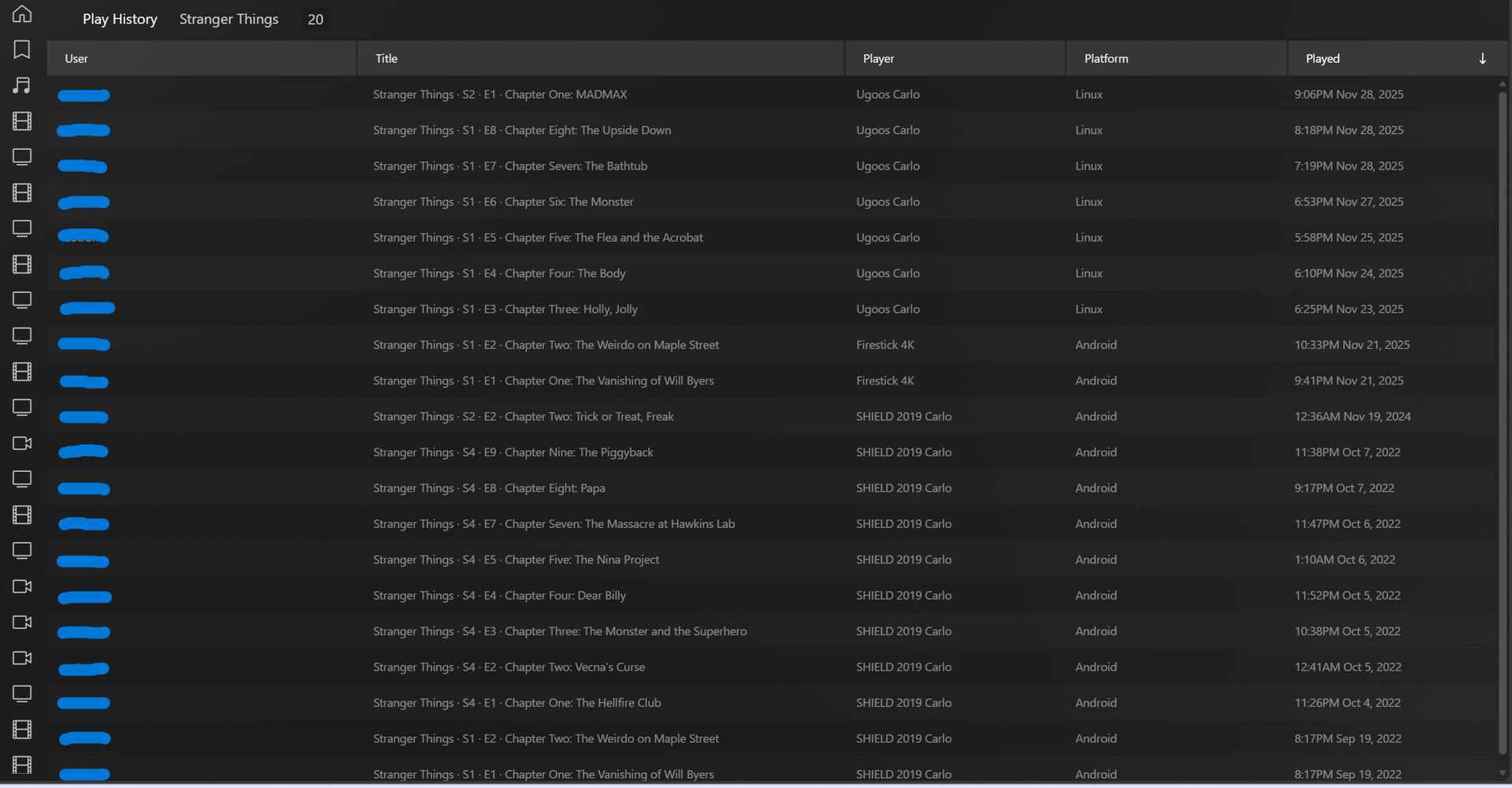
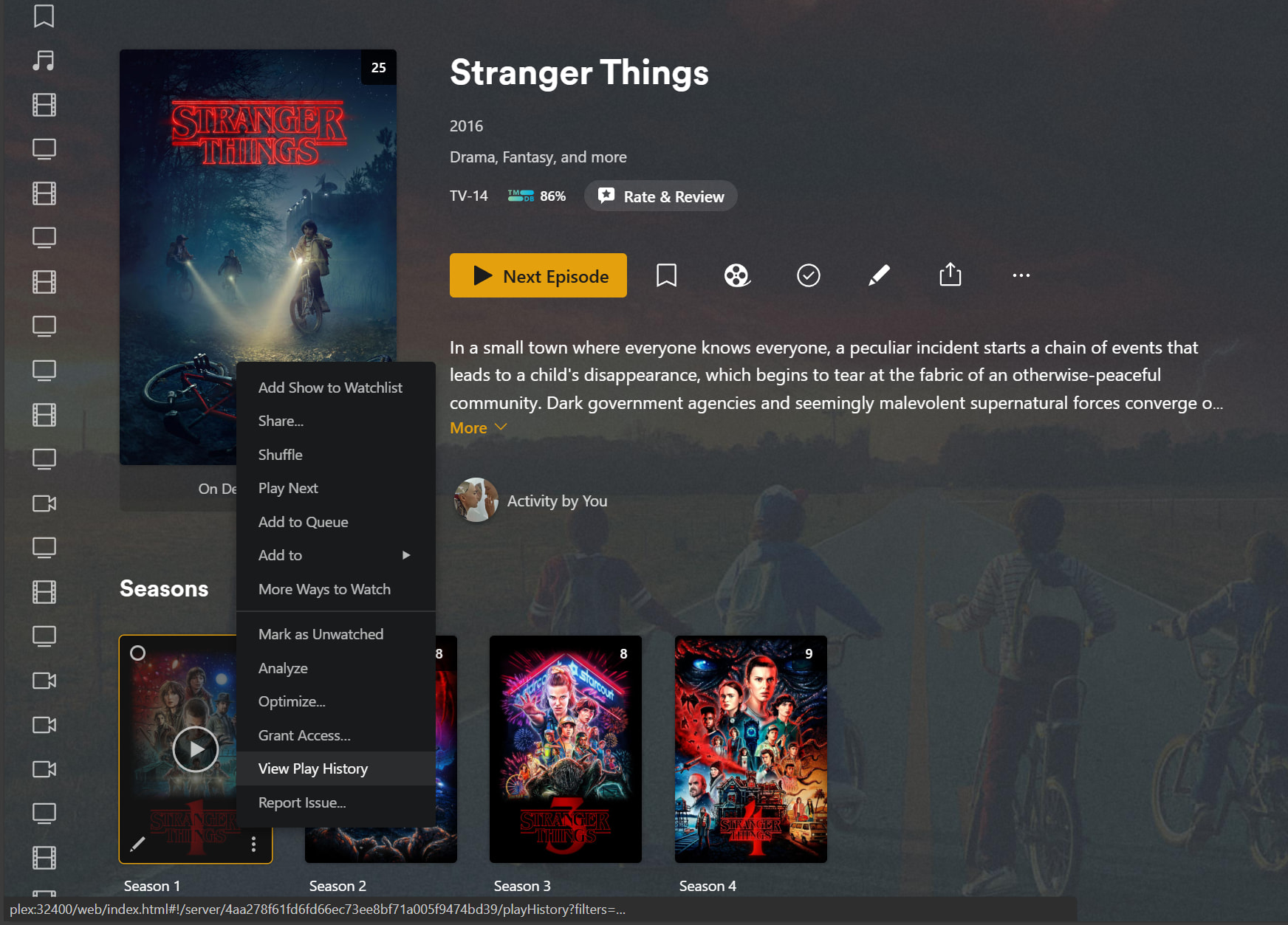
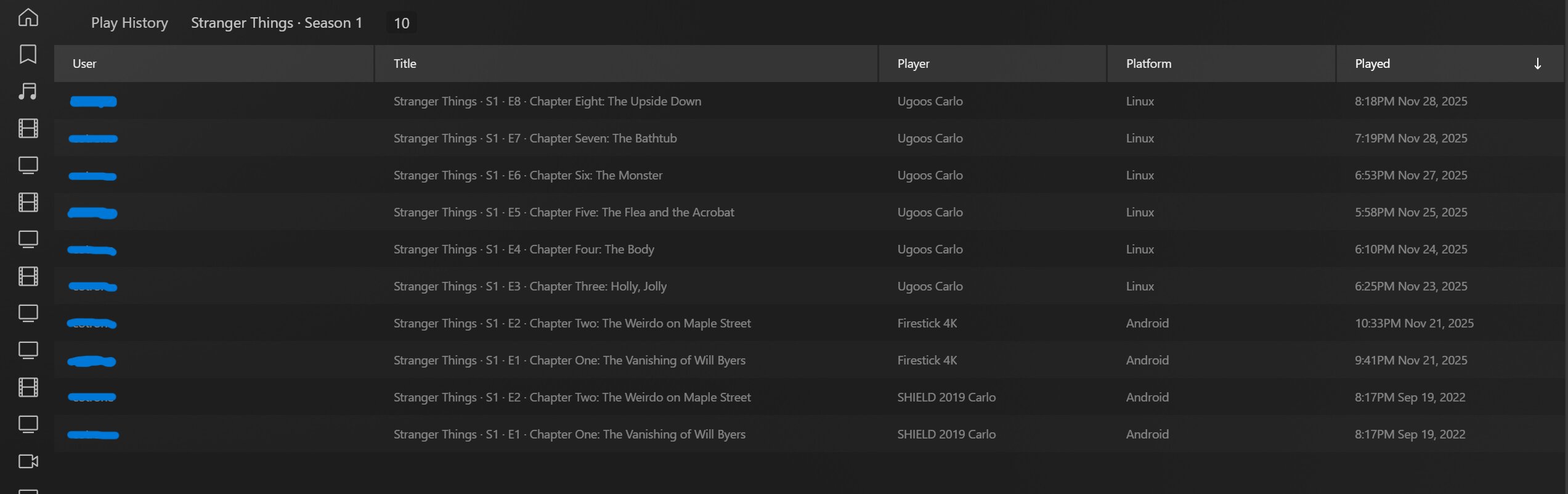
Here are some screenshots from the web client showing the “View Play History” options:
By Show

By Season
By Episode


By All Shows

This last view is a bit similar to what you see in Tautulli History as it gives you the option to filter various categories (eg Server, Library, User Account, Period). I got to this last view by clicking the “Play History” link at the top left of those first 3 grid views. The following video shows another way to get to this area in the web client - https://www.youtube.com/watch?v=TrbE39l_c4o&t=51s
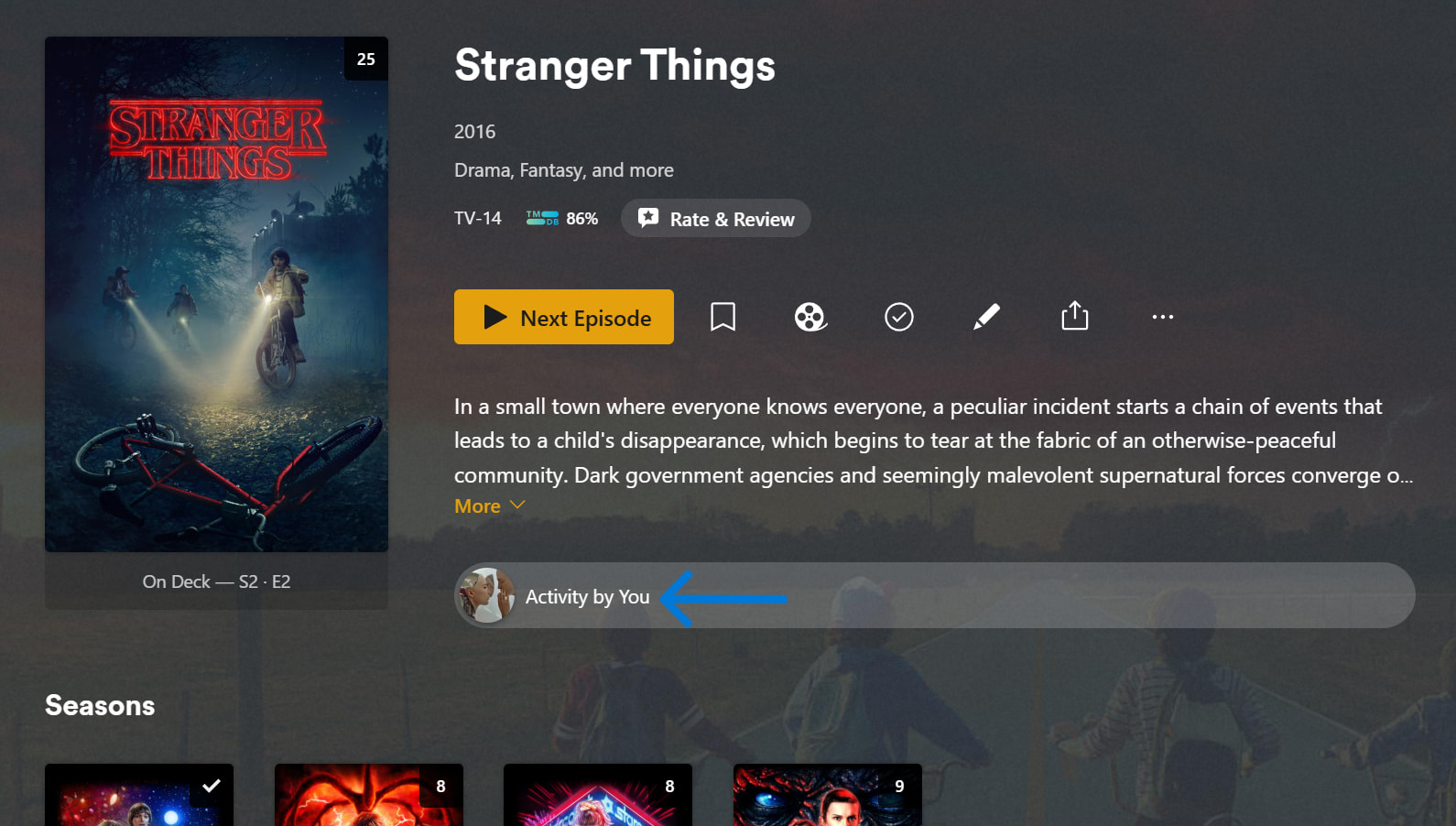
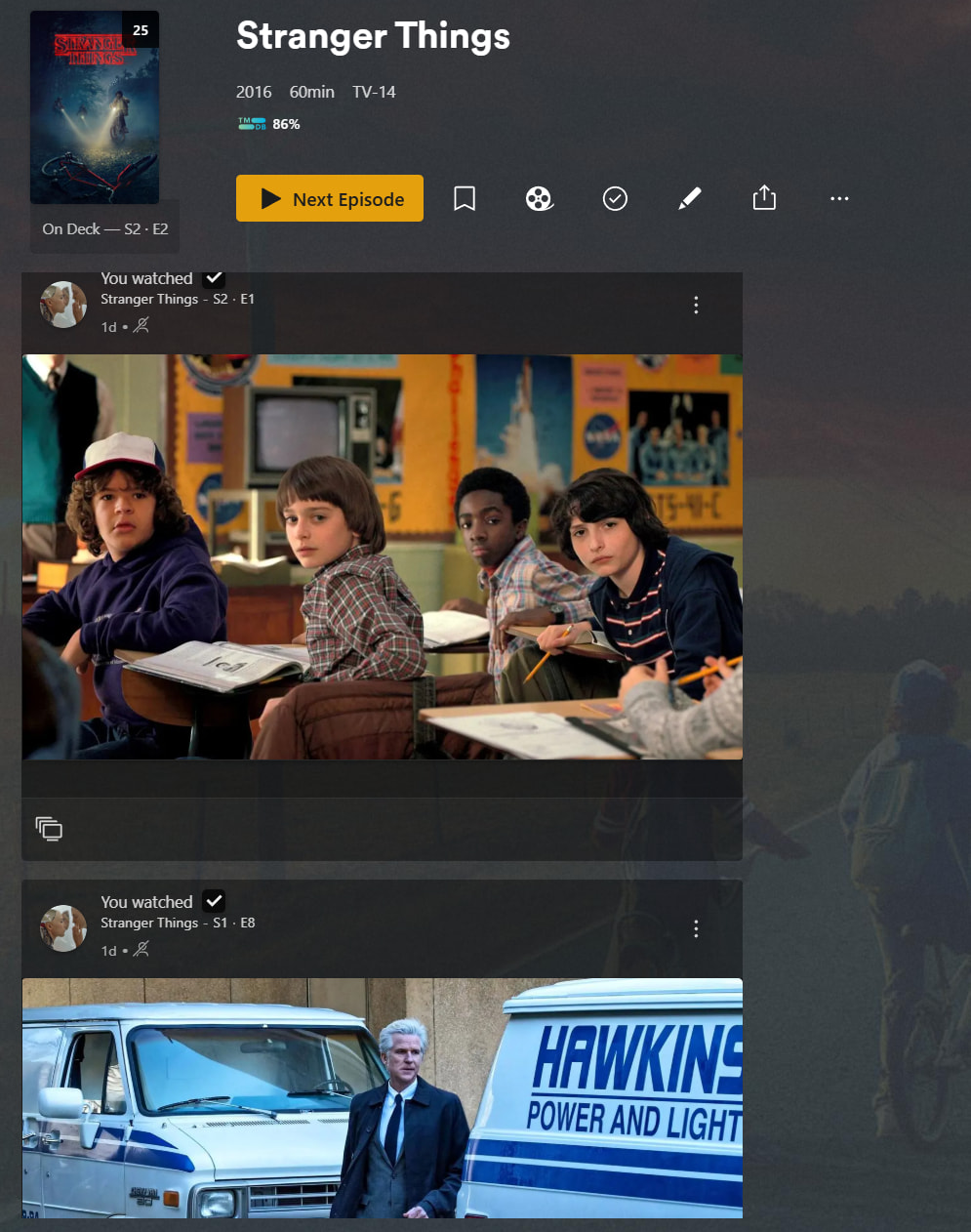
There is also “Activity” feed options that display historical activity. Again, these are context dependent based on what you are viewing so it could be for a movie, entire TV show, entire TV season or individual TV episode. Rather than the text based grid display of “View History”, the Activity feeds show screenshots of the viewed item(s).
Activity By Show
I was watching Stranger Things season 5 and noticed that chapter blur when you have it enabled to prevent spoilers is not strong enough. I could still see shapes and make out everything.
Could it be possible to adjust blur effect in PM4K settings, or maybe Plugin settings outside of PM4K? Since default is probably good enough for majority of users. Ideally for me, it should be blurred much, much stronger, so only colors of the vague shape remains and nothing else.
For example, in Stranger Things Season 5, I could see in blurred chapters everything, even who the actors are, who the monster is, and it kinda defeats the purpose of this feature.
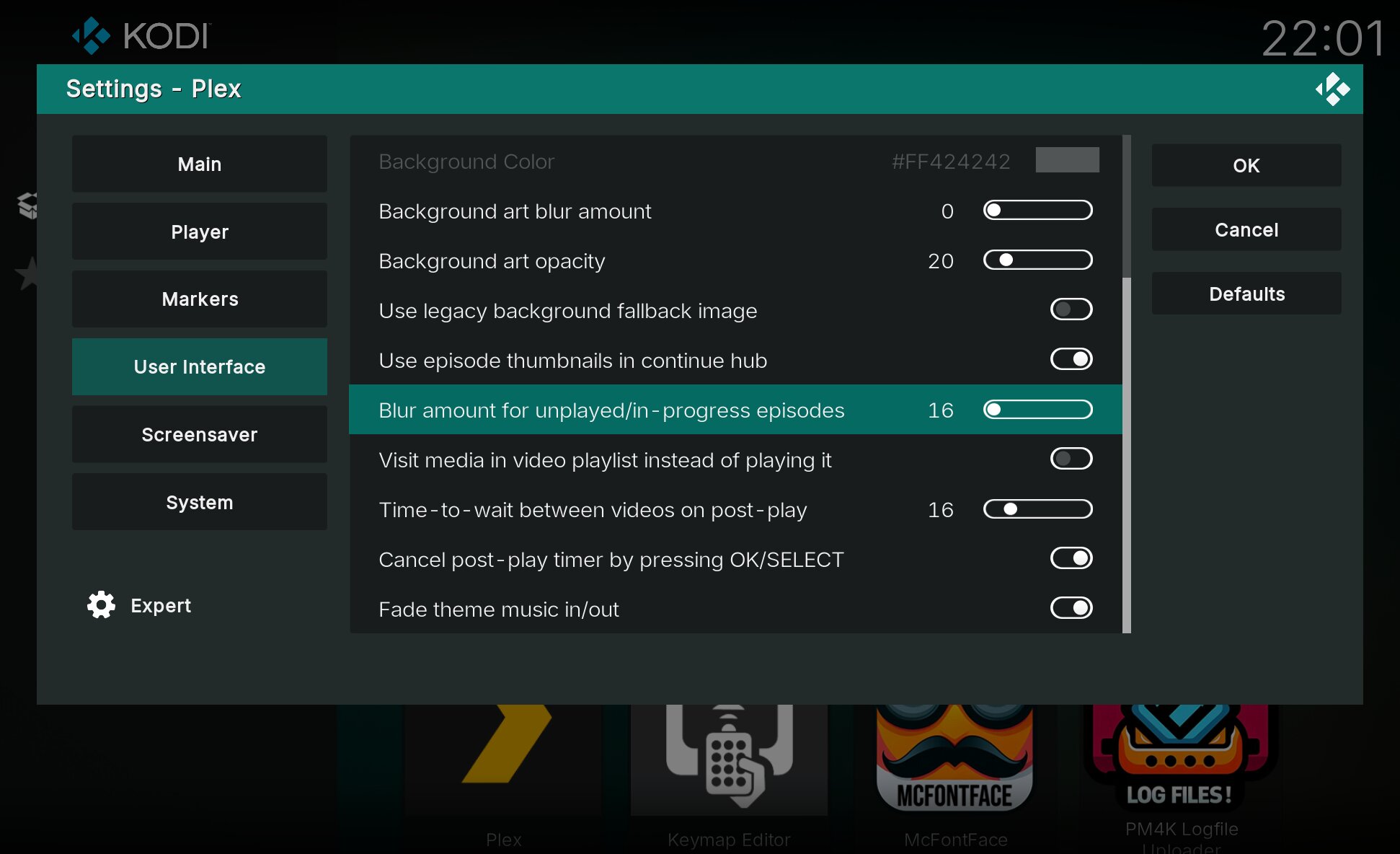
This is exactly what I needed. Oh well, I should have checked the settings before commenting. I missed the update when this feature was added so I didn’t know. Thanks.
Oh that’s been there basically since day 1 of the no spoiler implementation. Somehow I had enough foresight to include that setting back then 
1 Like
Why doesn’t the Plex app appear first in the list of my recently used apps after I’ve used it? It’s now at the very bottom of my app list. This is really frustrating, as now I have to scroll through all my apps every time to start it.
You can access it from program addons, then it should move up again. Or use Favorites.
Edit: I don’t know which version you’re using, though
I’m using LibreELEC (Omega) 12.0.2 and Plexmod 1.0.5e.
Accessing through the program add-ons only provides a temporary solution. And since I have hidden the program add-ons, this is not a permanent fix for me. I don’t like the favorites solution either, as it’s full, and I don’t want to keep switching back and forth between add-ons and favorites.
Well, tough luck, then. I can’t do anything about how Kodi orders its plugins. Accessing PM4K from the Program addons page is the only way to bring it back to first position as far as I know.
Edit: I’ll investigate whether I can maybe change this in the Plextuary skin. Stay tuned.
Normally, Kodi displays the most recently used app first. All other apps are then moved down the list. This works for all apps except Plexmod. Therefore, I thought it was related to Plexmod.
Thank you very much for your efforts.
It somewhat is, yes. That’s due to how we launch (we’re a full replacement UI). Not sure if I can change that, though.
I think I found a solution. Stay tuned.
2 Likes
1.1.3-beta4.2: script.plexmod.zip (3.2 MB)
Changes:
- Core: Make sure we’re marking PM4K as “last used” for Kodi (adds a short blip when launching)
- AddonSettings: Add “Ensure home position” setting (default: On)
Plextuary has been updated again, as well, to accomodate this change. You might see a short blip when starting PM4K, but once you start it, it should be the most recently used addon. Keep in mind: this is a hack. Please check if this works well!
Edit: Previous behaviour can be actvated again via AddonSetting
4 Likes
I’m having a few issues with the latest beta. I’m on a shield pro 2019. After upgrading and because I have PM4K on auto start, I was stuck in an endless loop of the add on starting and crashing. I’ve had to clear Kodi data to fix that.
PM4K loads now, but I don’t see any server info at the top and when I scroll down to movies, they are selected, but I cannot see them. The screen doesn’t follow your selection down.
Can send logs if this helps.
Damn. I somewhat knew this was a long shot. Reverting to beta4.1 state via beta4.3. Sorry!
1 Like
