So far I love this! Much better than the native app!
I am curious if there is any way to use this on an OLD version of Kodi? I need 3D capabilities of LibreELEC (in this case) and that feature stopped with version 9.2.8. That is built on Linux 4.19.127 and I believe that is Kodi v18.9.
In messing around I could not install v0.6.2 but I was able to get v0.5.5-rev2 to work. Of course that is not the latest version and there are newer features/bugfixes since then. Is it possible to make this add-on work in older version of Kodi like I need to use? I’d like to just have it update like all my other add-ons do!
0.6.2 should work with Kodi 18, it has its separate branch and is served by the repository. Are you trying a manual install insread of a repo install? If so, use this branch.
What I did was add the PMFK location to my file lists (Hopefully I’m using the correct terms as I’m a Plex guy, not a Kodi guy) then chose the version I wanted to install.
Are you saying to use a different file location?
UPDATE: I went in and updated it to v0.6.2 and when I tried to run it I got “Plex error. Check the log for more information”
The only “bug” I am seeing is that I am unable to browse within a library. I can get to the index of all my libraries across the top of the page as in the screenshot:
But if I actually click on one of those libraries to browse it alphabetically, for example, I get the sound like I clicked on it, but it doesn’t actually open the library. It just does nothing after that.
Of course I can still click on one of the movies that comes up in continue watching or something like that but that’s as good as it gets. Basically if it’s not in one of the lists on that library index page, I can’t get to it through this interface unless perhaps I do a manual search. Can’t browse though.
EDIT: I tried searching for a title using the PMFK search. It did find a title if I typed it perfectly the first time although if the title didn’t fit and you had multiple versions there doesn’t seem to be a way to delineate them other than clicking on one and seeing which one you get. There is no hover alt-tag or anything like that at least using a physical mouse. I had a typo the first try and it wouldn’t let me edit what I entered. It also crashed LE and caused a reboot. Once I did that and started a new search it worked. I’ll keep trying it over time.
Other than the upcoming binge mode additions and the fixes for audio/subtitle selections for extras, nothing really comes to mind besides maybe having audio/subtitle names show up in the U.I. e.g. instead of showing 2 English subtitle tracks, it shows “SDH” on the 2nd one. I’m assuming that’s already in mind though with the modernizing of the UI idea, but if not, there’s my suggestion.
That bug for Kodi18 will also be fixed in the next version. @bowlingbeeg we sadly can’t use most of the interesting Py3 stuff, such as f' strings (I didn’t pay enough attention when merging)
As PM4K claims to support Kodi18 with its codebase, without any changes.
@KaraokeAmerica just out of interest, do 3D movies work for you with PM4K without any further changes?
0.6.3-beta16 for you guys is here. The next official release will take a while, so here’s a snapshot for Kodi19+.
Rewrote the timer implementation once again, using Kodi native timing; no drift or cheatery at all anymore; 100% accurate time display for any label in SeekPlayer; this is probably final. Round-robining has been fixed in episodes, inaccessible media/parts are now handled properly, the current episode is selected in the videoplayer playlist, media info screen has been cleaned up, cache value can be set above the recommended value, core fixes.
Sorry @panni, can’t give feedback on beta16 yet cause I’m on holiday with just a firestick for company and no idea how to apply your zip to it without my laptop.
I promise I’ll be using it as soon as I get home. Your earlier version (with music fixed) is getting hammered at night on the firestick and is performing superbly tho.
Ah, if you want to try it, I usually use Send files to TV (app) and Mixplorer to unpack the zip into the correct folder. But nvm if you don’t want the hassle on holiday
Phew, I’m at 0.6.3-beta21 now and my list of fixes, ideas and improvements is growing rather than reducing. script.plexmod.zip (3.5 MB)
I’ve added a slow connection mode that tries to saturate kodis buffer before starting a video, especially for wonky/slow/hotel connections, which works amazingly well. There’s too many things I’d like to add, though, and if I don’t stop digging I’ll never release the next stable version.
Adding the current beta to this post, but I promise the next one will be a stable release available on the repository containing playback/binge settings (however it’ll play out).
I even forgot the list of fixes that have accumulated since beta 16, but there’ve been many and they’re worth it.
Thank you for testing!
Edit: 11 betas in 12 days. I’ll have to slow down eventually. You don’t want to see my bug/improvement/nice-to-have list, though :[
Edit 2: I’ll only fix the bugs I’ve encountered before tackling stable.
Watchlist is on my radar, but it’ll take a while. Library filtering and possibly a combined home view (cross-server).
Next steps are a new stable release and, towards end of year maybe a slightly updated visual style (no real UX changes).
I’m testing the betas on my own devices and pushes are usually made once a week, while not on vacation, because I have a day job, so you will not necessarily see the latest changes on github when I post a beta.
Are you referring to watchlist or unified home? If it’s the former, it’s probably fairly easy tbh. Should handle like any other library basically.
I’m just a little backed up by bugs, improvements and things I’d like to get done before tackling it. If I’m not mistaken, watchlist should be trivial.
Let’s hope I’m not mistaken
Edit: I’m tempted to just try it as another home library item when I find the time. Who cares if it takes 27 betas instead of 21? I’m in too deep already, anyways.
Edit 2: just out of interest, what do you expect from the watchlist? How should it work, especially considering the way PM4K handles servers right now?
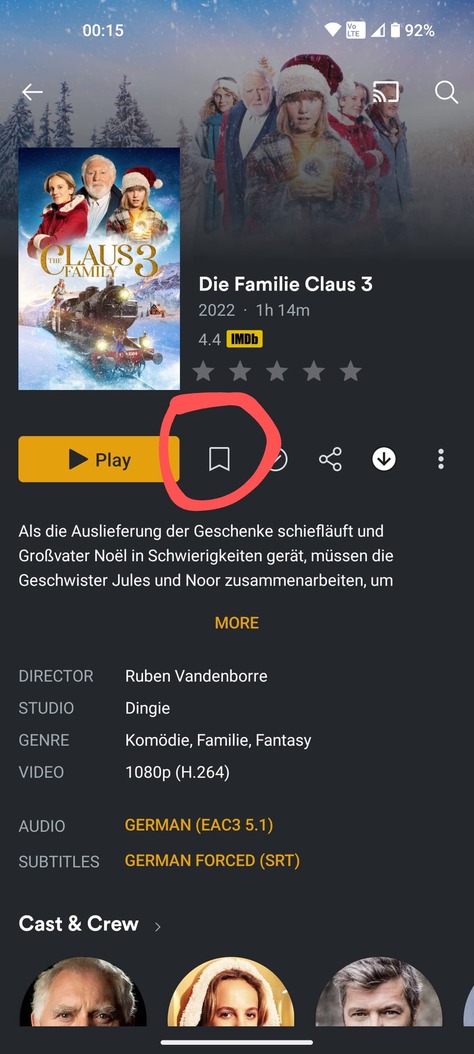
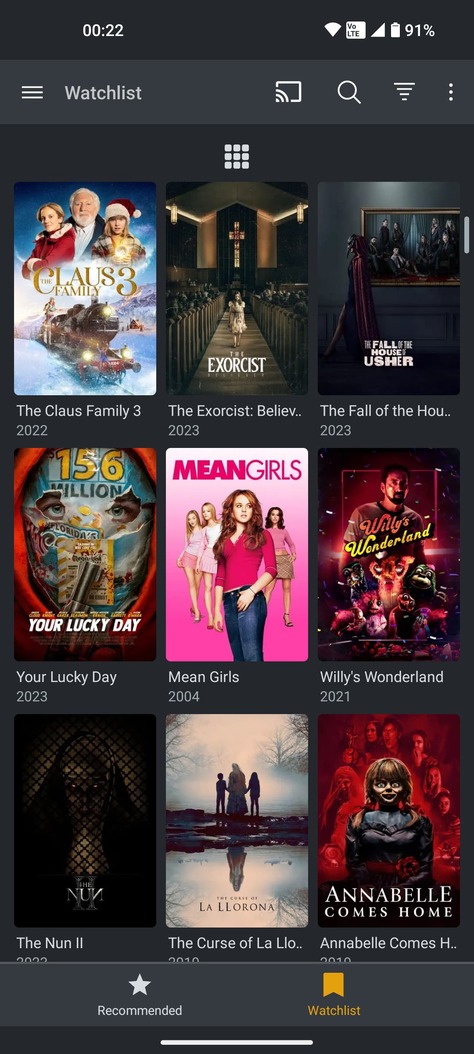
There is a tab at the top where it says Watchlist and you can go to this.
Then you can see all the media that have been saved in this watchlist.
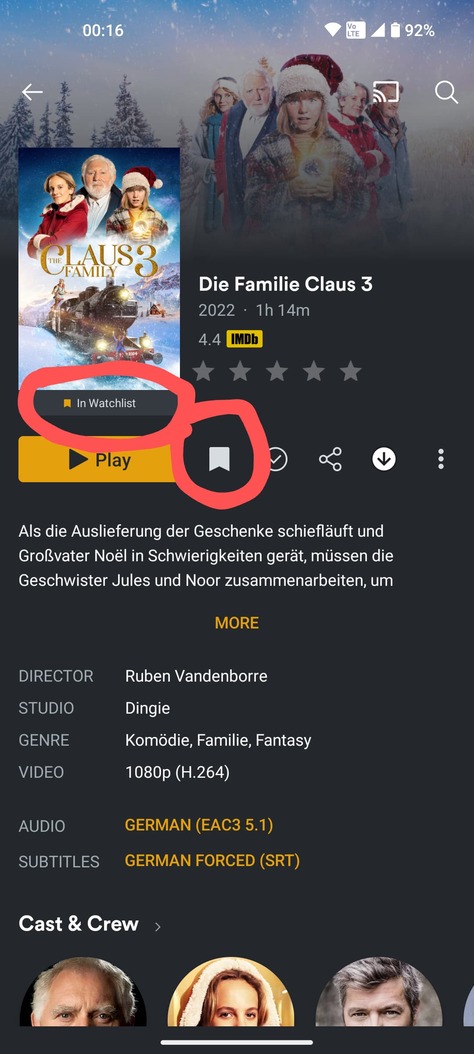
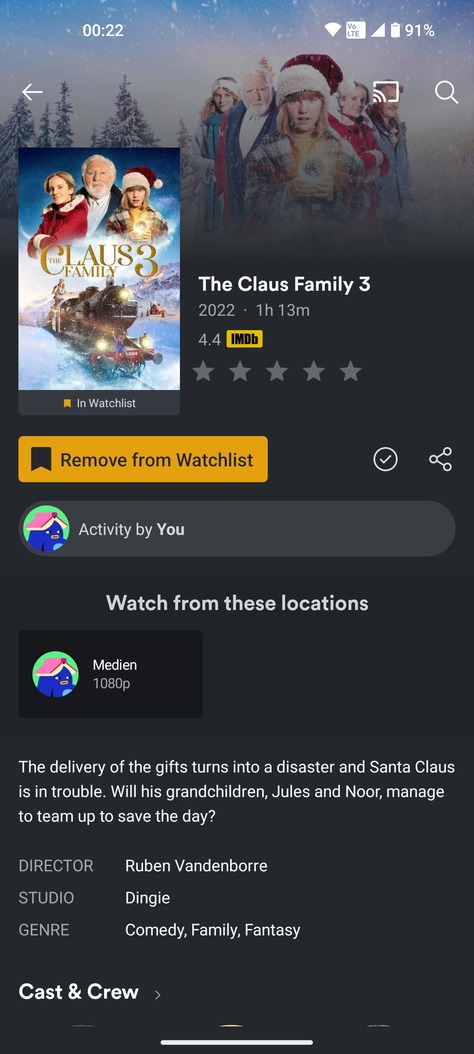
If you now select a movie that may interest you, then it would be enough if a button Add to watchlist or Remove from watchlist could be placed where it also says as unseen or as seen, i.e. in the drop-down menu.
I’m aware of the watchlist. Its usability is a little hampered this way, though, isn’t it? I mean I could probably easily add the functionality you’ve outlined, but how good would it be?
I’d imagine you’d be able to go to the currently selected watchlist item if available on the currently selected server and watch it at least. Wouldn’t you?
Would the management side of things be enough for the first version in PM4K, or would you expect more?
Without thinking too much about the codebase: if I’d implement watchlist handling, not implementing actual watchlist watching would be a waste.
Handling the watchlist with the ability to remove items would probably be more complicated than the ability to watch stuff from it, if the correct server is selected. I’m guessing completely, though.
Edit: wait. Doesn’t the official watchlist feature support watching the actual content if it’s available? If not, I may not be able to implement what I’ve just suggested, because there might not be any connection between a watchlist item and the actual media item. I doubt that right now, though.
A tab at the top of the bar with the name “Watchlist” and two buttons with “Add to Watchlist” and “Remove from Watchlist”.
But I would be happy if there was only this tab at the top with the “Watchlist”.
I could still add or remove things from the watchlist on my phone or with the TV app. The main thing is that the watchlist is displayed in the Plex addon, that would be enough.
A medium cannot be started directly from the watchlist, it only redirects to the medium, from there you can start the medium. I hope that’s what you wanted to hear.

 (I didn’t pay enough attention when merging)