Is anyone else having issue with files / streams being transcoded that don’t need to be transcoded?
I’ve been noticing a lot of things being transcoded especially when they have subtitles, after exiting multiple times and attempting to play again eventually the items direct play. I can’t seem to find any errors in the logs. I did find a line about being happy with the clients decision to directplay when it directplayed and a few lines above that about transcoding. It’s been happening for a while but for me at least seems to have gotten worse.
Below is a snippet from my logs of stuff I think might help.
Quick question, it looks like the base client is shaping up really well, been using it for a month or so now and tried out the quick releases posted here as well. After that is wrapped up is their any plans to enable a feature like Live TV that other Plex Clients have?
Would be cool to eventually get full feature parity on this compared to other Plex clients, not sure how hard it would be to implement the Live TV feature that is on other plex clients.
There’s nothing in there indicating a transcoding session. What you see about buildTranscode just indicates that the addon is building the decision path for the server in case the server doesn’t like our DirectPlay.
That’s what’s important:
MDE: Server was happy with client's original decision. Direct play OK.
I won’t do that, but maybe someone else will.
One of the feature I’m still planning to tackle is Watchlist.
Thanks so much - you’ve added the best of both worlds I would say. Will test it out in the next hour.
Edit:
Tested both ways multiple times - working flawlessly. The best thing of all is the flexibility to be able to activate the setting but still switch to kodi when long pressing. Perfect solution in my opinion.
BTW: This long press trigger could be potentially a great solution to show my mentioned / wished “context menu” on the music tracks with play next option etc. (analog album context Menu)
Note: I have deactivated auto confirming of skipping in the kodi addon settings → playback (first option) to prevent accidental skipping - I always want to confirm manually.
If you play a video and press directly right on the remote, you trigger a skipping step. The gui shows only the timeline and not play / pause etc. When you then click OK it jumps to your marked point.
The same skipping does not work if you first press OK etc. to open the “full” player gui - then navigate upwards to the timeline and try to skip. You can still select the point in the timeline but when pressing OK / confirm it jumps back to the current playback point and not to the selected point.
Also if the option in the addon settings is deactivated the dedicated skip buttons forwards / backwards in the player gui should directly skip and confirm. Currently the are selecting the skip point but waiting for the (auto) confirmation I guess.
That’s what the auto seek option is for, yes. If you disable that, it won’t auto seek.
Edit: You mean RWD/FFWD with “dedicated skip buttons”? Please try to be a little more specific, we have a lot of features and controls
I’ll take a look at those as well.
That seems like a bug.
Your usecase is pretty rare, though, as most people leave the addon settings alone. I’ll look at that issue after 0.7.4.
No, watchlist as in the Plex Watchlist. That’s a feature
Yes exactly - the left / right arrow buttons next to stop / pause buttons in the player gui.
No worries it’s a special case and no real issue for me - definitely low priority.
I only use it because I sometimes press the up down / left right buttons on the remote accidently (and forgot again that the navigation / skipping here does work different than in some streaming apps). With this setting deactivated I make sure the skipping take only place after an additional OK.
This is currently a feature that I am very much looking forward to.
I’m pretty sure you’ll manage to add it, so the watchlist.
When it comes, I and other users will be happy about it.
But we’ll give you the time you need for it.
prerelease3 is running perfectly, everything is going well.
I noticed one more thing, while playing the music and selecting the song directly, the songs plays fine but the play button does not changes to pause, it still shows play button.
Edit: But in Kodi Nexus it shows fine.
Also, the Quit Kodi button does not show in Nexus when long pressed on EXIT (in Kodi Nexus Maven Build (Android 9), but it works fine in Omega & Nexus when Installed in Android 10.
Edit2: Both of the above mentioned issue does not happen while using Kodi 20.3 (Nexus), Official in either Windows or Android.
I think, I have to compromise something, the Kodi Nexus still doesn’t show colors in DV (MKV), only maven builds have it.
Maybe its the difference in python version.
I will now stick to the Kodi v20.3 (Maven Builds for Nexus in Android 10), it seems everything works fine with this combination for Android. (The button in music shows proper play and pause, even the “Quit Kodi” also works properly)
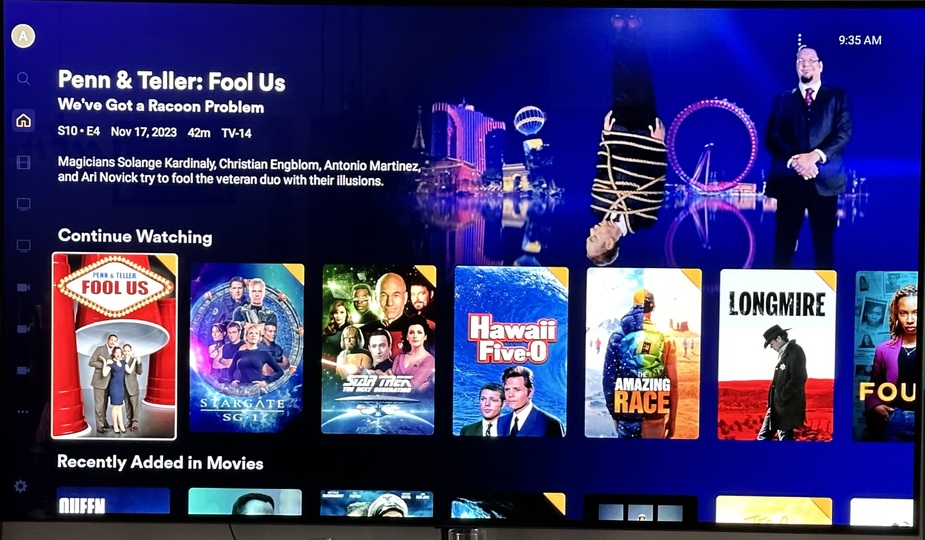
Does someone also have sporadically missing preview pictures on some “continue watching” elements? It sometimes happens and I can’t find a pattern when or why. Its seems to stay in it’s current state on the next startups and occurring in no specific order - so it could be on the last watched but also on some older elements. Some work and some not.
When I play one of these elements again and stop playback the preview is also not generated / updated correctly.
If helpful I can try to reproduce it and provide a log.
@panni I think I managed to capture more information about the issue I’m having with media transcoding when it shouldn’t need to. I will attach part of the log that I believe may be useful and I can send you the full log if you need it.
It seems it’s deciding the file needs to be transcoded because there’s not enough bandwidth available, protocol and container. According to these lines I found in the log. This is a local server on a gigabit lan.
2024-01-13 20:19:05.976 T:5077     info <general>: script.plex: API: DEBUG: Decision codes: {'directPlayDecision': 3000, 'generalDecision': 1001, 'mdeDecision': 3001, 'transcodeDecision': 1001, 'termination': -1}
2024-01-13 20:19:05.976 T:5077     info <general>: script.plex: API: WARNING: MDE: Server was unhappy with client's original decision. App cannot direct play this item. No direct play video profile exists for protocol http, with container mkv, and video codec h264. Direct play not available; Conversion OK. Not enough bandwidth for direct play of this item. Required bandwidth is 8304kbps and only 8000kbps is available. Direct play not available; Conversion OK.
Edit: Yet after exiting and waiting while I typed this message and then attempting to play the same file I get the following.
2024-01-13 20:46:28.428 T:6345     info <general>: script.plex: API: DEBUG: Decision codes: {'directPlayDecision': -1, 'generalDecision': -1, 'mdeDecision': 1000, 'transcodeDecision': -1, 'termination': -1}
2024-01-13 20:46:28.428 T:6345     info <general>: script.plex: API: MDE: Server was happy with client's original decision. Direct play OK.
It took some time but here we are. Most of who’ve been following this thread already know most of what 0.7.4 entails. Most notably:
GUI
While figuring out an issue a new user had, I’ve stumbled upon a fix that resolves all flickering issues and UI “weirdness” you might have encountered. With a clever background-fallback-implementation, any UI quirks should be fixed now.
The UI is more fluid and performs better than ever.
Preplay screens
The preplay screens had partials overhauls. @bowlingbeeg took it upon themselves to rearrange the episodes/seasons screen, as we’ve done with the movie preplay screen before, bringing it closer to the official Plex clients and improving their usability.
There have also been smaller comfort changes to how audio codecs are detected and presented, a much more usable “choose version” dialog and improvements to the stream selection dialog.
While usually not receiving much love, the Music preplay (artists) screen has been improved as well, adding related artists and fixing issues with missing albums.
–
Thanks to everyone for testing and contributing!
Without further ado, here’s the (rather big) changelog.
Changelog:
Add: Show video codec rendering type (SDR/HDR, …) in “choose version” dialog
Add: Add imperfect (but better-than-none) representation of DTS profiles and EAC3 JOC to preplay and stream screens
Add: Artists/Albums: Show similar artists
Add: Fade-to-black background when current item has no art
Fix: All instances of UI flickering
Fix: Use correct resolution name in “choose version” dialog
Fix: Collections 16x9 view thumbnail
Fix: DV HDR detection
Fix: Properly quote url params (e.g. when searching for “AC/DC”)
Fix: Missing artists albums by adding related albums with types: live, soundtrack, singles, demo, remix, compilation
Fix: Choices sorting for extras/trailers (and possibly other videos); fix switching qualities during extras/trailers playback
Fix: Playing a track directly from search results by supplying its album info if possible
Fix: Crash when readfactor isn’t readable in advancedsettings.xml
Fix: Unstable “smaller” buttons in episodes view with multiple media versions available (thanks @bowlingbeeg)
Fix: Multi-line cast names on seasons screen (thanks @bowlingbeeg)
Fix: PlayerSettingsDialog: enable ACTION_LEFT to leave scrollbar
Core: Allow DirectPlay of non-http-protocol Extras with protocol falsely(?) set to mp4
Core: Properly sort mediaChoices if there are multiple choices to make (trailers)
Core: Harden library view with regards to switching view types
Movies/Preplay: remove “cast” heading, move cast up so their names and roles are visible without scrolling
SeekDialog: PPI: Reduce videoSession wait timeout to 2 seconds
SeekDialog: Fix seeking via RWD/FFWD buttons when autoSeek is off; fix seeking via OSD via timeline pressing ENTER; hide OSD after seeking via ENTER
Seekdialog/Markers: Fix issue where a canceled countdown-autoskip-marker still skipped using SELECT/ENTER/OK
Player/Seekdialog: DirectPlay: Show additional cumulative parts time on multi part videos
Player: Remove (probably) unnecessary sleep between videos
Episodes/Preplay: Add “X more” label when video has multiple audio streams (thanks @bowlingbeeg for the idea)
Episodes/Seasons: Move actor images on episodes and seasons screens to better conform to other official Plex clients (thanks @bowlingbeeg)
Episodes: further harden view against network errors/disconnects
Home: Only store valid last-background on shutdown, preventing potential flicker on boot; Only store last BG for home section hubs
Home: Properly unhook signal receiver (possibly preventing a timely shutdown)
Playersettings/Audio: Show audio stream title as well, if available
Playersettings: show “X more” in stream selection as well
UI: Improve rendering smoothness and resolve flickering issues by providing a dark background while any background is currently loading (mostly invisible)
GUI/AdvSettings: Remove dialog flicker fix
GUI: Add longpress/CONTEXT_MENU handler to exit dialog, to switch from exitting the addon to quitting kodi
Photoviewer: Improve performance again
Hubs/Settings: Add setting to show hub bifurcation lines (default off)
Settings: Add setting to swap the default exit action with quit Kodi
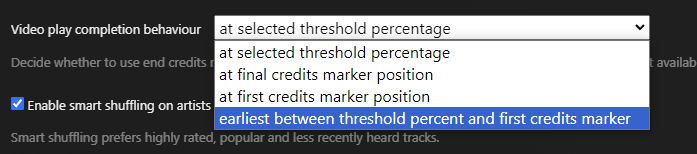
AdvancedSettings: Player: Add setting to wait an amount of time before starting the next item in the queue (default: off)




 and all the fixes