Server Version#: 1.21.1.3830
Player Version#: 4.49.2
Tuner Make/Model: HDHomeRun DUAL (HDHR-US)
I recently signed up for Plex Plus and decided to pull out an old SiliconDust HDHomerun device from years ago - HDHomeRun DUAL (HDHR-US). It’s one of the first models they ever made (like 2010 or 2011 at least, maybe older).
All the Plex documentation says ALL models are supported, but when I try to get PMS to detect the device, it just spins and never finds it. When I manually enter the IP address (tuner is set to a static IP) I get the “There was a problem adding the device:” message, and that’s it.
Any idea if this tuner will work with Plex DVR? Any trick to setting it up?
I’m having the exact same problem. I changed some wiring around and now, the media server can’t find either of my SiliconDust HDHomeRun DUAL tuners. But I think it’s this version of the Media Server software.
I went into the ‘updates’ folder and picked up an old 1.19 version if the software. It was able to find one of them, but not the other. I really hope they FIX THIS!!!
you may want to ensure they are running whatever the most current firmware is, something that old that has been put back into service probably needs some major updates.
do they work with the hdhr android/ios app ? I ask, simply to confirm they do indeed work outside of plex.
I had the same issue with my plex server last year when I signed up for the plex pass.
My server runs on a Ubuntu linux server, so your problem may be different. To get my server to add the HDHomeRun I added a rule to the linux ufw firewall the allow all ports from the IP addr. for my HDHomeRun.
you may want to ensure they are running whatever the most current firmware is, something that old that has been put back into service probably needs some major updates.
do they work with the hdhr android/ios app ? I ask, simply to confirm they do indeed work outside of plex.
No, I’ve never seen that link, and it doesn’t work. The old first generation or two of HDHR don’t work with the Android/iOS apps. They don’t do any transcoding (which was required by the apps last I checked). Just raw OTA feed.
But I have confirmed the HDHR works just fine with the Windows HDHR app.
I have updated to the latest firmware for the HDHR. Unfortunately these old boxes don’t really support UPnP, but I can open a network stream with VLC using a strait UDP link (udp://127.0.0.1:5000). Works just fine that way and with the official HDHR Windows app
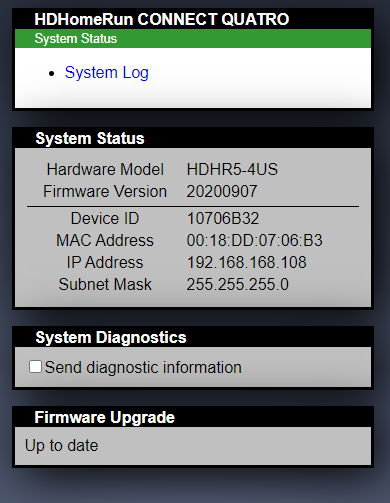
When I hit the IP for my HDHR I just get the same screen I’ve gotten since day one with that device: simple status screen showing firmware version and links to support
I just installed the HDHR Android app and yes, it works just fine. So do VLC and the HDHR apps on my windows computer (that is running the Plex server). The firmware is updated.
I think this is a network config issue somewhere, but that’s just my best guess.
I’ve tried checking Windows Firewall settings and everything is fully open for Plex Media Server and the other Plex apps.
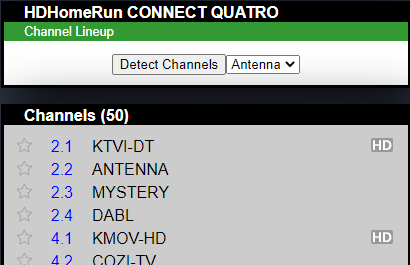
its strange that there is a ‘download drivers’ link, my hdhr quad does not have that, and I can navigate to the tuners directly within the admin web page.
I assume the drivers are installed on the same pc as plex server ?
despite the documentation, its possible that these devices are simply not compatible with how plex accesses the more modern hdhr devices.
edit
there is a note on the 2nd link: Note that older HDHomeRun tuners cannot be used to make a recording with the HDHomeRun DVR software.
this note implies to me that if the device doesn’t work with hdhr dvr software, its not going to work with plex dvr.
if so that sucks, but I can still highly recommend the newer models, with or without plex.
Legacy HDHomeruns don’t have some of the features of the newer models. For example the early devices didn’t store channel information on the device, while the newer ones do. For older devices, the channel scan within the HDHomeRun Setup software must be done from the setup software as there is no capability to scan those units from the webpage GUI…
However, I believe it is still possible to get it to work with PLEX, but maybe not directly.
I am thinking the best solution may be to run xTeve to create a spoof tuner that pulls the streams from the HDHomerun.
You’ll need to get the HDHomerun stream playlist to feed into xTeve. Then use xTeve as the Tuner for Plex. This would cause a little lag from channel switching, however it will sent the stream to xTeve to transcode into a Plex friendly stream in the DVR. I am not sure the DVR function will work as expected, but you should be able to watch Live TV from the device.
Yeah, SiliconDust definitely doesn’t support these old tuners as much. There are many places where SD exempts old tuners from modern features. That’s why I was surprised when Plex said they would all be supported.
@kwalters35
Is that IP address the one for the HDHR? Or for the PMS box? I assume HDHR… tried it and no luck so far. Really appreciate the help though.
I’m gonna double-check my router/network settings to make sure there’s nothing blocking things there, too. Should all be open internally, but maybe something reset.
I’m having the same issue i’ve rebooted both my HDHomeRun DUAL (Model HDHR3-US, Firmware: 20200225) and my PMS (Version 1.21.1.3842).
PMS is running on a headless Ubuntu server (with all updates). I can successfully 'curl $HDHR_IP_ADDRESS. So i don’t believe its a firewall issue. Trying to manually add the device in the PMS DVR yields the error ‘There was a problem adding the device: $HDHR_IP_ADDRESS’
This tuner work a few months ago. I don’t know what PMS version it last worked on however.
Edit: My HDHomeRun CONNECT (Model: HDHR4-2US, Firmware: 20200907) seems to work fine.
Edit 2: I upgraded to PMS Version 1.21.1.3842 last night. Problem persists.