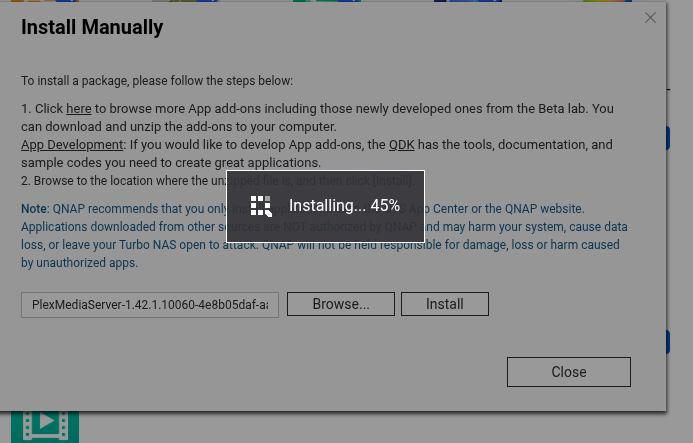
I see it.
Mint is getting all confused.. (one of the reasons it’s not vetted for PMS use)
Using the GUI, Convert the 4 independent adapters to a single bonded adapter (bond0) then restart the whole thing.
You might have to manually do the port forwarding if your modem/router does not have UPNP enabled / support it
@sanangelis
I’m confused… (apologies)
QNAP or MInt – or both ?
I’m seeing both on your account.
(Please let me know when switching hosts.  haha)
haha)
The mint machine. have just bonded the interfaces
just finished auto repair on TVS and re started
The Mint machine now shows one adapter and is published.
Restart the apps (they will pull the servers from plex.tv only at startup)
I see LAN address 192.168.1.200 .. MUCH better
Plex.tv sees your machine as well.
It shows them all green on the mint machine but on my main pc which is mint also it is showing as indirect. on the server I have the firewall turned off at the moment but my pc I have allowed port 32400 but it doesn’t seem to have helped. just checked the server firewall is on
Open the firewall ports.
Mint often has the extra firewall ports closed.
32400 is required for remote.
Here’s the complete list for the PMS host for the LAN.
https://support.plex.tv/articles/201543147-what-network-ports-do-i-need-to-allow-through-my-firewall/
Most of us just turn it off for our home LAn
That’s what I have been thinking as the router has NAT.
anyway one of those ports worked it is now green. I think it would be the Avahi port as mint runs the Avahi daemon
and remote access is not working. maybe I can fix that on the qnaps now also.
Is there any reason why I can’t turn off the firewalls on all of these things. if I do decide to open things up to the internet I could use a software firewall couldn’t I?
would probably make it easier to setup my backups
For my home LAN, I have the following basic configuration.
-
All computers (8 of them) have the firewall disabled.
They can freely talk to each other. ( I have several PMS instances for testing )
-
On my router (which provides NAT for the LAN).
– One firewall rule opens 54321 → 32400 of server 1
– Another firewall rule opens 54322 → 32400 of server 2
– I do this pattern for all servers which need testing
-
If you have GEO-IP blocking enabled, you’ll have to add two special IP addresses. These are the machines which test Remote Access.
( I’ll give you that info if you need it )
that’s interesting.
I have a starlink router which you can’t do anything with. I am going to work out the cabling and bridge it as I have an asus RT-AX86U pro running merlin that is doing nothing at the moment but it would lock down my network. has a lot of good features. then I might drop the firewalls.
Thanks for all the info I have learnt alot and copied alot into a file as at 69 I’m forgetting too much.
Ah, Starlink. So you’re already in a Double NAT situation.
I’m 66 and forgetting a frightening amount!  lol
lol
I would say so. the starlink app is the only way to access it so it is time to bridge it. good speed but.
If you remember / can manage it…
IPv6 doesn’t do NAT.
To make that work
Write a rule in the firewall to allow ONLY the IPv6 address of the PMS machine --AND-- the port pass.
Then, in Settings - Server - Network, Publish the IPv6 addr::port
I would recommend keeping it at default 32400 for IPv6 usage.
Remember, no port redirecting in IPv6
I’m lost when it comes to IPv6, I was looking at running a firewall on the TS and running the internet thru that and then thru the smart switch to everywhere else. most of those programs are smarter than me and I don’t really need IPv6 on the home network.
Pretty much the same with me.
My router (pfsense) is dual stack.
I’ve set my workstation and servers up to be dual stack as well.
If/when IPv4 goes away, I’m set. Pfsense will do the job.
( They’re a LOT smarter than me at IPv6)
Just got this back from Qnap support.
QNAP Technical Support has updated the support ticket Q-202509-44093 .
To check this ticket, go to QNAP Customer Portal. A preview of the updated ticket is shown below:@@@
Dear customer,
If you have updated Plex over 1.30.0, you need to uninstall it then reinstall version 1.30.0
Thank you
This will be why having problems updating. may have locked it to their app centre only.
At the risk of receiving 
That’s BS.
Look closely at the version being installed in App Center.
Look at the result.
I will hold my tongue at this point…
Perhaps take my pics and ask why it works for others ?
This machine works flawlessly. It’s a machine they officially have EOSL.
Thought you would like that
Considering what we did.

(so much I could mutter but I’ve got this silly hat on hahahha)