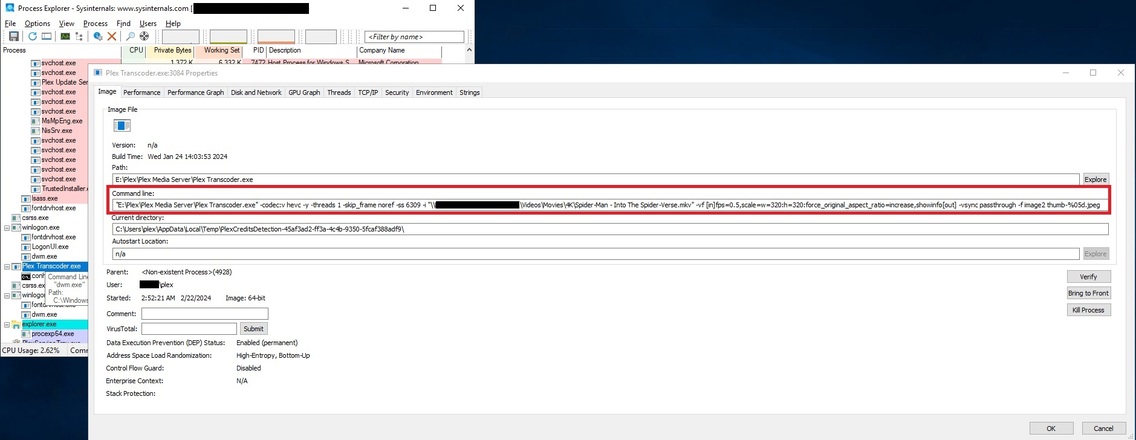
Attached is an export of all the search hits looking for “transcoder” in every log file. However, I’m expecting the top hit in Plex Media Scanner Credits.log is probably the useful info you’re looking for since it matches the process in the screenshot. Let me know if you need additional info on the MKV file it’s scanning (\Movies\4K\Spider-Man - Into The Spider-Verse.mkv).
Was away on a trip for the past few days and left the setting enabled while I was gone to let it build up a few processes for review. Here’s a screenshot showing how many processes have incremented in the past 2 days along with which specific movie files it’s stuck on.
Based on this screenshot, it appears the problem is with 4K files. Every movie on this list are 4K BluRay discs that I own and ripped myself using MakeMKV.
While it seems Plex is having issues with all of my 4K movies, for whatever reason Spiderman Into the Spiderverse seems to be the most problematic. Reviewing this morning all of my 4K movies are using 2 processes each, but Spiderman is now up to 5.