PMS shuts down (crashes) about the same time every week... Logs included

Server Version#: 4.152.0
Player Version#: N/A

My server seem to crash at about the same time every week. Can you help me identify a solution based on the logs?

These are the logs from the 10 minutes prior to the server shutdown this morning. It seem to happen at 0641. Tautulli reported the server to be down at 0643


Nov 17, 2025 06:31:22.086 [139834537716536] WARN - SLOW QUERY: It took 260.000000 ms to retrieve 0 items.
Nov 17, 2025 06:31:29.497 [139834557922104] ERROR - MetadataAgent: unable to save posters asset from ‘``https://lastfm.freetls.fastly.net/i/u/300x300/f86dffe247f35937a5d9c9153acb53e5.gif’`` to ‘“/var/packages/PlexMediaServer/shares/PlexMediaServer/AppData/Plex Media Server/Metadata/Albums/a/4e3fd96d0118bf1c5e3405213bba1f296d5f62b.bundle/Contents/_combined/posters”’
Nov 17, 2025 06:31:38.867 [139834557922104] WARN - SLOW QUERY: It took 220.000000 ms to retrieve 1 items.
Nov 17, 2025 06:31:54.282 [139834557922104] WARN - [Lyrics] SLOW QUERY: It took 260.000000 ms to retrieve 24 items.
Nov 17, 2025 06:31:56.136 [139834557922104] WARN - [Lyrics] SLOW QUERY: It took 290.000000 ms to retrieve 50 items.
Nov 17, 2025 06:32:00.801 [139834557922104] WARN - [Lyrics] SLOW QUERY: It took 350.000000 ms to retrieve 67 items.
Nov 17, 2025 06:32:10.293 [139834557922104] WARN - [Lyrics] SLOW QUERY: It took 450.000000 ms to retrieve 40 items.
Nov 17, 2025 06:32:19.901 [139834557922104] WARN - [Lyrics] SLOW QUERY: It took 1780.000000 ms to retrieve 40 items.
Nov 17, 2025 06:32:23.979 [139834557922104] WARN - [Lyrics] SLOW QUERY: It took 1520.000000 ms to retrieve 36 items.
Nov 17, 2025 06:33:28.638 [139834557922104] WARN - SLOW QUERY: It took 220.000000 ms to retrieve 1 items.
Nov 17, 2025 06:33:39.152 [139834557922104] WARN - [Lyrics] SLOW QUERY: It took 290.000000 ms to retrieve 29 items.
Nov 17, 2025 06:33:45.992 [139834557922104] WARN - [Lyrics] SLOW QUERY: It took 250.000000 ms to retrieve 31 items.
Nov 17, 2025 06:33:54.200 [139834557922104] WARN - [Lyrics] SLOW QUERY: It took 310.000000 ms to retrieve 54 items.
Nov 17, 2025 06:34:01.891 [139834557922104] WARN - [Lyrics] SLOW QUERY: It took 320.000000 ms to retrieve 58 items.
Nov 17, 2025 06:35:23.151 [139834555812664] ERROR - [UltraBlurProcessor] Failed to get color palette: Empty pixels when quantize
Nov 17, 2025 06:35:23.156 [139834555812664] ERROR - [UltraBlurProcessor] Failed to get color palette: Empty pixels when quantize
Nov 17, 2025 06:35:23.159 [139834555812664] ERROR - [UltraBlurProcessor] Failed to select colors
Nov 17, 2025 06:35:23.398 [139834557922104] WARN - [Lyrics] SLOW QUERY: It took 210.000000 ms to retrieve 4 items.
Nov 17, 2025 06:35:31.723 [139834557922104] WARN - [Lyrics] SLOW QUERY: It took 230.000000 ms to retrieve 24 items.
Nov 17, 2025 06:35:33.235 [139834557922104] WARN - [Lyrics] SLOW QUERY: It took 240.000000 ms to retrieve 20 items.
Nov 17, 2025 06:36:23.953 [139834557922104] WARN - [Lyrics] SLOW QUERY: It took 210.000000 ms to retrieve 13 items.
Nov 17, 2025 06:37:14.692 [139834557922104] WARN - SLOW QUERY: It took 700.000000 ms to retrieve 1 items.
Nov 17, 2025 06:37:32.261 [139834557922104] WARN - [Lyrics] SLOW QUERY: It took 250.000000 ms to retrieve 55 items.
Nov 17, 2025 06:37:48.626 [139834557922104] WARN - [Lyrics] SLOW QUERY: It took 340.000000 ms to retrieve 23 items.
Nov 17, 2025 06:37:53.832 [139834557922104] ERROR - [MetadataAgent/GuidExchange/tv.plex.agents.music] Failing exchange for lack of track matches.
Nov 17, 2025 06:37:53.835 [139834557922104] WARN - MetadataAgentPostProcessor: error refreshing metadata for mbid://2a19c9a7-64d3-4063-b6c5-1e629dab1585
Nov 17, 2025 06:38:03.719 [139834599627576] WARN - [Req#7e649] Ignoring client [4bc3b261-2a3a-45ca-87e2-55f25e886eab] reporting timeline state playing: metadata item 89798 no longer exists
Nov 17, 2025 06:38:42.428 [139834557922104] WARN - [Lyrics] SLOW QUERY: It took 230.000000 ms to retrieve 20 items.
Nov 17, 2025 06:38:54.854 [139834557922104] ERROR - [MetadataAgent/GuidExchange/tv.plex.agents.music] Matching item mbid://76b4958d-b935-4ec9-b4e5-aabeaa7b45b8 returned incomplete results
Nov 17, 2025 06:38:54.857 [139834557922104] WARN - MetadataAgentPostProcessor: error refreshing metadata for mbid://76b4958d-b935-4ec9-b4e5-aabeaa7b45b8
Nov 17, 2025 06:38:54.959 [139834557922104] ERROR - [MetadataAgent/GuidExchange/tv.plex.agents.music] Matching item mbid://380b5314-9077-443c-9521-842587f176a4 returned incomplete results
Nov 17, 2025 06:38:54.962 [139834557922104] WARN - MetadataAgentPostProcessor: error refreshing metadata for mbid://380b5314-9077-443c-9521-842587f176a4
Nov 17, 2025 06:39:02.962 [139834557922104] WARN - SLOW QUERY: It took 230.000000 ms to retrieve 0 items.
Nov 17, 2025 06:40:04.004 [139834557922104] WARN - [Lyrics] SLOW QUERY: It took 250.000000 ms to retrieve 24 items.
Nov 17, 2025 06:40:10.673 [139834557922104] WARN - [Lyrics] SLOW QUERY: It took 280.000000 ms to retrieve 23 items.
Nov 17, 2025 06:41:00.744 [139834557922104] WARN - SLOW QUERY: It took 230.000000 ms to retrieve 1 items.
Nov 17, 2025 06:41:30.585 [139834523503416] ERROR - [MetadataAgent/GuidExchange/tv.plex.agents.music/tv.plex.metadata.agents/Response::fetch] failed to complete query (404)
Nov 17, 2025 06:41:30.585 [139834557922104] ERROR - [MetadataAgent/GuidExchange/tv.plex.agents.music/tv.plex.metadata.agents] Request for item plex://album/5d07c6a9403c640290b2de17 has failed
Nov 17, 2025 06:41:31.546 [139834557922104] WARN - [MetadataAgent/GuidExchange/tv.plex.agents.music] Crash: Crash reporting disabled

@Hoggorm

It’s very clear your database is severely fragmented.

It needs a level of optimization which “Optimize database” cannot provide.

The crash might be because of other, minor, database problem(s) but it’s not possible to determine from this excerpt.

My advise is to first run DBRepair and have it perform the basic checks of the DB and then optimize it as it should be (to restore performance)

There is documentation in the README.md

I recommend reading completely and asking if you have ANY questions.

Oh boy
 That looks very advanced for me


First question before I even start reading the Readme file: The Plex server is located on a Synology using Synology Hybrid Raid with one disk fail protection. This means that the data is distributed over four disk in the NAS. Would not that make the data, by default, fragmented? And really not solvable?

The crash seem to be when using the tv.plex.agents.music. Since this does not appear to be regarding fragmented disk, is this a place to start problem solving? I’m not sure I will be able to fully understand DBRepair
 It seems to be above my knowledge level in computers


Synology SHR is one way they create RAID volumes.
It’s very fast and the data is written to the drives such that it enhances the performance significantly.

I have an old DS1815+ with SHR RAID and it provide 900 MB/sec sustained.

We don’t need to care about where the data is physically stored. The drives are more than fast enough for that.

The “SLOW QUERY” shows us the database’s internal indexes need reorganizing and rebuilding.

Do you have any experience using the Windows or MacOS command line?

Possibly also related, are you using Plexamp for music?

I understand.

Yes, I am using Plexamp for music.

I’ve never used the MacOS command line, and Windows experience is basically limited to “ipconfig” if you know what I mean


Now, I have actually SSHed into the NAS and been able to use command lines there a couple of times. I started reading the Readme and I it seems to me that I need to unzip, install and elevate the DBRepair.sh file. I should be able to do this.

Reading further on the document however I am lost at “Typical usage”

I can’t really say that I understand what commands to use after installation and elevation of the .sh file
 Do I just type 2 for automatic or what
 :woozy_face:

First, There is an issue with Plexamp and PMS. From what I know, Engineering has already identified the cause and is working on it. I don’t know how quickly it will be released but expect soon.

Regarding your databases, If I gave you a step-by-step, would that help you enough ?

I see. I’ve really not seen any specific issues with Plexamp so far. I use it basically every day.

I think I should be able to do it then yes. If you would help me with that it would be highly appreciated!

The only case I am worried about is if the expected result do not happen. Or nothing happens at all after typing a command. Then I fear I might break something when exiting SSH
 I read about the 99 command than I understand will revert everything? It could be useful to know what to type should it be necessary


Not to nag or anything, but I’d love a step-by-step guide on how to use DBRepair on my Synology NAS Plex Server.

This is the log of the last 10 minutes before todays crash


Dec 03, 2025 03:44:12.110 \[140629694831416\] WARN - SLOW QUERY: It took 270.000000 ms to retrieve 1 items.
Dec 03, 2025 03:45:57.760 \[140629664557880\] ERROR - \[UltraBlurProcessor\] Failed to get color palette: Empty pixels when quantize
Dec 03, 2025 03:45:57.764 \[140629664557880\] ERROR - \[UltraBlurProcessor\] Failed to select colors
Dec 03, 2025 03:46:22.446 \[140629694831416\] WARN - SLOW QUERY: It took 230.000000 ms to retrieve 1 items.
Dec 03, 2025 03:46:24.714 \[140629694831416\] WARN - SLOW QUERY: It took 220.000000 ms to retrieve 0 items.
Dec 03, 2025 03:46:36.948 \[140629666667320\] ERROR - \[UltraBlurProcessor\] Failed to get color palette: Empty pixels when quantize
Dec 03, 2025 03:46:36.952 \[140629666667320\] ERROR - \[UltraBlurProcessor\] Failed to get color palette: Empty pixels when quantize
Dec 03, 2025 03:46:36.955 \[140629666667320\] ERROR - \[UltraBlurProcessor\] Failed to select colors
Dec 03, 2025 03:47:08.636 \[140629694831416\] WARN - SLOW QUERY: It took 740.000000 ms to retrieve 1 items.
Dec 03, 2025 03:47:11.748 \[140629694831416\] WARN - SLOW QUERY: It took 210.000000 ms to retrieve 0 items.
Dec 03, 2025 03:48:16.028 \[140629694831416\] WARN - \[Lyrics\] SLOW QUERY: It took 220.000000 ms to retrieve 1 items.
Dec 03, 2025 03:48:29.425 \[140629694831416\] WARN - \[Lyrics\] SLOW QUERY: It took 390.000000 ms to retrieve 10 items.
Dec 03, 2025 03:48:33.752 \[140629694831416\] WARN - \[Lyrics\] SLOW QUERY: It took 390.000000 ms to retrieve 10 items.
Dec 03, 2025 03:49:37.226 \[140629694831416\] WARN - SLOW QUERY: It took 300.000000 ms to retrieve 30 items.
Dec 03, 2025 03:49:38.879 \[140629694831416\] WARN - \[Lyrics\] SLOW QUERY: It took 300.000000 ms to retrieve 11 items.
Dec 03, 2025 03:50:38.919 \[140629694831416\] ERROR - \[MetadataAgent/GuidExchange/tv.plex.agents.music\] Failing exchange for lack of track matches.
Dec 03, 2025 03:50:38.933 \[140629694831416\] WARN - MetadataAgentPostProcessor: error refreshing metadata for mbid://2a19c9a7-64d3-4063-b6c5-1e629dab1585
Dec 03, 2025 03:51:02.165 \[140629694831416\] WARN - \[Lyrics\] SLOW QUERY: It took 250.000000 ms to retrieve 19 items.
Dec 03, 2025 03:51:02.713 \[140629694831416\] WARN - \[Lyrics\] SLOW QUERY: It took 210.000000 ms to retrieve 13 items.
Dec 03, 2025 03:51:44.407 \[140629694831416\] WARN - SLOW QUERY: It took 210.000000 ms to retrieve 10 items.
Dec 03, 2025 03:51:59.390 \[140629694831416\] WARN - \[Lyrics\] SLOW QUERY: It took 210.000000 ms to retrieve 20 items.
Dec 03, 2025 03:52:02.990 \[140629694831416\] WARN - \[Lyrics\] SLOW QUERY: It took 230.000000 ms to retrieve 21 items.
Dec 03, 2025 03:52:19.916 \[140629694831416\] ERROR - \[MetadataAgent/GuidExchange/tv.plex.agents.music\] Matching item mbid://76b4958d-b935-4ec9-b4e5-aabeaa7b45b8 returned incomplete results
Dec 03, 2025 03:52:19.919 \[140629694831416\] WARN - MetadataAgentPostProcessor: error refreshing metadata for mbid://76b4958d-b935-4ec9-b4e5-aabeaa7b45b8
Dec 03, 2025 03:52:20.026 \[140629694831416\] ERROR - \[MetadataAgent/GuidExchange/tv.plex.agents.music\] Matching item mbid://380b5314-9077-443c-9521-842587f176a4 returned incomplete results
Dec 03, 2025 03:52:20.029 \[140629694831416\] WARN - MetadataAgentPostProcessor: error refreshing metadata for mbid://380b5314-9077-443c-9521-842587f176a4
Dec 03, 2025 03:53:58.023 \[140629694831416\] WARN - SLOW QUERY: It took 270.000000 ms to retrieve 10 items.
Dec 03, 2025 03:54:05.639 \[140629694831416\] WARN - \[Lyrics\] SLOW QUERY: It took 300.000000 ms to retrieve 26 items.
Dec 03, 2025 03:54:14.907 \[140629694831416\] WARN - \[Lyrics\] SLOW QUERY: It took 220.000000 ms to retrieve 26 items.
Dec 03, 2025 03:54:49.992 \[140629694831416\] WARN - \[Lyrics\] SLOW QUERY: It took 210.000000 ms to retrieve 19 items.
Dec 03, 2025 03:55:47.480 \[140629677181752\] ERROR - \[MetadataAgent/GuidExchange/tv.plex.agents.music/tv.plex.metadata.agents/Response::fetch\] failed to complete query (404)
Dec 03, 2025 03:55:47.480 \[140629694831416\] ERROR - \[MetadataAgent/GuidExchange/tv.plex.agents.music/tv.plex.metadata.agents\] Request for item plex://album/5d07c6a9403c640290b2de17 has failed
Dec 03, 2025 03:55:49.421 \[140629694831416\] WARN - \[MetadataAgent/GuidExchange/tv.plex.agents.music\] Crash: Crash reporting disabled

Mod Edit: Formatted for readability. @FordGuy61

Is the NAS running DSM 6 or DSM 7?

This is for DSM 7. DSM 6 should look similar.

Configure SSH on the Synology NAS

You will need to enable SSH on the NAS if you’ve not yet done so. You’ll also need to add the Synology user account to the administrators group.

Enable SSH on the Synology NAS.

  • Synology Control Panel → Terminal & SNMP.
  • Check the box to enable SSH. Leave the port as 22 (default).

The Synology user must be a member of the administrators group (the user admin is already part of that group).

  • Synology Control Panel → User & Group → User tab
  • Edit the user → User Groups tab
  • Check the box to add them to the administrators group.
  • Save

Copy / Paste in a SSH window
When using SSH, do not use Ctrl+C for copy or Ctrl+V for paste. In a Linux window, Ctrl+C will cancel the command. To paste into a Linux window, use a right mouse click.

To copy from Windows & paste into SSH:

To copy/paste one of the commands below into the SSH window, select it with your mouse, then right click and choose copy. Then, change to the SSH window and click the right mouse button. It will paste the text into the window.

To copy from SSH and paste into Windows:

To copy the text in a SSH window, select it with your mouse. Left click & hold at the start of the text you wish to select. Then drag to the bottom of the text. The selected text will be highlighted. To paste, switch to the desired Windows window (text file, browser window, etc.), right mouse click, and choose paste as plain text (or just paste).


Downloading & running DBRepair

Here’s the commands to ssh to the NAS and download & run DBrepair:

# ssh to the NAS, username = your DSM login; IP = the IP address of the NAS
# On Windows run from the c:\ prompt, either CMD or PowerShell.  You can also use the PuTTY or other terminal emulation apps.
# On Mac/Linux, run from a terminal sessions.
c:\ssh username@IP

# Download latest version. 
# This overwrites any existing version.  Remove "-O DBRepair.sh" to not overwrite.
wget -O DBRepair.sh https://github.com/ChuckPa/PlexDBRepair/releases/latest/download/DBRepair.sh

# Make it executable
chmod a+x DBRepair.sh

# Run it as root.  You will be asked for the NAS admin password
sudo ./DBRepair.sh 

Once DBRepair is running

stop - Plex must be stopped for DBRepair to work
auto - this combines check, repair, & reindex into one step

If auto successfully repairs the database, then start and exit.

If auto cannot repair the database, choose replace. This will lead you through using a backup of the database (the db files with dates appended). It will check to see if they are OK. If any are OK, it will replace the damaged db with the backup. Then you can start and exit.


Example: SSH to Synology NAS, login, download and launch DBRepair

c:\>ssh l0newo1f@192.168.1.49
l0newo1f@192.168.1.49's password:

Synology strongly advises you not to run commands as the root user, who has
the highest privileges on the system. Doing so may cause major damages
to the system. Please note that if you choose to proceed, all consequences are
at your own risk.


L0neWo1f@tonkawa:~$ mkdir dbrepair
L0neWo1f@tonkawa:~$ cd dbrepair
L0neWo1f@tonkawa:~/dbrepair$ wget -O DBRepair.sh https://github.com/ChuckPa/PlexDBRepair/releases/latest/download/DBRepair.sh

--2025-12-03 10:03:09--  https://github.com/ChuckPa/PlexDBRepair/releases/latest/download/DBRepair.sh
Resolving github.com... 140.82.113.3

<< many lines deleted >>

Saving to: 'DBRepair.sh'

DBRepair.sh                          100%[=====================================================================>]  79.69K  --.-KB/s    in 0.01s

2025-12-03 10:03:10 (8.10 MB/s) - 'DBRepair.sh' saved [81604/81604]


L0neWo1f@tonkawa:~/dbrepair$ sudo chmod a+x DBRepair.sh
Password:

L0neWo1f@tonkawa:~/dbrepair$ sudo ./DBRepair.sh


      Database Repair Utility for Plex Media Server  (Synology (DSM 7))
                       Version v1.13.01


Select

  1 - 'stop'      - Stop PMS.
  2 - 'automatic' - Check, Repair/Optimize, and Reindex Database in one step.
  3 - 'check'     - Perform integrity check of database.
  4 - 'vacuum'    - Remove empty space from database without optimizing.
  5 - 'repair'    - Repair/Optimize databases.
  6 - 'reindex'   - Rebuild database indexes.
  7 - 'start'     - Start PMS

  8 - 'import'    - Import watch history from another database independent of Plex. (risky).
  9 - 'replace'   - Replace current databases with newest usable backup copy (interactive).
 10 - 'show'      - Show logfile.
 11 - 'status'    - Report status of PMS (run-state and databases).
 12 - 'undo'      - Undo last successful command.

 21 - 'prune'     - Remove old image files from PhotoTranscoder cache & all temp files left by PMS.
 23 - 'deflate'   - Deflate a bloated PMS main database.
 42 - 'ignore'    - Ignore duplicate/constraint errors.

 88 - 'update'    - Check for updates.
 98 - 'quit'      - Quit immediately.  Keep all temporary files.
 99 - 'exit'      - Exit with cleanup options.

Enter command # -or- command name (4 char min) :

I think I was able to do it! It seems auto did its job without any problems.

Here is the lines produced at the end of the procedure:

Enter command # -or- command name (4 char min) : auto

Automatic Check,Repair,Index started.

Checking the PMS databases
Check complete. PMS main database is OK.
Check complete. PMS blobs database is OK.

Exporting current databases using timestamp: 2025-12-03_23.08.09
Exporting Main DB
Exporting Blobs DB
Successfully exported the main and blobs databases.
Start importing into new databases.
Importing Main DB.
Importing Blobs DB.
Successfully imported databases.
Verifying databases integrity after importing.
Verification complete. PMS main database is OK.
Verification complete. PMS blobs database is OK.
Saving current databases with ‘-BACKUP-2025-12-03_23.08.09’
Making repaired databases active
Repair complete. Please check your library settings and contents for completeness.
Recommend: Scan Files and Refresh all metadata for each library section.

Backing up of databases
Backup current databases with ‘-BACKUP-2025-12-03_23.12.12’ timestamp.
Reindexing main database
Reindexing main database successful.
Reindexing blobs database
Reindexing blobs database successful.
Reindex complete.
Automatic Check, Repair/optimize, & Index successful.

And this is the logfile after starting the server again:

Sorry that I have not formatted this for readability as you did earlier FordGuy61. I could not find how you did it


Dec 03, 2025 23:27:15.505 [140684216052536] INFO - Plex Media Server v1.42.2.10156-f737b826c - Synology DS920+ x86_64 - build: linux-x86_64 synology-dsm72 - GMT 01:00
Dec 03, 2025 23:27:15.505 [140684216052536] INFO - Linux version: DSM 7.2.2.72806-5, language: en-US
Dec 03, 2025 23:27:15.505 [140684216052536] INFO - Processor: 4-core Intel(R) Celeron(R) J4125 CPU @ 2.00GHz
Dec 03, 2025 23:27:15.505 [140684216052536] INFO - Compiler is - Clang 11.0.1 (``https://plex.tv`` 9b997da8e5b47bdb4a9425b3a3b290be393b4b1f)
Dec 03, 2025 23:27:15.505 [140684216052536] INFO - /volume1/@appstore/PlexMediaServer/Plex Media Server
Dec 03, 2025 23:27:16.496 [140684218653328] WARN - [CERT/OCSP] getCertInfo failed; skipping stapling
Dec 03, 2025 23:27:16.497 [140684218653328] INFO - Running migrations. (EPG 0)
Dec 03, 2025 23:27:17.372 [140684211301176] WARN - Crash: Crash reporting disabled
Dec 03, 2025 23:27:18.660 [140684218653328] INFO - Running migrations. (EPG 0)
Dec 03, 2025 23:27:19.619 [140684211301176] INFO - Preemptively preparing driver ivd for GPU Intel GeminiLake [UHD Graphics 600]
Dec 03, 2025 23:27:19.637 [140684211301176] INFO - Preemptively preparing driver icr for GPU Intel GeminiLake [UHD Graphics 600]
Dec 03, 2025 23:27:23.172 [140684143938360] INFO - LibraryUpdateManager path watching is disabled
Dec 03, 2025 23:27:23.850 [140684116515640] WARN - [DatabaseFixups/29DatabaseFixupsSyncCollections] Held transaction for too long (/home/runner/_work/plex-media-server/plex-media-server/Library/MetadataCollection.cpp:522): 0.110000 seconds
Dec 03, 2025 23:27:37.779 [140684137610040] INFO - [Req#bf] AutoUpdate: no updates available
Dec 03, 2025 23:27:39.051 [140684097194808] INFO - [Req#c4] [PlexRelay] Allocated port 13915 for remote forward to 127.0.0.1:32401
Dec 03, 2025 23:34:30.428 [140684097194808] ERROR - [Req#ef] Unknown metadata type: folder
Dec 03, 2025 23:34:30.444 [140684159048504] ERROR - [Req#f2] Unknown metadata type: folder
Dec 03, 2025 23:34:46.715 [140684118625080] INFO - [Req#290] [PlexRelay] Allocated port 31499 for remote forward to 127.0.0.1:32401
Dec 03, 2025 23:35:02.943 [140684151794488] ERROR - [UltraBlurProcessor] Failed to get color palette: Empty pixels when quantize
Dec 03, 2025 23:35:02.959 [140684151794488] ERROR - [UltraBlurProcessor] Failed to get color palette: Empty pixels when quantize
Dec 03, 2025 23:35:02.963 [140684151794488] ERROR - [UltraBlurProcessor] Failed to select colors
Dec 03, 2025 23:35:03.118 [140684151794488] ERROR - [UltraBlurProcessor] Failed to get color palette: Empty pixels when quantize
Dec 03, 2025 23:35:03.126 [140684151794488] ERROR - [UltraBlurProcessor] Failed to get color palette: Empty pixels when quantize
Dec 03, 2025 23:35:03.130 [140684151794488] ERROR - [UltraBlurProcessor] Failed to select colors
Dec 03, 2025 23:35:03.228 [140684151794488] ERROR - [UltraBlurProcessor] Failed to get color palette: Empty pixels when quantize
Dec 03, 2025 23:35:03.235 [140684151794488] ERROR - [UltraBlurProcessor] Failed to get color palette: Empty pixels when quantize
Dec 03, 2025 23:35:03.240 [140684151794488] ERROR - [UltraBlurProcessor] Failed to select colors
Dec 03, 2025 23:35:03.306 [140684151794488] ERROR - [UltraBlurProcessor] Failed to get color palette: Empty pixels when quantize
Dec 03, 2025 23:35:03.315 [140684151794488] ERROR - [UltraBlurProcessor] Failed to get color palette: Empty pixels when quantize
Dec 03, 2025 23:35:03.320 [140684151794488] ERROR - [UltraBlurProcessor] Failed to select colors
Dec 03, 2025 23:35:08.593 [140684095085368] WARN - Held transaction for too long (/home/runner/_work/plex-media-server/plex-media-server/Library/MetadataItem.cpp:4005): 0.780000 seconds
Dec 03, 2025 23:35:09.563 [140684078316344] WARN - Held transaction for too long (/home/runner/_work/plex-media-server/plex-media-server/Library/Database/SqliteDB.h:100): 0.220000 seconds
Dec 03, 2025 23:35:09.563 [140684078316344] WARN - Held transaction for too long (/home/runner/_work/plex-media-server/plex-media-server/Library/MetadataItem.cpp:7638): 0.220000 seconds
Dec 03, 2025 23:35:10.202 [140684078316344] WARN - Took too long (2.460000 seconds) to start a transaction on /home/runner/_work/plex-media-server/plex-media-server/Library/MetadataItem.cpp:7599
Dec 03, 2025 23:35:10.202 [140684078316344] WARN - Transaction that was running was started on thread 140684105313080 at /home/runner/_work/plex-media-server/plex-media-server/Library/MetadataItem.cpp:1114
Dec 03, 2025 23:35:10.571 [140684078316344] WARN - Held transaction for too long (/home/runner/_work/plex-media-server/plex-media-server/Library/Database/SqliteDB.h:100): 0.400000 seconds
Dec 03, 2025 23:35:10.639 [140684078316344] WARN - Held transaction for too long (/home/runner/_work/plex-media-server/plex-media-server/Library/MetadataItem.cpp:7638): 0.480000 seconds
Dec 03, 2025 23:35:11.441 [140684076206904] WARN - Took too long (2.060000 seconds) to start a transaction on /home/runner/_work/plex-media-server/plex-media-server/Library/MetadataItem.cpp:7599
Dec 03, 2025 23:35:11.441 [140684076206904] WARN - Transaction that was running was started on thread 140684078316344 at /home/runner/_work/plex-media-server/plex-media-server/Library/Database/SqliteDB.h:100
Dec 03, 2025 23:35:11.716 [140684074097464] WARN - SLOW QUERY: It took 1430.000000 ms to retrieve 0 items.
Dec 03, 2025 23:35:11.780 [140684078316344] WARN - Took too long (0.300000 seconds) to start a transaction on /home/runner/_work/plex-media-server/plex-media-server/Library/MetadataItem.cpp:7599
Dec 03, 2025 23:35:11.780 [140684078316344] WARN - Transaction that was running was started on thread 140684076206904 at /home/runner/_work/plex-media-server/plex-media-server/Library/MetadataItem.cpp:7599
Dec 03, 2025 23:35:12.641 [140684074097464] WARN - Took too long (2.790000 seconds) to start a transaction on /home/runner/_work/plex-media-server/plex-media-server/Library/MetadataItem.cpp:10601
Dec 03, 2025 23:35:12.642 [140684074097464] WARN - Transaction that was running was started on thread 140684078316344 at /home/runner/_work/plex-media-server/plex-media-server/Library/Database/SqliteDB.h:100
Dec 03, 2025 23:35:12.834 [140684097194808] WARN - Took too long (2.560000 seconds) to start a transaction on /home/runner/_work/plex-media-server/plex-media-server/Library/MetadataItem.cpp:3962
Dec 03, 2025 23:35:12.834 [140684097194808] WARN - Transaction that was running was started on thread 140684074097464 at /home/runner/_work/plex-media-server/plex-media-server/Library/MetadataItem.cpp:1095
Dec 03, 2025 23:35:12.847 [140684097194808] WARN - Held transaction for too long (/home/runner/_work/plex-media-server/plex-media-server/Library/MetadataItem.cpp:1154): 0.420000 seconds
Dec 03, 2025 23:35:12.848 [140684097194808] WARN - Held transaction for too long (/home/runner/_work/plex-media-server/plex-media-server/Library/MetadataItem.cpp:4005): 0.420000 seconds
Dec 03, 2025 23:35:13.222 [140684076206904] WARN - Took too long (3.000000 seconds) to start a transaction on /home/runner/_work/plex-media-server/plex-media-server/Library/MetadataItem.cpp:7599
Dec 03, 2025 23:35:13.222 [140684076206904] WARN - Transaction that was running was started on thread 140684097194808 at /home/runner/_work/plex-media-server/plex-media-server/Library/MetadataItem.cpp:1114
Dec 03, 2025 23:35:13.257 [140684078316344] WARN - Took too long (0.500000 seconds) to start a transaction on /home/runner/_work/plex-media-server/plex-media-server/Library/MetadataItem.cpp:7599
Dec 03, 2025 23:35:13.257 [140684078316344] WARN - Transaction that was running was started on thread 140684095085368 at /home/runner/_work/plex-media-server/plex-media-server/Library/MetadataItem.cpp:1114
Dec 03, 2025 23:35:13.929 [140684078316344] WARN - Took too long (2.140000 seconds) to start a transaction on /home/runner/_work/plex-media-server/plex-media-server/Library/MetadataItem.cpp:7599
Dec 03, 2025 23:35:13.929 [140684078316344] WARN - Transaction that was running was started on thread 140684074097464 at /home/runner/_work/plex-media-server/plex-media-server/Library/Database/SqliteDB.h:100
Dec 03, 2025 23:35:14.420 [140684076206904] WARN - Took too long (2.180000 seconds) to start a transaction on /home/runner/_work/plex-media-server/plex-media-server/Library/MetadataItem.cpp:7599
Dec 03, 2025 23:35:14.421 [140684076206904] WARN - Transaction that was running was started on thread 140684078316344 at /home/runner/_work/plex-media-server/plex-media-server/Library/MetadataItem.cpp:7599
Dec 03, 2025 23:35:15.181 [140684076206904] WARN - SLOW QUERY: It took 210.000000 ms to retrieve 0 items.
Dec 03, 2025 23:35:15.408 [140684078316344] WARN - SLOW QUERY: It took 220.000000 ms to retrieve 0 items.
Dec 03, 2025 23:35:15.413 [140684076206904] WARN - Held transaction for too long (/home/runner/_work/plex-media-server/plex-media-server/Library/MetadataItem.cpp:1154): 0.220000 seconds
Dec 03, 2025 23:35:15.443 [140684076206904] WARN - Held transaction for too long (/home/runner/_work/plex-media-server/plex-media-server/Library/MetadataItem.cpp:10779): 0.270000 seconds
Dec 03, 2025 23:35:15.948 [140684076206904] WARN - Took too long (0.270000 seconds) to start a transaction on /home/runner/_work/plex-media-server/plex-media-server/Library/MetadataItem.cpp:7599
Dec 03, 2025 23:35:15.948 [140684076206904] WARN - Transaction that was running was started on thread 140684074097464 at /home/runner/_work/plex-media-server/plex-media-server/Library/Database/SqliteDB.h:100
Dec 03, 2025 23:35:16.715 [140684078316344] WARN - Took too long (3.650000 seconds) to start a transaction on /home/runner/_work/plex-media-server/plex-media-server/Library/MetadataItem.cpp:10601
Dec 03, 2025 23:35:16.715 [140684078316344] WARN - Transaction that was running was started on thread 140684076206904 at /home/runner/_work/plex-media-server/plex-media-server/Library/Database/SqliteDB.h:100
Dec 03, 2025 23:35:16.945 [140684074097464] WARN - Took too long (3.710000 seconds) to start a transaction on /home/runner/_work/plex-media-server/plex-media-server/Library/MetadataItem.cpp:7599
Dec 03, 2025 23:35:16.945 [140684074097464] WARN - Transaction that was running was started on thread 140684078316344 at /home/runner/_work/plex-media-server/plex-media-server/Library/MetadataItem.cpp:1095
Dec 03, 2025 23:35:17.033 [140684076206904] WARN - Held transaction for too long (/home/runner/_work/plex-media-server/plex-media-server/Library/MetadataItem.cpp:7638): 0.110000 seconds
Dec 03, 2025 23:35:17.223 [140684078316344] WARN - Held transaction for too long (/home/runner/_work/plex-media-server/plex-media-server/Library/MetadataItem.cpp:7638): 0.130000 seconds
Dec 03, 2025 23:35:19.673 [140684165376824] ERROR - [MusicAnalysis] Error decoding analysis input files (exit code: 1)
Dec 03, 2025 23:35:20.259 [140684156939064] WARN - Took too long (0.210000 seconds) to start a transaction on /home/runner/_work/plex-media-server/plex-media-server/Statistics/StatisticsManager.cpp:288
Dec 03, 2025 23:35:20.259 [140684156939064] WARN - Transaction that was running was started on thread 140684159048504 at /home/runner/_work/plex-media-server/plex-media-server/Library/ExtraDataMap.cpp:378
Dec 03, 2025 23:35:20.804 [140684118625080] ERROR - [UltraBlurProcessor] Failed to get color palette: Empty pixels when quantize
Dec 03, 2025 23:35:20.842 [140684118625080] ERROR - [UltraBlurProcessor] Failed to select colors
Dec 03, 2025 23:35:21.007 [140684118625080] ERROR - [UltraBlurProcessor] Failed to get color palette: Empty pixels when quantize
Dec 03, 2025 23:35:21.012 [140684118625080] ERROR - [UltraBlurProcessor] Failed to get color palette: Empty pixels when quantize
Dec 03, 2025 23:35:21.014 [140684118625080] ERROR - [UltraBlurProcessor] Failed to select colors
Dec 03, 2025 23:35:21.263 [140684118625080] ERROR - [UltraBlurProcessor] Failed to get color palette: Empty pixels when quantize
Dec 03, 2025 23:35:21.278 [140684118625080] ERROR - [UltraBlurProcessor] Failed to select colors
Dec 03, 2025 23:35:21.453 [140684118625080] ERROR - [UltraBlurProcessor] Failed to get color palette: Empty pixels when quantize
Dec 03, 2025 23:35:21.458 [140684118625080] ERROR - [UltraBlurProcessor] Failed to get color palette: Empty pixels when quantize
Dec 03, 2025 23:35:21.458 [140684118625080] ERROR - [UltraBlurProcessor] Failed to select colors
Dec 03, 2025 23:35:21.769 [140684118625080] ERROR - [UltraBlurProcessor] Failed to get color palette: Empty pixels when quantize
Dec 03, 2025 23:35:21.784 [140684118625080] ERROR - [UltraBlurProcessor] Failed to get color palette: Empty pixels when quantize
Dec 03, 2025 23:35:21.784 [140684118625080] ERROR - [UltraBlurProcessor] Failed to select colors
Dec 03, 2025 23:35:21.960 [140684118625080] ERROR - [UltraBlurProcessor] Failed to get color palette: Empty pixels when quantize
Dec 03, 2025 23:35:21.965 [140684118625080] ERROR - [UltraBlurProcessor] Failed to get color palette: Empty pixels when quantize
Dec 03, 2025 23:35:21.967 [140684118625080] ERROR - [UltraBlurProcessor] Failed to select colors
Dec 03, 2025 23:35:22.128 [140684118625080] ERROR - [UltraBlurProcessor] Failed to get color palette: Empty pixels when quantize
Dec 03, 2025 23:35:22.136 [140684118625080] ERROR - [UltraBlurProcessor] Failed to select colors
Dec 03, 2025 23:35:22.392 [140684118625080] ERROR - [UltraBlurProcessor] Failed to get color palette: Empty pixels when quantize
Dec 03, 2025 23:35:22.426 [140684118625080] ERROR - [UltraBlurProcessor] Failed to select colors
Dec 03, 2025 23:35:22.762 [140684118625080] ERROR - [UltraBlurProcessor] Failed to get color palette: Empty pixels when quantize
Dec 03, 2025 23:35:22.778 [140684118625080] ERROR - [UltraBlurProcessor] Failed to get color palette: Empty pixels when quantize
Dec 03, 2025 23:35:22.786 [140684118625080] ERROR - [UltraBlurProcessor] Failed to select colors
Dec 03, 2025 23:35:23.007 [140684118625080] ERROR - [UltraBlurProcessor] Failed to get color palette: Empty pixels when quantize
Dec 03, 2025 23:35:23.015 [140684118625080] ERROR - [UltraBlurProcessor] Failed to get color palette: Empty pixels when quantize
Dec 03, 2025 23:35:23.019 [140684118625080] ERROR - [UltraBlurProcessor] Failed to select colors
Dec 03, 2025 23:35:23.061 [140684159048504] WARN - Held transaction for too long (/home/runner/_work/plex-media-server/plex-media-server/Library/MetadataCollection.cpp:522): 0.200000 seconds
Dec 03, 2025 23:35:23.099 [140684163267384] ERROR - [MusicAnalysis] Error decoding analysis input files (exit code: 1)
Dec 03, 2025 23:35:23.268 [140684118625080] ERROR - [UltraBlurProcessor] Failed to get color palette: Empty pixels when quantize
Dec 03, 2025 23:35:23.291 [140684118625080] ERROR - [UltraBlurProcessor] Failed to select colors
Dec 03, 2025 23:35:23.332 [140684118625080] ERROR - [UltraBlurProcessor] Failed to get color palette: Empty pixels when quantize
Dec 03, 2025 23:35:23.337 [140684118625080] ERROR - [UltraBlurProcessor] Failed to get color palette: Empty pixels when quantize
Dec 03, 2025 23:35:23.339 [140684118625080] ERROR - [UltraBlurProcessor] Failed to select colors
Dec 03, 2025 23:35:23.422 [140684118625080] ERROR - [UltraBlurProcessor] Failed to get color palette: Empty pixels when quantize
Dec 03, 2025 23:35:23.430 [140684118625080] ERROR - [UltraBlurProcessor] Failed to select colors
Dec 03, 2025 23:35:23.499 [140684118625080] ERROR - [UltraBlurProcessor] Failed to get color palette: Empty pixels when quantize
Dec 03, 2025 23:35:23.503 [140684118625080] ERROR - [UltraBlurProcessor] Failed to get color palette: Empty pixels when quantize
Dec 03, 2025 23:35:23.503 [140684118625080] ERROR - [UltraBlurProcessor] Failed to select colors
Dec 03, 2025 23:35:33.809 [140684118625080] ERROR - [UltraBlurProcessor] Failed to decode image data
Dec 03, 2025 23:35:33.921 [140684118625080] ERROR - [UltraBlurProcessor] Failed to decode image data
Dec 03, 2025 23:35:40.274 [140684163267384] ERROR - [MusicAnalysis] Error decoding analysis input files (exit code: 1)
Dec 03, 2025 23:36:57.330 [140684137610040] WARN - [Req#8dbf] QueryParser: Invalid field ‘sectionID’ found, ignoring.
Dec 03, 2025 23:36:57.330 [140684139719480] WARN - [Req#8dc0] QueryParser: Invalid field ‘contentDirectoryID’ found, ignoring.
Dec 03, 2025 23:36:57.330 [140684137610040] WARN - [Req#8dbf] QueryParser: Invalid field ‘contentDirectoryID’ found, ignoring.
Dec 03, 2025 23:36:57.330 [140684137610040] WARN - [Req#8dbf] QueryParser: Invalid field ‘pinnedContentDirectoryID’ found, ignoring.
Dec 03, 2025 23:36:57.330 [140684139719480] WARN - [Req#8dc0] QueryParser: Invalid field ‘pinnedContentDirectoryID’ found, ignoring.
Dec 03, 2025 23:36:57.331 [140684118625080] WARN - [Req#8dc1] QueryParser: Invalid field ‘contentDirectoryID’ found, ignoring.
Dec 03, 2025 23:36:57.331 [140684118625080] WARN - [Req#8dc1] QueryParser: Invalid field ‘pinnedContentDirectoryID’ found, ignoring.
Dec 03, 2025 23:36:57.332 [140684116515640] WARN - [Req#8dc3] QueryParser: Invalid field ‘contentDirectoryID’ found, ignoring.
Dec 03, 2025 23:36:57.332 [140684116515640] WARN - [Req#8dc3] QueryParser: Invalid field ‘pinnedContentDirectoryID’ found, ignoring.
Dec 03, 2025 23:36:57.336 [140684113750840] WARN - [Req#8dc2] QueryParser: Invalid field ‘contentDirectoryID’ found, ignoring.
Dec 03, 2025 23:36:57.336 [140684113750840] WARN - [Req#8dc2] QueryParser: Invalid field ‘pinnedContentDirectoryID’ found, ignoring.
Dec 03, 2025 23:36:57.515 [140684139719480] WARN - [Req#8dc0] SLOW QUERY: It took 330.000000 ms to retrieve 99 items.
Dec 03, 2025 23:36:57.535 [140684118625080] WARN - [Req#8dc1] SLOW QUERY: It took 440.000000 ms to retrieve 90 items.
Dec 03, 2025 23:36:57.629 [140684137610040] WARN - [Req#8dbf] QueryParser: Invalid field ‘sectionID’ found, ignoring.
Dec 03, 2025 23:36:57.629 [140684137610040] WARN - [Req#8dbf] QueryParser: Invalid field ‘contentDirectoryID’ found, ignoring.
Dec 03, 2025 23:36:57.629 [140684137610040] WARN - [Req#8dbf] QueryParser: Invalid field ‘pinnedContentDirectoryID’ found, ignoring.
Dec 03, 2025 23:36:57.853 [140684116515640] WARN - [Req#8dce] QueryParser: Invalid field ‘contentDirectoryID’ found, ignoring.
Dec 03, 2025 23:36:57.853 [140684116515640] WARN - [Req#8dce] QueryParser: Invalid field ‘pinnedContentDirectoryID’ found, ignoring.
Dec 03, 2025 23:36:57.870 [140684139719480] WARN - [Req#8dd0] QueryParser: Invalid field ‘contentDirectoryID’ found, ignoring.
Dec 03, 2025 23:36:57.870 [140684139719480] WARN - [Req#8dd0] QueryParser: Invalid field ‘pinnedContentDirectoryID’ found, ignoring.
Dec 03, 2025 23:39:11.954 [140684116515640] ERROR - [Req#8ea7] Unknown metadata type: folder
Dec 03, 2025 23:39:20.047 [140684116515640] ERROR - [Req#8ebe] Unknown metadata type: folder
Dec 03, 2025 23:39:30.574 [140684156939064] ERROR - [Req#8f15/MetadataAgentManager/getAgent] Unable to find metadata agent provider for identifier ‘com.plexapp.agents.none’
Dec 03, 2025 23:39:36.579 [140684139719480] ERROR - [Req#8fad] Unknown metadata type: folder
Dec 03, 2025 23:39:36.601 [140684084644664] ERROR - [Req#8fb2] Unknown metadata type: folder

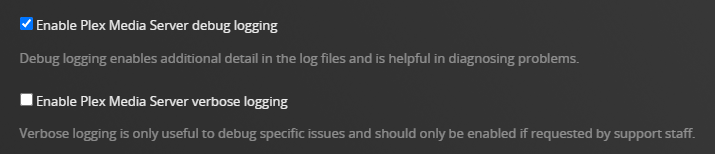
It is good that the database is now optimized.

You need to re-enable debug level logging for Plex server logs.

If Plex crashes again:

  1. Restart Plex Media Server
  2. Wait three minutes for it to start and log everything.
  3. Pull the server logs (settings → troubleshooting) and post the entire zip file to the thread. Drag the zip file into the message window. It will insert at the cursor location You can also use the upload button at the top of the window (the one with the upward pointing arrow).

Use the </> (preformatted text) button at the top of the window.
Select the text you want to format, then click on </>.

Thank you FordGuy61,

I’ve enabled debug level logging.

DBRepair recommend I “Scan Files and Refresh all metadata for each library section.”

I have scanned files, but should I really refresh all metadata? Do I risk that movie posters I’ve added will be replaced?

Also, in the latest log there seem to be some specific issues. I’d love to clear out all errors if possible.

Is it possible to solve these issues? Is it possible to identify what specific movie is producing the errors?

ERROR - [Req#ef] Unknown metadata type: folder

ERROR - [UltraBlurProcessor] Failed to get color palette: Empty pixels when quantize

WARN - Held transaction for too long

WARN - [Req#8dbf] QueryParser: Invalid field

Thank you!

Scanning Libraries

You can enable Settings → Library → Scan my library automatically. Plex will then scan the libraries every time it starts.


Refreshing Metadata

I’ve never refreshed metadata after running DBRepair and have not noticed any problems.

If you have manually selected a poster, then refreshing metadata should not change the selection. However
 it has been known to happen.

I’ve some movies where I’ve added a poster file (poster.jpg, etc.) to the movie folder. I’ve never seen those change when refreshing metadata.


Log Files

The log files are written for the developers, not for end users. They are cryptic and difficult to understand. Many entries can be ignored because the devs changed things but did not update the log messages.

Except for a few items such as database corruption, it is almost impossible to diagnose problems from individual entries or short snippets. That’s why it is best to attach all the log files.

“Unknown metadata type: folder” is a false alarm. The code changed but the log messages were not updated. More context is needed for the others. They’re in the log files on my server and it is running just fine.

@Hoggorm

I print out that message because sometimes, when the DB is actually damaged, a refresh of the metadata fields in the DB is needed.

Major damage should get rescanned.
Minor issues (if any) can ignore the recommendation.
I have a large library so it does take a bit to rescan everything (which includes all my Plex testing library sections – about 30 minutes)

Thank you FordGuy61 and ChuckPa.

I’ll continue to monitor my server performance :slight_smile:

My server crashed again last week, but I forgot to get the logs.

This morning it crashed again. I have saved the logs this time, but I guess that after enabeling the debug logs it is just too much text to give you the last 10 minutes.

So here are a few of the last lines:

Dec 19, 2025 06:40:29.915 [140597396351800] DEBUG - Killing job.
Dec 19, 2025 06:40:29.915 [140597396351800] DEBUG - Signalling job ID 22973 with 9
Dec 19, 2025 06:40:29.915 [140597556079416] DEBUG - Jobs: ‘/volume1/@appstore/PlexMediaServer/Plex Media Scanner’ exit code for process 22973 is 0 (success)
Dec 19, 2025 06:40:29.927 [140597396351800] DEBUG - Loaded metadata for The Life of a Showgirl (ID 197330) in 7ms
Dec 19, 2025 06:40:29.928 [140597396351800] DEBUG - Done with metadata update for 197330
Dec 19, 2025 06:40:29.935 [140597396351800] DEBUG - Loaded metadata for The Fate of Ophelia (ID 197331) in 5ms
Dec 19, 2025 06:40:29.936 [140597396351800] DEBUG - Done with metadata update for 197331
Dec 19, 2025 06:40:29.945 [140597396351800] DEBUG - Loaded metadata for Elizabeth Taylor (ID 197332) in 5ms
Dec 19, 2025 06:40:29.945 [140597396351800] DEBUG - Done with metadata update for 197332
Dec 19, 2025 06:40:29.955 [140597396351800] DEBUG - Loaded metadata for Opalite (ID 197333) in 6ms
Dec 19, 2025 06:40:29.956 [140597396351800] DEBUG - Done with metadata update for 197333
Dec 19, 2025 06:40:29.964 [140597396351800] DEBUG - Loaded metadata for Father Figure (ID 197334) in 5ms
Dec 19, 2025 06:40:29.965 [140597396351800] DEBUG - Done with metadata update for 197334
Dec 19, 2025 06:40:29.974 [140597396351800] DEBUG - Loaded metadata for Eldest Daughter (ID 197335) in 5ms
Dec 19, 2025 06:40:29.974 [140597396351800] DEBUG - Done with metadata update for 197335
Dec 19, 2025 06:40:29.983 [140597396351800] DEBUG - Loaded metadata for Ruin the Friendship (ID 197336) in 5ms
Dec 19, 2025 06:40:29.984 [140597396351800] DEBUG - Done with metadata update for 197336
Dec 19, 2025 06:40:30.001 [140597396351800] DEBUG - Loaded metadata for Actually Romantic (ID 197337) in 13ms
Dec 19, 2025 06:40:30.001 [140597396351800] DEBUG - Done with metadata update for 197337
Dec 19, 2025 06:40:30.011 [140597396351800] DEBUG - Loaded metadata for Wi$h Li$t (ID 197338) in 7ms
Dec 19, 2025 06:40:30.012 [140597396351800] DEBUG - Done with metadata update for 197338
Dec 19, 2025 06:40:30.023 [140597396351800] DEBUG - Loaded metadata for Wood (ID 197339) in 7ms
Dec 19, 2025 06:40:30.023 [140597396351800] DEBUG - Done with metadata update for 197339
Dec 19, 2025 06:40:30.033 [140597396351800] DEBUG - Loaded metadata for CANCELLED! (ID 197340) in 6ms
Dec 19, 2025 06:40:30.034 [140597396351800] DEBUG - Done with metadata update for 197340
Dec 19, 2025 06:40:30.043 [140597396351800] DEBUG - Loaded metadata for Honey (ID 197341) in 5ms
Dec 19, 2025 06:40:30.043 [140597396351800] DEBUG - Done with metadata update for 197341
Dec 19, 2025 06:40:30.052 [140597396351800] DEBUG - Loaded metadata for The Life of a Showgirl (ID 197342) in 5ms
Dec 19, 2025 06:40:30.052 [140597396351800] DEBUG - Done with metadata update for 197342
Dec 19, 2025 06:40:30.053 [140597396351800] DEBUG - Activity: updated activity d42b07a3-ac73-41af-9c7b-45e21970e2fb - completed 29.0% - Updating Metadata
Dec 19, 2025 06:40:30.075 [140597396351800] DEBUG - Activity: updated activity d42b07a3-ac73-41af-9c7b-45e21970e2fb - completed 29.0% - Updating Metadata
Dec 19, 2025 06:40:30.227 [140597396351800] DEBUG - [JobRunner] Job running: FFMPEG_EXTERNAL_LIBS=‘/var/packages/PlexMediaServer/shares/PlexMediaServer/AppData/Plex\ Media\ Server/Codecs/46f74ab-560174306fe167a5978a79dd-linux-x86_64/’ X_PLEX_TOKEN=xxxxxxxxxxxxxxxxxxxxxxxxxxxxxxxxxxxxxxxxxx “/volume1/@appstore/PlexMediaServer/Plex Media Scanner” --match --type 8 --log-file-suffix " Matcher" --item 152073 --match-tag-mode=exclusive --content-type=application/json
Dec 19, 2025 06:40:30.228 [140597396351800] DEBUG - [JobRunner] Jobs: Starting child process with pid 22976
Dec 19, 2025 06:40:31.244 [140597396351800] DEBUG - Killing job.
Dec 19, 2025 06:40:31.244 [140597396351800] DEBUG - Signalling job ID 22976 with 9
Dec 19, 2025 06:40:31.244 [140597556079416] DEBUG - Jobs: ‘/volume1/@appstore/PlexMediaServer/Plex Media Scanner’ exit code for process 22976 is 0 (success)
Dec 19, 2025 06:40:31.261 [140597396351800] DEBUG - Loaded metadata for Lover (ID 152073) in 11ms
Dec 19, 2025 06:40:31.262 [140597396351800] DEBUG - Done with metadata update for 152073
Dec 19, 2025 06:40:31.270 [140597396351800] DEBUG - Loaded metadata for I Forgot That You Existed (ID 152074) in 6ms
Dec 19, 2025 06:40:31.271 [140597396351800] DEBUG - Done with metadata update for 152074
Dec 19, 2025 06:40:31.280 [140597396351800] DEBUG - Loaded metadata for Cruel Summer (ID 152075) in 6ms
Dec 19, 2025 06:40:31.281 [140597396351800] DEBUG - Done with metadata update for 152075
Dec 19, 2025 06:40:31.290 [140597396351800] DEBUG - Loaded metadata for Lover (ID 152083) in 6ms
Dec 19, 2025 06:40:31.290 [140597396351800] DEBUG - Done with metadata update for 152083
Dec 19, 2025 06:40:31.299 [140597396351800] DEBUG - Loaded metadata for The Man (ID 152084) in 5ms
Dec 19, 2025 06:40:31.300 [140597396351800] DEBUG - Done with metadata update for 152084
Dec 19, 2025 06:40:31.311 [140597396351800] DEBUG - Loaded metadata for The Archer (ID 152085) in 7ms
Dec 19, 2025 06:40:31.311 [140597396351800] DEBUG - Done with metadata update for 152085
Dec 19, 2025 06:40:31.321 [140597396351800] DEBUG - Loaded metadata for I Think He Knows (ID 152086) in 6ms
Dec 19, 2025 06:40:31.321 [140597396351800] DEBUG - Done with metadata update for 152086
Dec 19, 2025 06:40:31.332 [140597396351800] DEBUG - Loaded metadata for Miss Americana & the Heartbreak Prince (ID 152087) in 6ms
Dec 19, 2025 06:40:31.332 [140597396351800] DEBUG - Done with metadata update for 152087
Dec 19, 2025 06:40:31.342 [140597396351800] DEBUG - Loaded metadata for Paper Rings (ID 152088) in 6ms
Dec 19, 2025 06:40:31.343 [140597396351800] DEBUG - Done with metadata update for 152088
Dec 19, 2025 06:40:31.353 [140597396351800] DEBUG - Loaded metadata for Cornelia Street (ID 152090) in 7ms
Dec 19, 2025 06:40:31.353 [140597396351800] DEBUG - Done with metadata update for 152090
Dec 19, 2025 06:40:31.364 [140597396351800] DEBUG - Loaded metadata for Death by a Thousand Cuts (ID 152091) in 6ms
Dec 19, 2025 06:40:31.364 [140597396351800] DEBUG - Done with metadata update for 152091
Dec 19, 2025 06:40:31.375 [140597396351800] DEBUG - Loaded metadata for London Boy (ID 152092) in 6ms
Dec 19, 2025 06:40:31.375 [140597396351800] DEBUG - Done with metadata update for 152092
Dec 19, 2025 06:40:31.386 [140597396351800] DEBUG - Loaded metadata for Soon You’ll Get Better (ID 152093) in 7ms
Dec 19, 2025 06:40:31.387 [140597396351800] DEBUG - Done with metadata update for 152093
Dec 19, 2025 06:40:31.396 [140597396351800] DEBUG - Loaded metadata for False God (ID 152094) in 6ms
Dec 19, 2025 06:40:31.397 [140597396351800] DEBUG - Done with metadata update for 152094
Dec 19, 2025 06:40:31.407 [140597396351800] DEBUG - Loaded metadata for You Need to Calm Down (ID 152095) in 6ms
Dec 19, 2025 06:40:31.407 [140597396351800] DEBUG - Done with metadata update for 152095
Dec 19, 2025 06:40:31.416 [140597396351800] DEBUG - Loaded metadata for Afterglow (ID 152113) in 5ms
Dec 19, 2025 06:40:31.417 [140597396351800] DEBUG - Done with metadata update for 152113
Dec 19, 2025 06:40:31.427 [140597396351800] DEBUG - Loaded metadata for ME! (ID 152114) in 7ms
Dec 19, 2025 06:40:31.428 [140597396351800] DEBUG - Done with metadata update for 152114
Dec 19, 2025 06:40:31.437 [140597396351800] DEBUG - Loaded metadata for It’s Nice to Have a Friend (ID 152115) in 6ms
Dec 19, 2025 06:40:31.438 [140597396351800] DEBUG - Done with metadata update for 152115
Dec 19, 2025 06:40:31.447 [140597396351800] DEBUG - Loaded metadata for Daylight (ID 152116) in 6ms
Dec 19, 2025 06:40:31.447 [140597396351800] DEBUG - Done with metadata update for 152116
Dec 19, 2025 06:40:31.448 [140597396351800] DEBUG - Activity: updated activity d42b07a3-ac73-41af-9c7b-45e21970e2fb - completed 44.0% - Updating Metadata
Dec 19, 2025 06:40:31.466 [140597396351800] DEBUG - Activity: updated activity d42b07a3-ac73-41af-9c7b-45e21970e2fb - completed 44.0% - Updating Metadata
Dec 19, 2025 06:40:31.642 [140597388647224] ERROR - [MetadataAgent/GuidExchange/tv.plex.agents.music/tv.plex.metadata.agents/Response::fetch] failed to complete query (404)
Dec 19, 2025 06:40:31.642 [140597396351800] ERROR - [MetadataAgent/GuidExchange/tv.plex.agents.music/tv.plex.metadata.agents] Request for item plex://album/5d07c6a9403c640290b2de17 has failed
Dec 19, 2025 06:40:32.478 [140597396351800] WARN - [MetadataAgent/GuidExchange/tv.plex.agents.music] Crash: Crash reporting disabled

I’m assuming you’re on the public release at the moment?

There is a fix in the 1.43.0 beta version which is most likely the issue you’re seeing.

You could install the beta and see if that solves your issue, otherwise try to remove the problem album from your server for now and wait for the beta to release to public (in the new year).

Thank you for the quick reply drzoidberg33,

I have really not identified what causes the crash. I see in the log (more than I provided here) that several tracks (and albums) have this “DEBUG - Loaded metadata for
”. I assume this is the error you are refering to?

Yes, I am at the latest version: 1.42.2.10156

Interesting. I was not able to download this from the download site. I can only pull the version mentioned above, even though I have “Include Beta releases (Plex Pass required)” on. (I have Plex Pass).

I’m running Plex on a Synology DS925+ NAS.
