Posting as requested by Android App Store review comment. Sorry for the information dump!
I am a longtime member of TIDAL HiFi and it has worked flawlessly for me over the years (other than the horrendous user interface). However, casting TIDAL from to any of the free Plex apps (web, android, etc) gave errors on how you can’t cast TIDAL to a remote device. Since we just canceled Netflix DVD we had a bit of extra cash lying around and I thought I would try Plexamp. However, I have run into some issues which prevent me from really using the app.
My desired setup is to have my old laptop connect to both my personal library consisting of 24/16 and 96/24+ FLACs and TIDAL. It will be placed ‘headless’ behind my audio system and controlled via remote on my iPad Pro or my Verizon LG V40. Connection will be via a DAC running exclusive mode. Music is located on a hard drive networked via USB on my TP-Link Archer C20 router. PMS workstation is connected to the router via ethernet and laptop is wireless.
TIDAL casting from Android PlexAmp. I tried casting to Plex Media Player on my laptop and Plex Web on the computer running the PMS. Both resulted in a spinning icon next to the desired player, never actually connecting to either target player. I tried restarting the app and changing the audio device target (e.g. internal speakers instead of external DAC) with no success.
High resolution music tracks resulted in crashes of the audio player each time I tried to play them. The app was still up and running but it looked almost if the app couldn’t play the track, tried all other tracks in the playlist encountering the same issue for each, and then stopped playback. I tried multiple albums at varying quality. It resulted in the same outcome each time. Oddly enough all of these tracks cast just fine from my iPad remote (Plex App) to the Media Player app on my laptop. These tracks are playable on Foobar2000 as well.
I have no clue if computer specs are helpful for troubleshooting (perhaps specific hardware bugs?) but I thought I would include them in case.
iPad:
iPad Pro 12.9" Gen 3 256GB (iPadOS 14.3)
Phone:
Verizon LG V40 (most current official firmware)
Workstation Specs:
Windows 10 Pro
AMD Ryzen 9 3950X
Asus X570 TUF PLUS
48GB G. Skill Flare X DDR4 3200
WD Black NVMe SSD 512GB
GTX 1070 FE
Corsair RM850x
Laptop Specs:
Windows 10 Home
Dell XPS L502x 15" Laptop
Intel i7 2720QM
16GB DDR3 RAM (stock)
GTX 525M
WD Black SSD/HDD (128GB SSD/1TB HDD)
Funny enough the high resolution audio issue seems to have sorted itself out. However, there is still the issue of TIDAL not casting to my laptop. I have tried the Plex apps on my iPad and V40 along with the Poweramp apps on both as well. I have tried casting to the Plex app and Plex Media Player on my laptop. When playing PMS content the handover happens seamlessly, but when TIDAL is playing I cannot get the target player to actually be selected. It ‘thinks’ for a few minutes and then spits out an error that it couldn’t connect. This is reliably an issue with TIDAL tracks and not local tracks, reproduced about a dozen times on each.
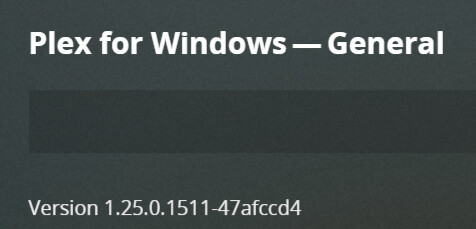
Haha yes there are a lot of players. I have tried casting TIDAL to both the most recent PMP and Plex for Windows app (screenshot copied below - I hope it works!). Plex (iPadOS and Android) and Plexamp (iPadOS and Android) fail to connect to either Windows application when I am trying to cast currently playing or new TIDAL tracks. Sometimes I get a red banner error about connection failure, sometimes it just gives up and pretends I never asked it to do anything .
I also tried my newer Dell Latitude 5400 and it has the identical issue when acting as a remote play target for TIDAL.
I am thoroughly enjoying casting local PMS music via Plexamp (iPadOS) to the laptop to my brand new HD800S bedside rig. Browsing on my iPad is just plain awesome. Stellar job you have done with this app! Just need to get TIDAL working correctly.
i did a bit more research this weekend and it appears that Plex for Mac (which has the web app running inside it) doesn’t actually support being cast TIDAL music. so i’ve raised an issue internally to figure out if it can be added.