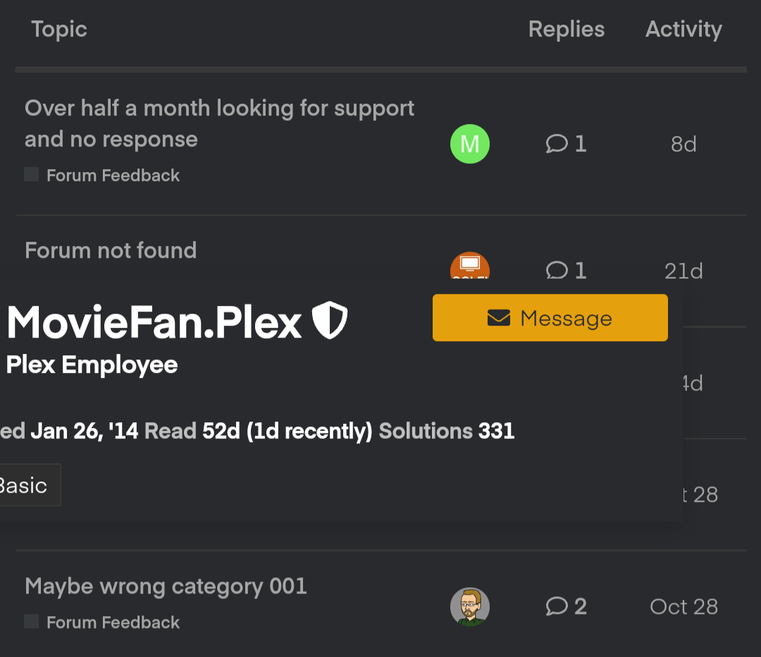
Profile info pop-up is chopped off on mobile devices

I noticed when I click on profile-picture on mobile device then Profile info/description is chopped off.

Device Info:

  • Android v11.
  • Tested on all major mobile web-browser (works fine if I switch to Desktop mode).
  • Tried different Display Size in Phone Settings > Display but still same.

Screenshot:

That screenshot looks like desktop view. Mobile view does not have the Replies&Activity separated into columns.

Just checked and it’s indeed “Desktop View” and when I switched to “Mobile View” layout changed, etc. and profile info was loading fine. Earlier by “Desktop mode” I tested “Desktop Site” on the web-browser itself rather than changing it on Forum level.

Query is, can we tweak CSS of that “Desktop View” which fixes the issue when it’s in mobile-responsive mode? If it’s too much trouble then I will try getting used to “Mobile View” mode.