Server Version#: 1.25.2.5319 linuxserver Docker Container UnRaid
Player Version#: 4.72.0
I have noticed after the past little while I have quite a few random libraries appearing in my Plex Server, they do not affect anything and cannot be opened or deleted. I believe it is corruption but am also not sure as the rest of my actual libraries are working as expected
My current fix is to manually hide these libraries for my users or simply not share them. But for me I am not to happy with that solution.
I have tried the obvious things like rebooting, reverting to an older database from backup, etc.
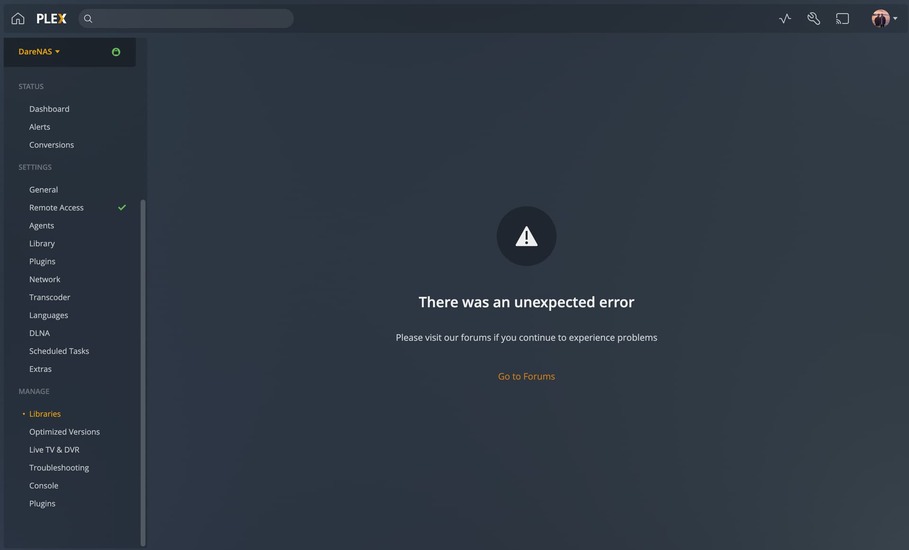
I have noticed tonight that I am unable to edit libraries settings and I can only assume this is related and why I am receiving this error.
I would like to be able to fix this so I do not lose my users watch history, any help would be greatly appreciated!
Plex Media Server Logs_2022-01-04_20-06-50.zip (1.2 MB)
Still Receiving this issue, any suggestions?
Have you tried a repair? A corrupted database is bound to get more and more corrupt, the longer you are using it. Until it is not salvageable anymore.
https://support.plex.tv/articles/repair-a-corrupted-database/
Hi @OttoKerner, Thanks for the response.
Yes I have tried the repair and it passes without fail which isn’t helpful. After some trial and error I have managed to find myself a solution for this while also saving my watch history
Huge thanks to this article & hawks on that forum for supplying the Unix commands for MacOS
Also the Plex Database file locations
Steps:
Due to my server running on UnRaid/ a Docker container and not MacOS I had to use the follwing commands to move the database’s around
-
Shutdown the Docker container and make a backup of all the database files
-
Install Plex Media Server for MacOS and perform the initial setup. Shutdown the Plex Server on MacOS and delete the database files it created
-
Copy the database files to your MacOS machine from the docker container and put them in the datebase directory required for PMS on MacOS
-
Run this command from the database folder
echo ".dump metadata_item_settings" | sqlite3 com.plexapp.plugins.library.db | grep -v TABLE | grep -v INDEX > settings.sql
This exports only the watch history (no collections, libraries or settings) into a settings.sql file
-
Keep the settings.sql file in the PMS MacOS folder and delete the database files
-
Start PMS on MacOS and do the initial configuration. Name your Server the same as it was with the previous configuration and create the libraries pointing to the folder path it has on the Docker container
-
It will not find any files as the path is invalid on MacOS but shutdown PMS on MacOS
-
Now is time to import the watch history to our new database file. Below is the command to execute from the terminal from the database folder
cat settings.sql | sqlite3 com.plexapp.plugins.library.db
The watch history is added to our new database and is ready to be used back in the Docker container
-
Copy the database file from MacOS and put it back into the Docker containers database directory and start the Docker container. As media is detected and added you will see it remembers your users watch history
Hopefully this helps others in a similar situation, Cheers