can you remove invalid file system characters such as ‘*’ from the folder/library name ?
WindowsError: [Error 123] The filename, directory name, or volume label syntax is incorrect: u'\\\\?\\E:\\Plex Media Server\\Plug-in Support\\Data\\com.plexapp.agents.hama\\DataItems\\_Logs\\*Currently Airing*'
It has always been that way, so I don’t understand why it suddenly doesn’t work? But yeah, I can try removing it.
Edit: Yeah, removing the "" made it work. But I still would like to know why it used to work before, but not anymore?  Also, it is now pulling metadata from AniDB, but still not from MyAnimeList.
@kattara I recently removed the plex token id file support as using specific framework functions pull the XML files without the need for token id, I use that to create logs per libraries. in your case since the token was missing it wasn’t creating the library name folder in agent data folders.
Will need to remove forbidden chars from library name
MyAnimeList changed quite a few things in the api recently so would have to re-create the MyAnimeList.py module from the new agent…
Are the metadata fromMyAnimeList important enough ?
What metadata do you prefer from them?
MyAnimeList API is currently offline. The API that I used in the Metadata Agent was my own XML based API. This API will still run until early 2019 so no pressure on having to change or add the new API.
The new API I used for the 6.0 release is from the guys over at atarashii. You should be able to just copy the MyAnimelist.py and call the search and getData methods with name and the current metadata (from which it pulls the ID). The script should handle the rest.
com.plexapp.agents.hama.zip (24.2 KB)
Ok so now I’m having a naming issue on the episodes. I moved all of the files and made sure that they’re all named and numbered for anidb. The show in question is Boku no Hero Academia
@cbanks79
Prefs[EpisodeLanguagePriority] = x-jat, en, ja (still default value)
Prefs[SerieLanguagePriority ] = x-jat, en, ja (still default value)
Prefs[title ] = AniDB, TheTVDB | TheTVDB, AniDB
So for episode titles it will take romaji title ‘x-jat’ first so anidb only, then if not present (never for japanese anime), ‘en’ titles from thetvdb then anidb, then ‘ja’ titles from TheTVDB then AniDB.
I see no problems. could you expand and choose an episode as example?
@ Fribbtastic thanks for the precision.


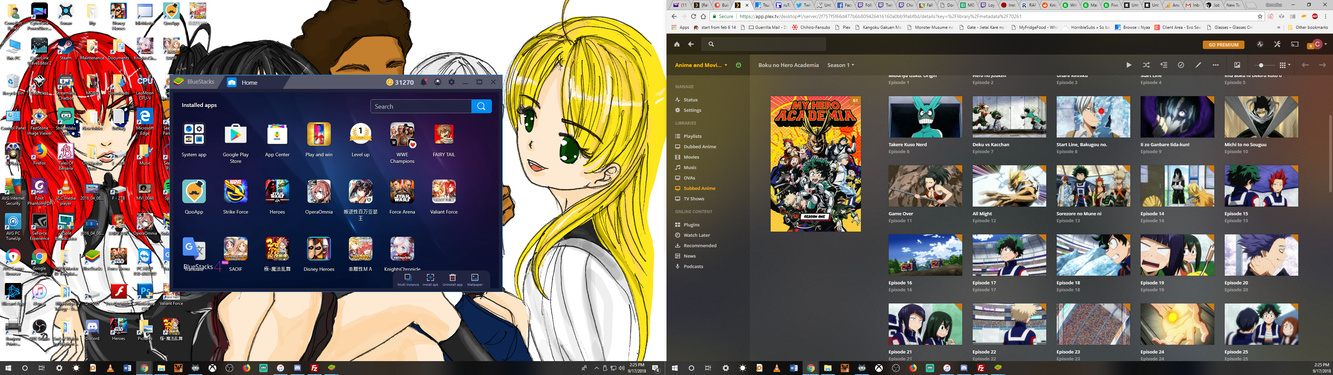
Ok so as you can see here, I changed the anime titles from My Hero Academia to Boku no Hero Academia. Are you implying that I need to change the episode titles as well? Because in Plex, it shows the episodes titles in Japanese and then stops after episode 13. I even forced it to the anidb by assigning a forced ID on the folder.
You mean you changed the series folder name from “My Hero Academia” to “Boku no Hero Academia” which is irrelevant since you forced anidbid 11739, which has only 13 episodes according to AniDB…
Your folder does not follow AniDB convention since you have more than 13 episodes, the agent work as designed.
- If you do not follow AniDB (one folder per anidb series = per season) nor TheTVDB numbering (one folder splitted inside per TheTVDB season), I will not help you.
- If you want all eps in a single folder, you may have tvdb4 mode but if a mapping is created it will be splitted in sagas, but it may not map anidb data for eps 13+ since you do not follow a numbering convention, and you are on your own.
Ok so then I need to make a main folder (boku no hero academia) and then force ID 3 sub folders in order to follow anidb then, correct?
You need to pick a numbering convention then stick to it.
AniDB numbering:
- a “Boku no Hero Academia” optional “grouping folder” with the below series folder
- Boku no Hero Academia [anidbid-11739]/ep001-013.ext
- Boku no Hero Academia (2016) [anidbid-12344]/ep001-002.ext
- Boku no Hero Academia (2017) [anidbid-12233]/ep001-025.ext
- Boku no Hero Academia (2018) [anidbid-13485]/ep001-025.ext
- Boku no Hero Academia the Movie Futari no Hero [anidbid-13633]/movie.ext
TheTVDB numbering
- My Hero Academia [tvdbid-305074]
- Season 1/ep001-013.ext or s01e001-013.ext
- Season 2/ep001-025.ext or s02e001-025.ext
- Season 3/ep001-025.ext or s03e001-013.ext
I like MAL’s series summaries, genres, posters, and content ratings.
How I configure in Brazilian Portuguese? I tried to put “pt” and “pt-br” in Episode Language Priority but doesn’t work… I used Dragon Ball in my tests, in AniDB exists the portuguese translation in episodes (like 1st episode - http://anidb.net/perl-bin/animedb.pl?show=ep&eid=11189).
Can someone helps me?
Thanks.
	<anime aid="231">
		<title type="official" xml:lang="pt">Dragon Ball</title>
		<title type="official" xml:lang="pt-BR">Dragon Ball</title>
	</anime>
Languages are ‘pt-BR’ and ‘pt’ for AniDB, and ‘pt’ for TheTVDB
Logs would have given me the link to the AniDB xml file with the episode titles to answer further. why ‘pt’ isn’t working…
Hi, first thanks ZeroQI for your awesome job.
I’ve just started to use your tool to add my anime library to plex, sorry for the following dumb questions (and for the language mistakes, I’m French :p)
All my archive library is renamed through Aniadd tool. (I don’t have any file with a CRC not declared in Anidb)
Basically, files looks like that :
Code Geass Hangyaku no Lelouch/Code Geass Hangyaku no Lelouch - 01 - The Day a New Demon Was Born - [bonkai77](acee5be7).mkv
So series are in independant folders with their special and OAV and movie are in seperated folders exaclty like in Anidb way of sort stuff. My Plex folder is currently set to use Hama as agent and ASS as scanner, and series in collection are hidden.
#1 I have a lot of anime, I think that I should stick to collection in order easily navigate and watch them in plex as Anidb works in series not in season. There’s a lot of TVdb in params fields, I’m a bit concern about the fact that sometimes a serie is scrobbled with Anidb id and another with Tvdb id which could result in not ending in the same collection. Do I worried a bit too much ?
#2 I assume that tvdb in params is used to complete missing data such as genres, fanart and other, if my library is named and ordered from exclusively Aniadd tool is there specific fields in settings where I can remove TVDB or other in order to maximize scrobbling and collection building ?
Sorry in advance if these questions are kind of dumb 
#1 You could add any series to a collection manually if collections are not to your liking…
#2 Every metadata source in the agent settings is there to contribute to metadata… anidb eps and series are mapped to tvdb to allow bi-directionnal matching, so regardless of tvdb or anidb numbering, so you get to choose and change in the agent settings the language and sources and their order.
TheTVDB provides episode summaries, series and seasons posters so it’s going to be empty without… You are free to test AniDB agent on a new library, but you are going to have much less metadata…
if your library with ‘a lot of anime’ give you concerns about collections (‘Local’ to use grouping folder as collection or ‘AnimeLists’), and you mentioned no bad ep/seasons mapping (scanner did its job), no series badly matched, no posters missing and you have worries about collections, then the agent works way too well and you should donate  …
…
Well currently I’m testing the agent with 30/40 series to see how it goes, and I didn’t see strange mapping on episodes, OAV or movies. So far I’ve got only problems with collection which are not be created, like “Code Geass Hangyaku no Lelouch” or “Sword Art Online” if I shloud pick two. I though relation between animes were picked up from Anidb at some point and used by Hama, or Collections data with anidb id or tvdb is relation was used.
I don’t care to build myself collections (it’ll be painful though) but if I miss something in the settings or in the way files/folders are renamed which lead to not catching a collection, I prefer to setting up things beforehand
Clearer now.
you need to set collection field settings: “Local, AnimeLists, AniDB,
TheMovieDb, TheTVDB”
- Local: Grouping folders will be used as collection fields (my
favorite, you group 2 series in a parent folder and it put them in a
collection labelled after the parent folder name) - Anime~Lists: all anidb series will be grouped if pointing to the
same tvdb id…
test with series that should be in a collection and if it fails i can
look into it
Thanks it’s clearer for me too 
Currently, my folder hierarchy is handle by aniadd while renaming/moving file, so there’s no master folder assimilated as a group for series. But it may be a good opportunity to manually do this hierarchy, as it’ll store the “group knowledge” in the folder structure rather than in the plex database. I’ll give a shot as a second option(due to the amount of folder to process)
first I’ll try the following setting : AnimeLists, AniDB, Local, TheMovieDb, TheTVDB
if there’s too many collection missing I’ll go with you favorite solution (which is the more reliable I think)
maybe one last question : how frequent ScudLee list is updated in Hama ? (it’s not every minute obviously) but does a scan trigger a check to the github repo ?
I recommend hiding items in collection and show collections as library settings, look super neat.
They are refreshed every 6 days as episodes are aired once a week but 7 days could miss an update and delay one week… Thanks for the donation (et bon Dimanche, sous les applaudissements :D)
Hi, encountered my first no-match with the following show : “Working`!!”
Second season of the “Working!!” Series
First, third and fourth seasons has well been scrapped, but not the second season. I suppose it’s due to the uncommon caracter in the name.
Anyway of bypassing this mismatch by adding something in the parent folder name? If I red correctly, append [anidbid-8364] to the parent folder without renaming the files should fix the situation right ?
EDIT : took the time to read previous comment, edit my previous post accordingly
