Server Version#: Version 1.42.2.10156
Player Version#: 4.12.4 (Plexamp)
<If providing server logs please do NOT turn on verbose logging, only debug logging should be enabled>
Hi
I have just reinstalled Plex so I can connect my large music library into Sonos, as Sonos support for direct local libraries is not great anymore.
When configuring the Plex Server (on QNAP), i have enabled remote access and port forwarding on my route (32400).
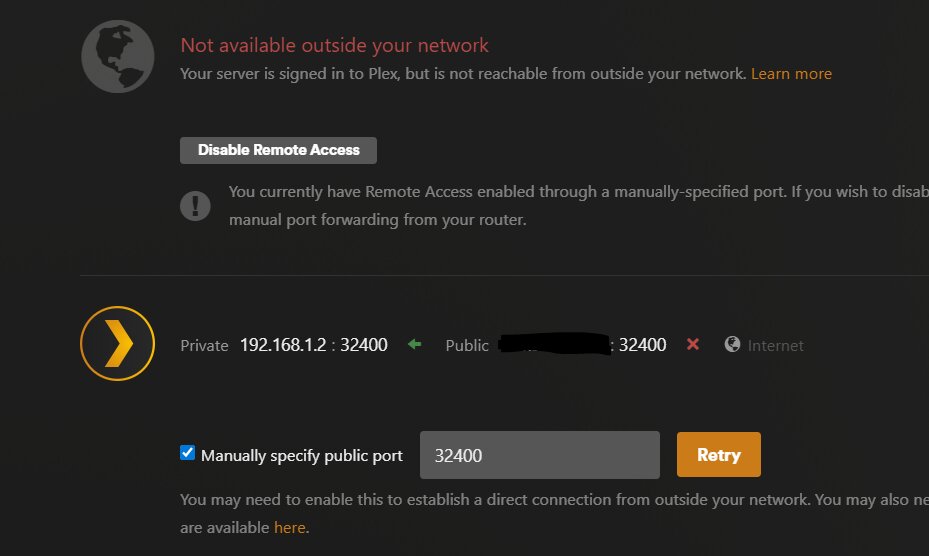
When I hit retry with manual port enabled, it confirms I have remote access for about 5 seconds, and then it reverts back to show no access:
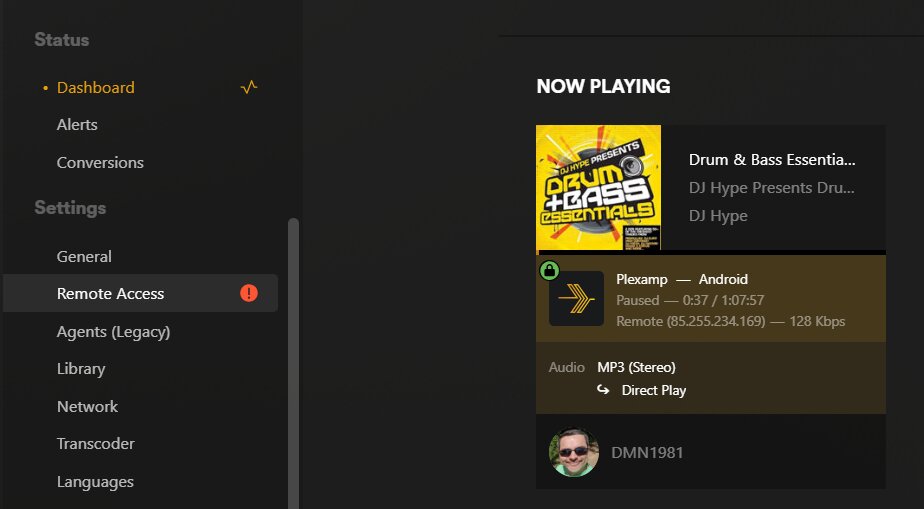
I know that Port Forward is working as I can access my WAN IP + port 32400 from my android device over the mobile network and and sign in to my Plex Server / Account
Do you have a Plex Pass? It is not displayed beside your forum name.
Per the docs, a Plex Pass is required:
The ability to control Sonos playback using a regular Plex app (as opposed to using the native Sonos app) is a premium feature. That means it does require having an active Plex Pass subscription on your Plex account.
That does not resolve the issue, the server is showing as not accessible remotely, which is clearly not true.
I am also not looking to use the Plex app to control Sonos playback, so I dont need a Plex Pass. I’m using the native Sonos app to play music from my Plex server via the Plex integration. Sonos will not connect to my Plex Server, because it says its inaccessible remotely.
Plex “optimistically” says it is available. In reality, it is still attempting to register your server with systems at plex.tv. When that fails, it returns to “Not available…”
Ensure the server is configured for debug server logs. Do not enable verbose logs. Settings → server_name → General + Show Advanced.
If the QNAP firewall is active, disable it, at least temporarily for testing purposes.
Configure the NAS to use a public DNS server such as 1.1.1.1 (Cloudflare), 8.8.8.8 (Google), or 9.9.9.9 (Quad9).
Then reboot the NAS (or stop Plex, clear the DNS cache, start Plex). When it is back online, try to enable remote access in PMS.
If it fails, pull the server logs (settings → troubleshooting) and upload the zip file.
Did you previously setup a manual port forward in your router? Check. If that rule is still there, your clients may have cached the info and still using that to connect. If it’s different than what you have in your pms settings, pms will say remote access doesn’t work but your router will allow it.
I’ve enabled debug logs, shut down Plex, then restarted my QNAP, which will clear any cached DNS records. Restarted the NAS, and started Plex. This time it appears the remote access check is remaining green. Sonos is now also connecting to the PMS.
Seems a reboot of the NAS probably did the trick. Thanks