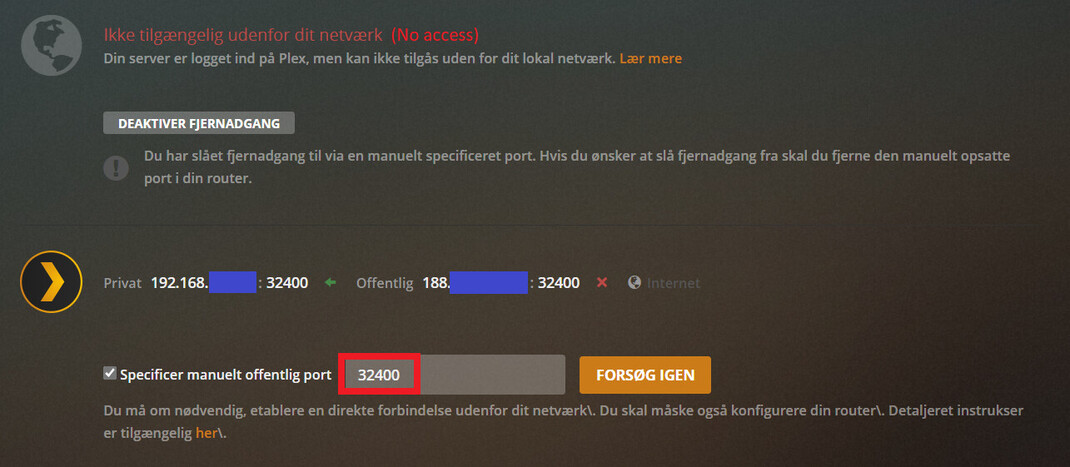
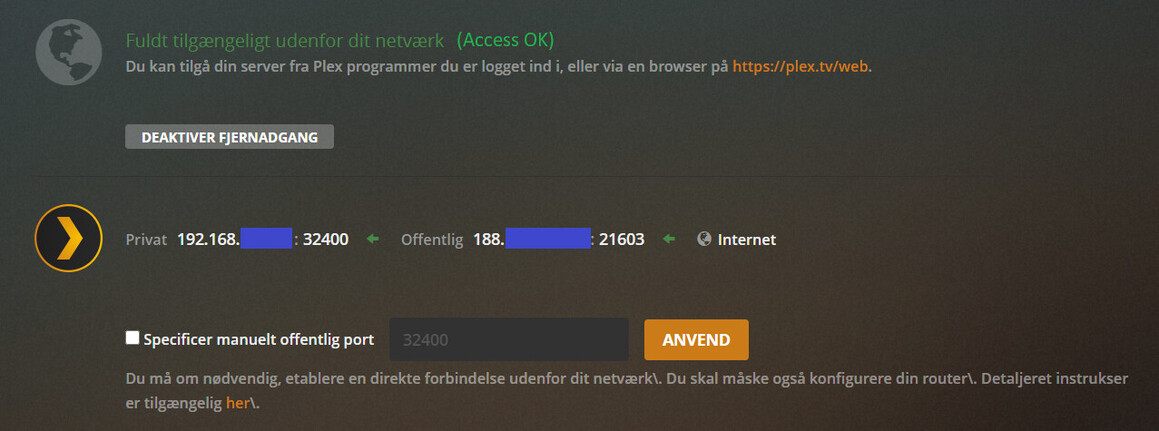
Hi Maximus,
what exactly is your path from the server>Router>ISP? Is it an ethernet connection, is there a NAT device in between (commonly Powerline adapters)? Does your ISP use DSLite, that is you don’t have your own IPv4 address?
Does your server have only one network connection or does it use both WiFI and Ethernet? (don’t. disable WiFi and connect it exclusively per Ethernet.)
Did you tell your DHCP server (usually within your router) to always assign the same local IP to your server machine?
Did you create the port forwarding on your router?
Did you tell Plex that you did so, by ticking the checkbox? https://support.plex.tv/articles/200931138-troubleshooting-remote-access/
Are you allowing the network port to reduce its speed when idle, to save power? (Don’t. In fact, disable all “power saving” features in the properties of your network adapter.)
Does your network switch support “energy-efficient Ethernet” or similar schemes? (disable them)
That solved my problem. However, the root cause was the port configuration on my Internet router: Changing the public IP-address from the router IP- address to * (The whole internet) was the real issue.