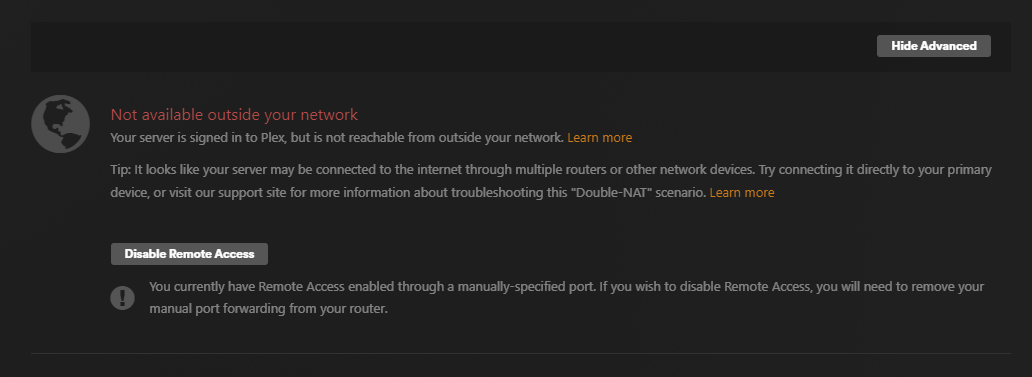
When I chack in the Plex config it says that the remote access is working, but it hasn’t been working for apperently a month or so. I have tried restarting everything (plex server, router) and upgraded the firmware for the router but nothing helps.
As other posts has stated it may be the certificate that needs to be reset? Can somebody help me with this as I am about to go on vacation and really wanna be able to access my Plex.
Done.
Shut down your server and restart it, please.
(you’ll have to do this each time you change the network connection on your server, even if just going from wired to wireless or vice versa.)
It seems to be really wonky now.
If I open up the Plex web interface through the IP adress I can see the library on the same computer my server is working on, but if I open up the https://app.plex.tv/desktop/ it is not connected.
And in the settings it goes from “Not available outside your network” to " Fully accessible outside your network" off and on. Plex Media Server.log (233.8 KB)
This can mean that your ISP has put you behind a CG-NAT. Basically a NAT which is applied to all its customers, so they can save on IPv4 adresses.
It can’t hurt to ask them about it. Tell them that you need a publicly reachable IPv4 address on your router, so that you can use a port forwarding. See what they have to say.
Stop and restart the Plex server software. Then let it sit running for a few hours.
Then ask your friends to try again, after they have reloaded/restarted their Plex clients.
You may have to configure the network adapter of your server machine to never go into power saving mode. I’ve found that this improves the responsiveness of a server.
It is working remotely again. However.
All connections through the same cable connection is not. Through Wifi it works perfectly, just not on cable. I find this super weird, any idea on how to check what the issue could be there?
Shut down your server and restart it, please.
(you’ll have to do this each time you change the network connection on your server, even if just going from wired to wireless or vice versa.
My Ps5 for example is connected through cable, not wifi, and other computers in our home that are connected through cable cannot access plex, only all devices that connect outside the network or through wifi can access.
And if I go to https://app.plex.tv/desktop/#!/ on the computer that host the server it does not work, only if I go directly through the ip.
Ok apparently… the issue that is right now is that it ONLY works on the mobile app and people can cast it to their tv and such. But all other platforms are not working.
Does your server have more than one network connection?
Is there a certain network adapter selected under
Settings - Server - ‘Show Advanced’ - Network - “Preferred network interface”?
If so, reset that to any.
Before grabbing server logs next time, please stop and restart Plex server. Unfortunately your above log doesn’t contain the most important things due to this.