Roku & LG WebOS Bug - Displaying All TV Shows Folders in Every TV Show Category

Server Version#: 1.20.3.3437
Player Version#: Roku Ultra LT - 9.3.0 Build 4194-46, Plex Version - 6.6.12.6662-64d4a08ac-Plex

About 2 updates ago, I noticed that Plex on the Roku now displays my TV Shows folder contents in every other ‘TV Show’ media folder also. If you scroll through the ‘recently added’ area on any of the media categories, you can see TV shows from every single category.

For example, I have a few TV show media folders for kids and adults called ‘Kids TV Shows’, ‘Animated TV Shows’ and ‘TV Shows’. If I start scrolling through the Kids TV Shows, it starts showing content TV Shows and Animated TV Shows.

Please fix soon, I have a few family members who’s kids already caught on to this.

Thanks guys.

Now to the pictures so the devs know what I’m talking about:

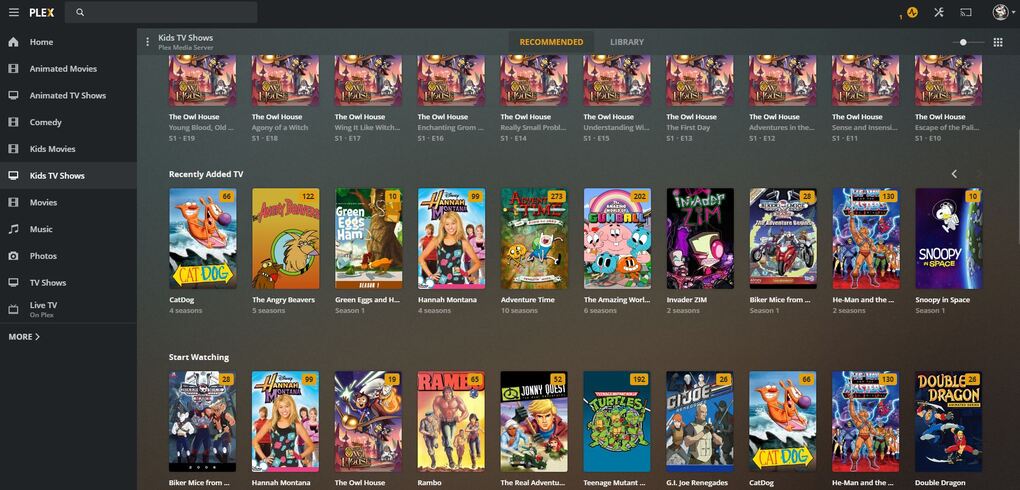
Here is what the Plex is suppose to look like for the Kids TV Show category tab:

(PC Chrome Web Browser version of Plex)
Browsing the Recently Added area on the Roku looks like this:

Click the Kids TV Shows tab
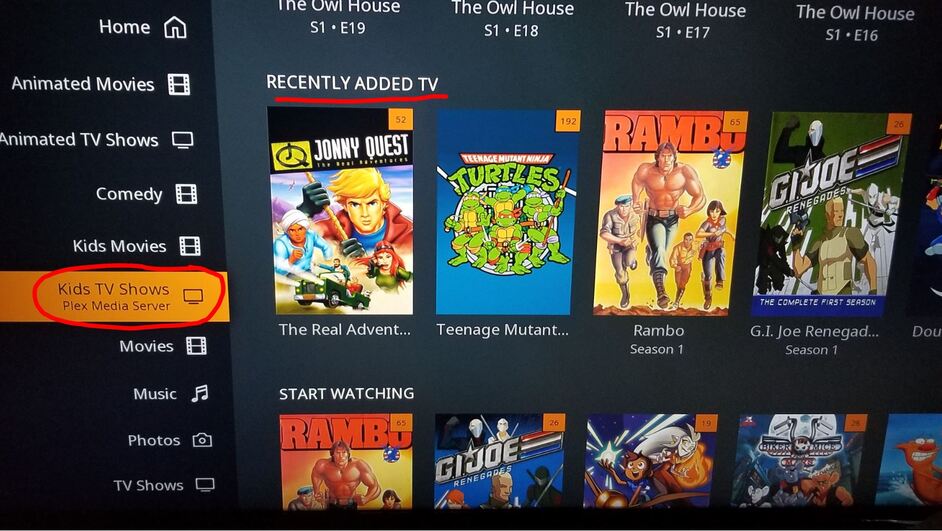
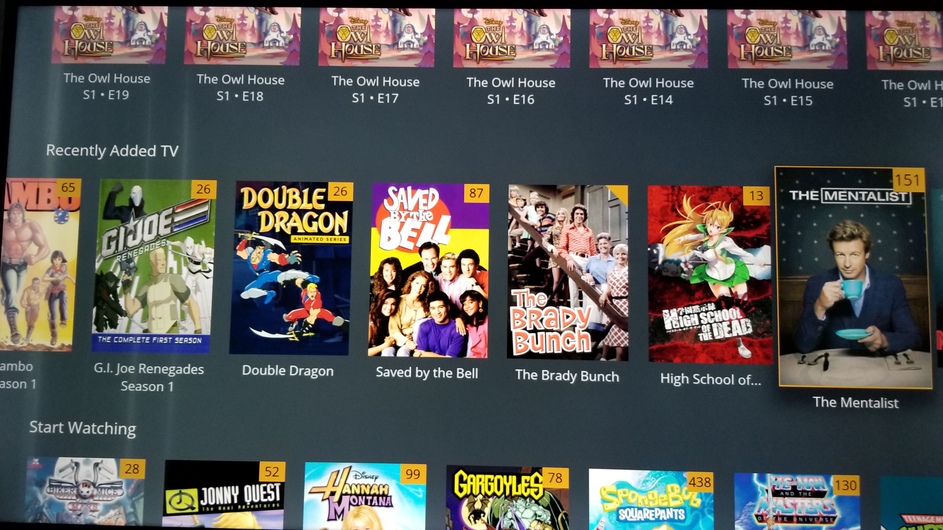
Scrolling to the right in the Kids TV Shows tab starts showing adult TV Shows folder content:
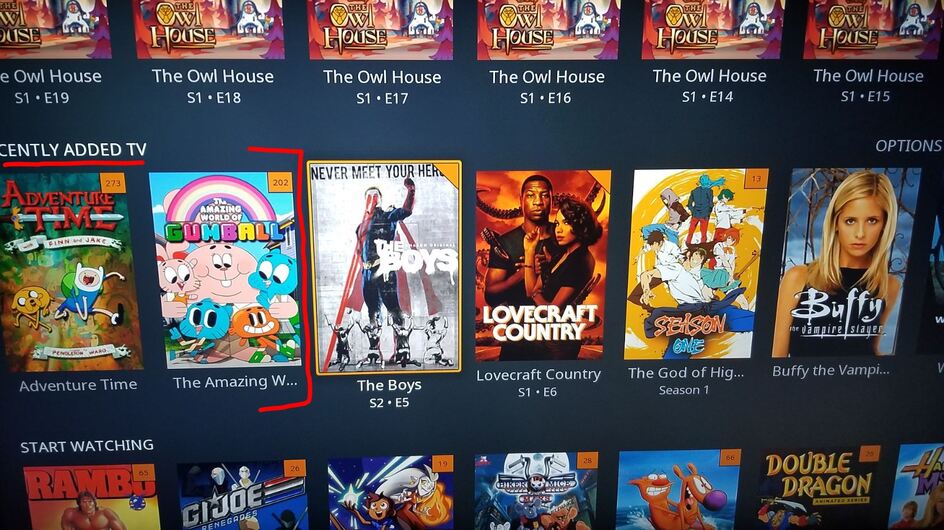
Browsing the TV Shows folder Recently Added:
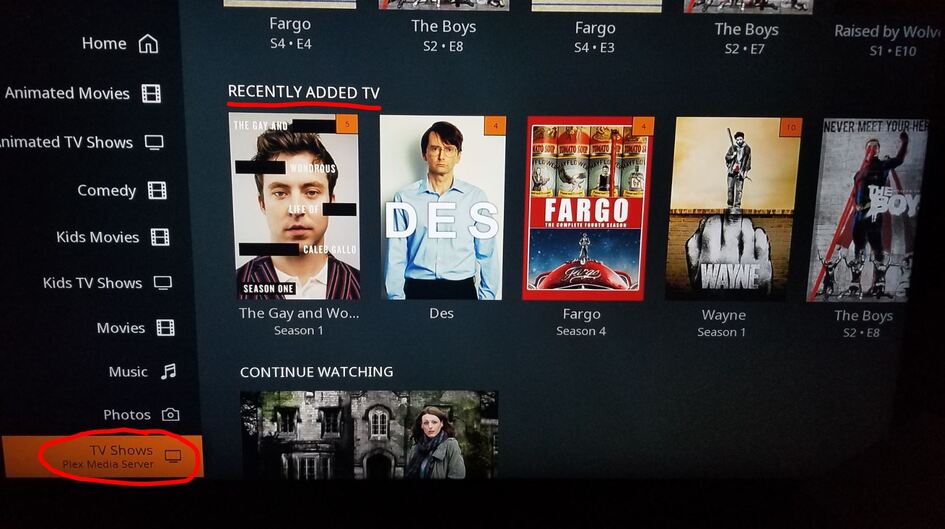
You can see the Kids TV Show and the Animated TV Show media folder contents within the TV Show tab:
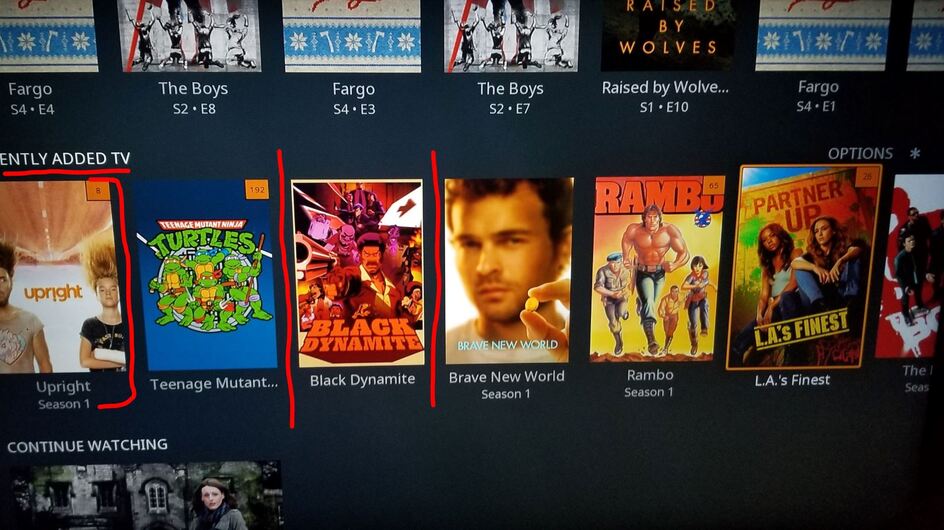
Edit: TMNT was in the Kids TV Shows folder and Black Dynamite was in the Animated TV Shows folder. Both showing in TV Shows tab and vice versa with the TV show tabs.

Edit: Just tested this on 4 other Roku’s with friends and it does the same thing on their Roku as well. Their kids can see the adult TV shows in the Kids TV Shows tab.

1 Like

I have a roku TV and this problem is occuring on mine too

Ok, so update on this bug:

If your Plex server only has 1 TV Shows mapped folder, then it will obviously not show anything else but that 1 tv shows folder. Also, if you have several TV Show folders like i do, if you only allow 1 of the folders to be viewed by an account ONLY that folder will show, they will not be able to see the other tv show folders, so that user will not be affected by the bug.

Server Version#: 1.20.4.3517
Player Version#: LG TV UN7300PUF - webOS: 5.1.0-3203
Plex Version#:
Current - 5.3.1
Platform - 5.1.0

This bug is on this platform also. LG TV’s have this bug too.

Is there any way to know if a dev has seen this? Just curious if there is like a Flag for that or an acknowledgement?

Updated Roku app to: 6.6.16.6715-c4643204c did not fix the issue.

Also updated my Plex server last night to 1.21.0.3616 also did not fix this bug yet.

I don’t see this issue.

I have multiple TV libraries. When I view the “Recommended” section of a TV library, I never see the wrong content in “Recently …” sections.

Is it possible that you have the same folder, or perhaps a parent folder, added to both Libraries?

Can you share the specific paths of the folders that you have added to each Library?

I concur with Volts, I do not see this behavior in WebOS at all

Just checked with my neighbor, he just bought a brand new LG tv also, similar to mine, it happens on his also.

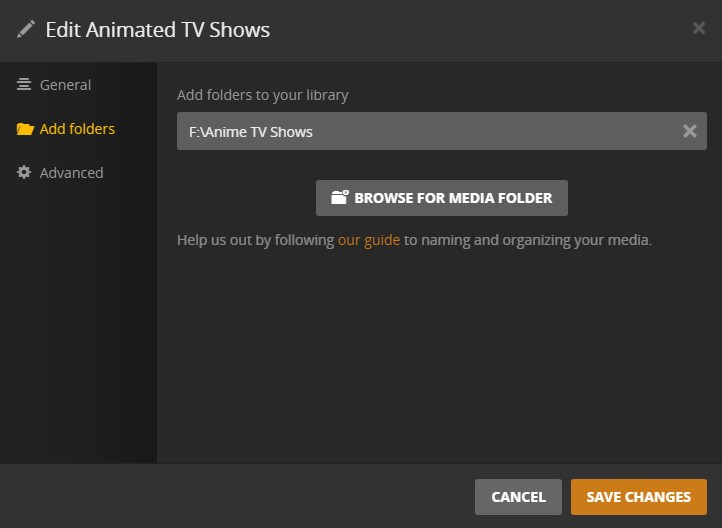
Here are the screenshots of my TV libraries. They all are different, one is even on another hard drive.

sorry put the kids movies in there lol TV shows folder here

3rd tv shows folder

Also happening on Chromecast.

So do you guys think this is my server then? How do I get this fixed if so? Also, how do I test this, I am the only person I know with a Plex server.

You can edit this behavior in a couple ways on the Server. On the LG you can change Home screen as well. I don’t use the Home screen much except for continue Watching. So Changing it on the LG, go to your User Avatar top of left Menu. There you will find Customization that will assist.

Now if you have just re added Libraries, contents that have been watched will all appear again as well. Yes this is a unfortunate outcome. This is probably the prime reason I don’t use the Home screen for much and have my Libraries set to open in Library view rather than the default recommended or Collections etc.

Click on Pencil, top right.

Here you can change certain Behaviors

This is not a Home Screen issue, it is an issue across every TV Show categories. This has never happened before, just started happening I’m assuming after a server update. Changing those check boxes to exclude from Home Screen does nothing for this issue, the kids can still see the adult TV Shows in the Kids TV Shows category.

The only logical fix I have found so far, is to force parents to use a ‘Kids Only’ account that I made where the only categories the account has access too is Kids Movies and Kids TV Shows.

So your saying you have Managed Home users, that a totally different story, did not see that in your OP.

I believe this has been reported prior.

Gotcha. Ya, I can make a video of it if it will help to show exactly what this weird issue is. I’ve been thinking about making a video about it all day. Stand by, might take me a few.

I was hoping there was an obvious issue with your Libraries. :slight_smile:

Because it’s affecting different clients it sounds like a server-side thing. That makes more sense than a client bug - the server provides the list of items in a section.

If you create another TV library, does it affect that new one too?

If you log in using PC it doesn’t do it, it works like it’s suppose too.

Just created another TV Show folder and it pulled it right in so yes, it is adding every new tv show folder contents.

This topic was automatically closed 90 days after the last reply. New replies are no longer allowed.