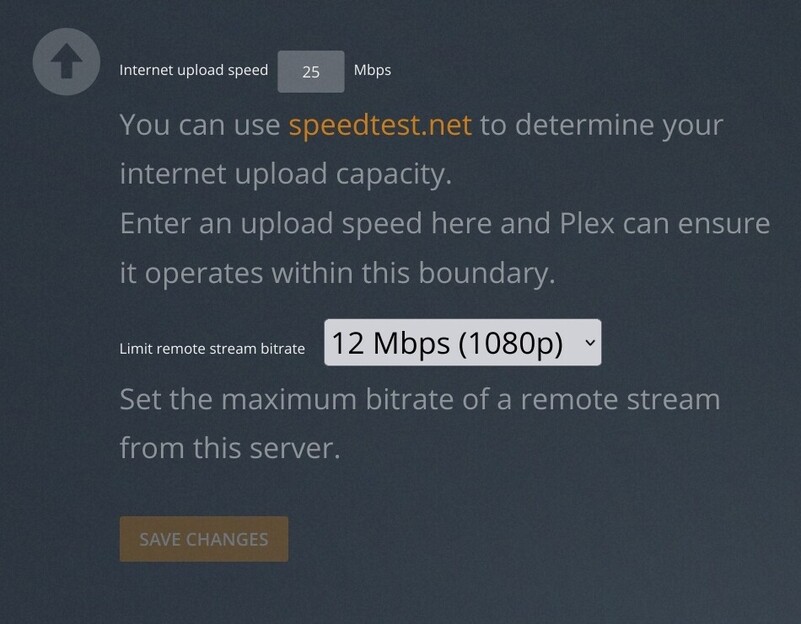
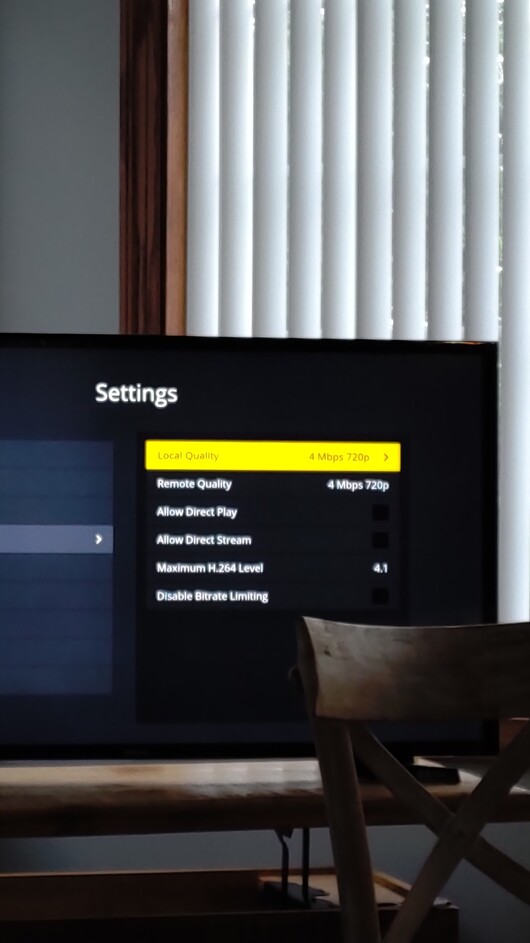
My family member using a Samsung tv uses more bandwidth than supposed to. I have 25mbps upload currently available to me. I have a max set of 12mbps per stream but for their small tv I have it set to 4mbps as more would be a waste. It streams above that, though, even if turning on or off direct play/stream.
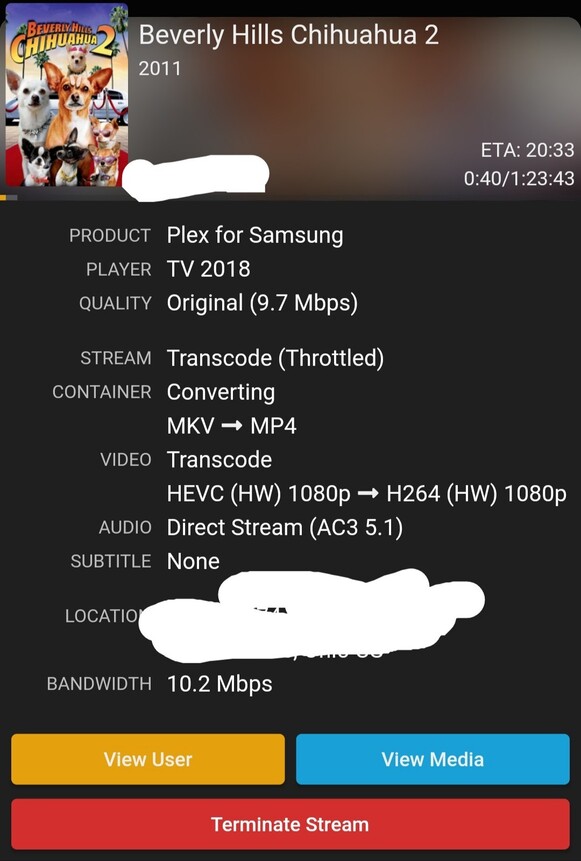


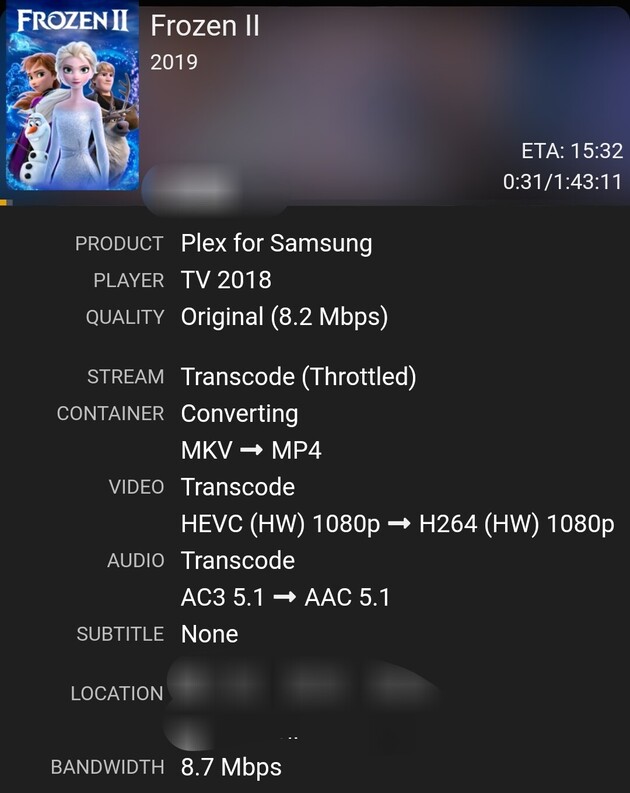
Maybe it is just for hevc format? Here is a comparison of an h264 and an h265 file that have higher bitrate than the intended 4mbps. The blu-ray (h264) transcodes correctly to 4mbps. The hevc file transcodes to a higher bitrate.

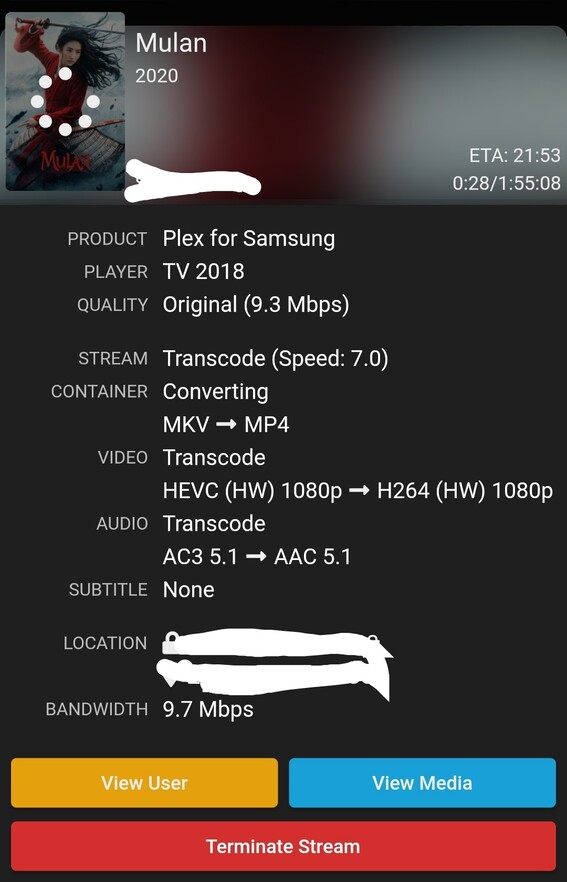
Seems to incorrectly lead to playing hevc titles at a bitrate equalling the bitrate of the original file.


Bump again. Just hoping someone can acknowledge that it has been noted.
Bump again. Just hoping someone can acknowledge that it has been noted.
Witch server version are you on? When I try too duplicate it works as it should. You should only disable Direct Play and Direct Stream for testing…
It seems you changed your settings? From Mulan you’re transcoding too 1080p but you showed a limit of 720p? Did you change that?
Currently I am on PMS 1.23.4.4805 (I don’t skip updates, so at the time of writing, it would have been whatever the previous non-beta version was) though I think it just updated to that a day or two ago.
I didn’t change the settings. I have a max total bandwidth limit of 12mbps, which is my entire upload bandwidth. I have/had that client set (remotely out of state) at 4mbps. When my server prepared an h.264/AVC file, it would correctly transcode the file down to a 4mbps 720p video, as shown above with Wonder Woman. When it prepared an h.265/HEVC file, it would also transcode the file, but it would use a non-approved higher bitrate than set in the client app (as with Mulan, Independence Day, Frozen, etc shown above) and would stay at 1080p.
Unfortunately I was on vacation visiting family when I was able to test this at my family’s house at the time of originally posting this. I am now back home and can no longer test it and they are not going to want to be bothered with testing.
It seems like it was just an issue specifically when taking a higher bitrate h.265/HEVC file and it not correctly transcoding down to the specified 4mbps set in the client app. It behaved correctly with h.264 files. It did have the same issues whether I had direct stream/play enabled or disabled.
Thanks for responding!!!
This topic was automatically closed 90 days after the last reply. New replies are no longer allowed.
