Player Version#: 1.32.4.7195 (from Laptop); 9.25.0 on TV
TV model: Sony Bravia XRJ-65A95K
Dear Plex forum folks,
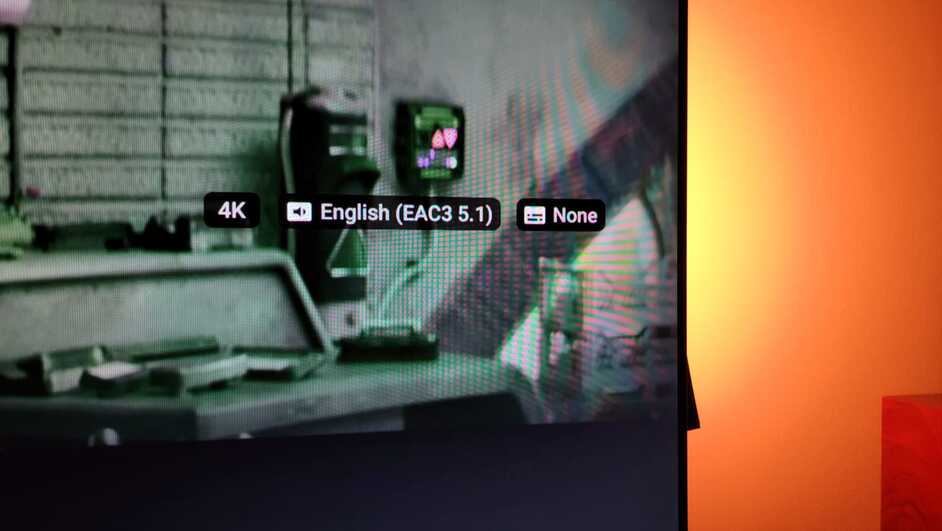
I have been trying to confirm whether my TV plays Dolby Vision on Plex properly. I think it does, but one detail bothers me: the file designation only shows “4k” and not Dolby Vision:
Also, on the laptop, the thumbnail and the playback are displayed in purple and green colors. On the TV, the thumbnail is also in purple and green, but the playback shows normal colors.
While the file is playing, if I go to the TV software’s picture settings, it displays the picture mode as Dolby Vision.
Yes, it’s playing Dolby Vision, the Plex app just doesn’t explicitly call it out. Your TV’s automatic picture mode is a good indicator, but another is the fact that your file has DV profile 5, which has no HDR/SDR fallback, so the colors would be way off if DV wasn’t working (it’d look the same as it does on your laptop).
DVp5 does not contain a HDR10 compatibility layer.
Plex cannot transcode / tonemap Dolby Vision. It has no license to do so.
So…
If the video is playing and colors are correct, you’re seeing Dolby Vision. This is confirmed by the TV.
The colors on wrong on the PC because the client does not support DV and Plex cannot tonemap it. The video still plays, it just has wrong colors.
Some Plex clients refuse to play such video and display a “Color Space Not Supported” error message.
The thumbnails have the wrong colors for basically the same reason. The Plex Transcoder is used to generate thumbnails, but does so without any color correction.