Hi guys.
I’m a newbie at this so I hope this question makes sense. I want to take a feed from a NAS device and have it go to 3 separate TVs. They don’t have to be in sync, but it might be a nice option. I realize I can just manually start the Plex app on each device and select my playlist.
I was thinking of hard wiring ethernet to all TVs. So my thinking is the NAS goes into a router and then the router will feed the 3 ethernet cables, one to each TV. Does this make sense?
And my last question is… would it make more sense to buy a Plex client for each tv (looking at Roku Ultra) or getting an HDMI splitter and then splitting the signal from the first TV to the other two. (Which would obviously then result in the same feed being synced to all TVs… which isn’t crucial.)
I just wanted to figure out the best way to do this before spending way too much money on the wrong solution. Thanks for any input anyone might have. (The point of this setup is to create looping content for screens in a restaurant and being able to change out and update the content regularly.)
J.
Plex doesn’t loop content. It is not ideally suited for your use case.
I recommend you to google for digital signage solutions.
There are some which work with inexpensive Raspberry Pi minicomputers as players and are centrally administered.
Thanks for the reply.
I can seem to get plex to loop content through the player by just looping a playlist. I get that it may not be built for that necessarily but is there any reason this would be a bad idea?
I was thinking that digital signage might be the more legit way to go but the client already has TVs installed. (And I haven’t looked too extensively at that option yet.)
Appreciate the insight.
I was explicitly referring to the use of regular screens/TVs. So the existing screens can be used either way.
you don’t really need plex for this, just about any tv media player will play videos from local storage (usb stick) or even a nas/dlna.
if you want tv sync together, then the best option is an hdmi splitter using a single tv as the master.
Thanks Tekno. We are currently just playing from a USB stick in each TV and it’s working fine. The issue is we want to be able to remotely add new content without having to continually fetch the USB sticks and add files that way. (Especially because the smart TVs don’t loop it properly so I end up building 1 video file as a 6 hour loop which takes forever.)
Appreciate whatever insight you can give!
you might see if there is a vlc app for your tv(s), that would be the simplest solution.
you could set each tv to a specific playlist file located on the nas, then update the playlist with new content as you see fit.
vlc can play directly over the network to the nas or via dlna or other protocols or even from various cloud sources
I’ve managed over 50 TV’s and tried all kind of solutions… to have one central solution you have to spend a descent amount of money and you have to setup an independent network to avoid the extra traffic on your main network.
the splitters are good solution for TV’s that are near by (distance limitations) 2 TV’s easy and cheap anything beyond that starts getting expensive beyond 4 becomes a headache to trouble shoot when things go wrong. You will also need at least one media source.
Getting the TV’s to play files reliably is hit or miss depending on the Brand & Model.
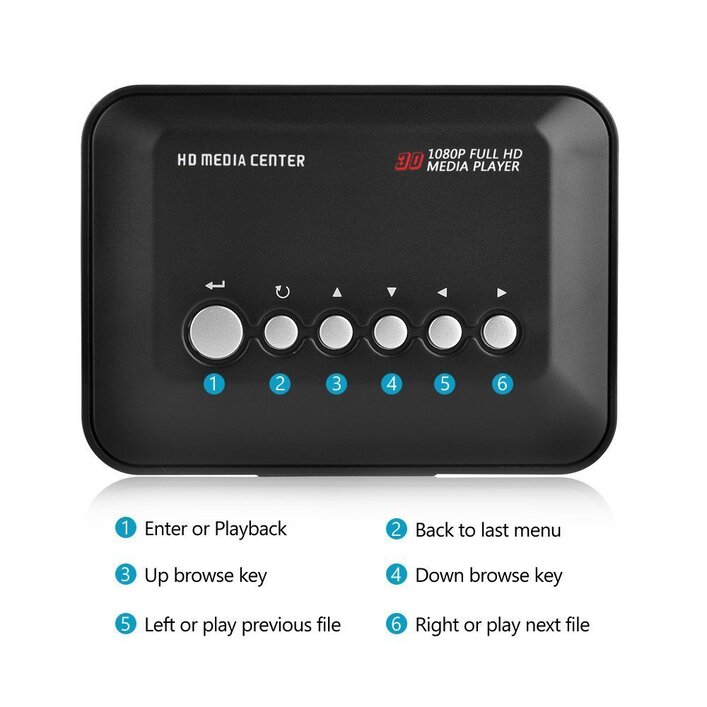
My number one solution, individual media players (with a thumb drive) set to auto start/loop when the TV’s come on. I’ve gotten these for around $35 and I keep 2 around as spare. The make them in batches and then that it… but they are always available from some random company.
I like this type because you don’t need the remote to make adjustments. If the freeze up or goes down, just unplug and re-plug and it starts playing again, anyone can fix it or replace it.
Also you can do Video or Picture Slides (not both) just adjust the auto play.
Good Luck
Thanks, I had never thought of this workflow so I will look more into it. I don’t realize how much I don’t know until I see how much other people do. lol
Appreciate the detailed response! I didn’t even know those media player existed. My problem would be that I’d still need to figure out how to curate media that could be updated remotely. But the fact you can get an auto-loop when the TV turns on is really interesting. I will investigate further!
it’s not cost effective…
these little things run 16/7/365 for about 2-4 years then you just replace it. Zero over head cost or maintenance.
for power you can buy the usb cable and get power from the TV. I use Velcro and hide it behind the TV. No exposed wires nice and clean,
a lot of the big fast food joints have this as menu screens nowadays (BK/mcdonalds/etc).
I don’t think plex is a good fit for this type of usage, primarily due to the lack of easily automating player startup and control.
https://www.google.com/search?&q=restaurant+tv+menu
it looks like there are already a large number of readymade solutions, I would suggest investigating that arena to find something best suited for your situation and budget.
Gotcha. But to my way of thinking, isn’t it just a matter of turning on the tv, navigating to the Plex app and and looping the playlist once a day. Not quite a one-click fix but doesn’t seem unreasonable. I’m not discounting your readymade solutions, just trying to see if we can just make it work without paying a company a monthly subscription fee for essentially looping our own content. (We’re building video from scratch and don’t need their templates.)
I appreciate your insight though as it definitely gives me something to think about as that would clearly be an easier process for the end user.
sure, you could do all that, but as you say, if the end user has to do that every day (or whenever), for every tv, and every time the content updates (unless perhaps you replace existing files with the same name) plex isn’t going to automatically add new videos to the current queue.
basically you would be using the wrong tool to the job, like trying to use a screwdriver when you need an allen wrench, or a hammer.
Points, all taken. You haven’t dissuaded me entirely but I understand what you’re saying. lol Thanks for helping me figure this out. You’re all very kind on this board.
Thanks Richard. So you just place a USB stick in each TV and use the media player to loop? My only issue with your setup is we want to update content regularly and constantly having to update the USB manually isn’t going to work for us.
How about wireless usb flash drive
Yes, but the USB device plugs in to the media player.
the other solutions that fits your logic is to create a KIOSK, I’ve done it with Windows 7, not sure if it can be done with Win10. There are also Linux versions out there that can easily use older equipment.
Or you can use something like KIOWARE (just one example) that locks the PC down. you just setup an Auto Start app that plays the video then setup that app to loop as needed. For example with MPC or VLC media player.
In either case you should then have a drive mapped to where the video will be updated. Then make sure that you always apply the same name to the video file.
I avoid this option because of the hardware & network investment and mostly because of the IT security risks associated with it.