Server Version#:1.25.5.5492 (was also happening on 1.25.2.XXXX
Player Version#:8.29.1.30697 (420a2e38) Android 12 Pixel 3a XL
Server crashing hard sometimes when trying to use the Download feature. Difficult to reproduce. Usually, just get the message “There was an error downloading this file. Swipe to remove or tap to retry”. retrying usually doesn’t work. Happens mainly on Albums & Song Playlists. I have downloaded a video here & there which usually works. The album in question does play accross multiple devices so doesn’t appear to be an issue with the file itself. Sometimes it crashes the entire server hard and I have to go in and reboot through the Synology interface. DS218+. Have had server for years. Usually table. Just Download (and previously Sync) never worked. But Download seems to be even worse than Sync. Followed online directions and so first thing i did was update server but didn’t seem to fix the issue. Could provide server log if required but there are a lot of files in there. Is there no personal information in the log? Can i just provide a few files instead of the entire zip? Downloaded also a Iphone log. Here is a line that might be interesting although to be honest i have no idea. Bit hesitant to provide entire log as there are IP addresses in there.
Bump. Server no longer crashes with 1.26.X.XXXX but i still can’t download anything on my devices. My daily driver is the Pixel 3a XL and when i try to download something, it just immediately errors out and says “try again”. Clicking that just results in more of the same.
Same happens when I try to download from my second server on my Windows 10 PC and from my secondary device an iPhone 12. So as far as i can tell, it can’t be any one device’s fault. I have plex pass and downloading is enabled. All devices are updated.
Download is completely broken for me. Am I the only one?
Any link to official plex troubleshooting website for downloads?
Bumping since I’m having the same issue.
Running Server version 1.26.0.5715 an my DS920+ and Android App version 9.2.0.32520 on my Asus ZenFone 6.
The server crashes hard and has to be started again from DSM. The crash happens while downloading Movies or TV-Series.
Downloading with the Windows App works without a problem.
This is an old forum thread raised for a crash - I see that you mentioned it is no longer crashing - in such case the better option is to raise a new forum topic with the new symptoms as the server is no longer crashing
If you have downloads errors - please raise a topic for that with screenshots and debug logs from both the device and the server logs
See android logs support article for how to get the Plex app logs zip emailed to you so you can attach with the debug server logs in your new forum topic
We do have an issue at the moment when downloading whole seasons or whole shows and transcoding is needed and you have limited the number of allowed transcodes to run at the same time. This will be fixed in Plex Media Server 1.30.2
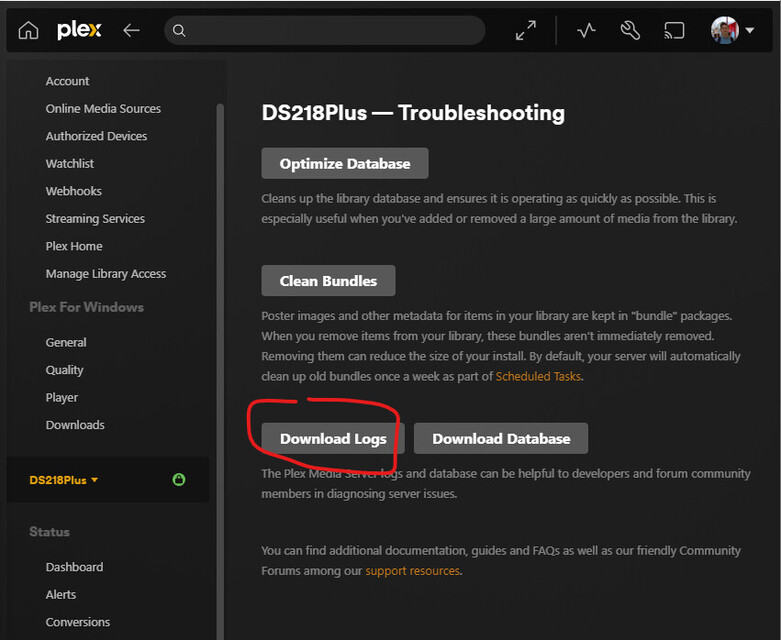
Attempting from Windows 11 Plex app from Microsoft store. Clicking the same button in the web browser does seem to work and results in the zip file being downloaded so i’ll make a separate post. Could you recommend an appropriate sub-forum to post that on? Does it fall under the NAS sub-forum or the mobile sub-forum?
I mentioned in my post above that i got the error when clicking the log button from the Windows 11 Plex app. That’s also where the screenshot with the Download log button was taken. Here is the screenshot from the command line you suggested.
FYI, fritz.box is my DSL router. Fritzbox are common routers here in Germany from AVM International. Not sure if it’s relevant. Maybe some router port blocking? Both my Windows PC from where I tried to get the log and the NAS that hosts my Plex are on the same local network. Not sure why the windows app and web server would behave differently because on the web app, the log button works.
The NAS has Remote Access enabled. I use it when i’m on the road to stream stuff. Not sure if that’s related.