However, I’ve been experiencing some issues with shared playlists. I invited my partner to my Plexamp library and shared a few playlists with her (via Playlist > Share). The playlists appear in her account under “Shared Playlists,” and she’s able to listen to all the tracks.
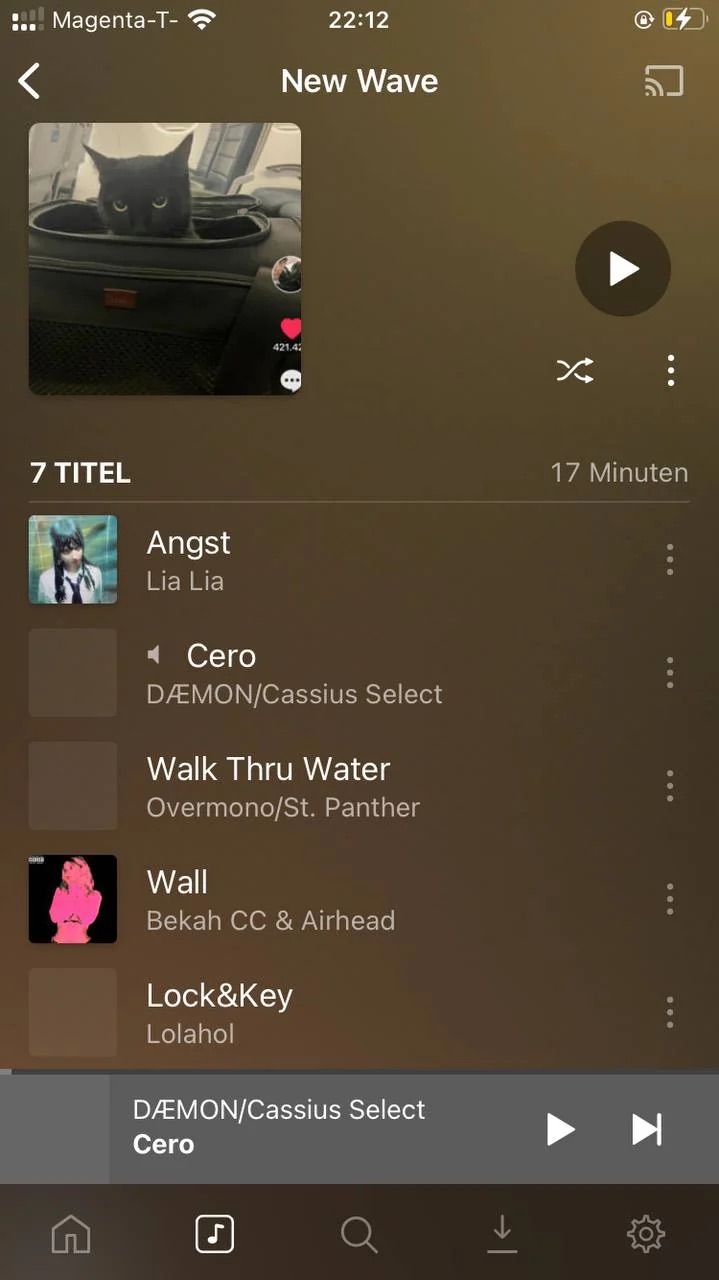
The problem is that multiple tracks are missing their cover art. While the tracks are playable, clicking “Go to Album” or “Go to Artist” for these tracks doesn’t work—the page that opens remains blank.
Interestingly, if I search for the artists with the missing artwork directly in the library, they are displayed correctly.
She’s accessing the Library via an iPhone SE 2020, iOS18
The library is hosted on a Synology DS215j, DSM 7.1.1-42962 Update 7
The plexamp server Version is: 1.41.2.9200
Possibly that is by design and we should disable those actions (she’s only allowed access to the music in the shared playlists); alternatively, you can share your entire library with the person too.
If this isn’t the case, please upload Plexamp logs after attempting to browse into an artist/album.
She has access to the whole library. So if she searches for the referenced albums, she finds them. And they are displayed with the correct cover art.
Also with items in the playlist that show correct cover art clicking “Go To Album” works also just fine.
Here’s the Logs. I browsed the shared playlist (called “New Wave”) and then played a song (which didn’t load the cover art) and then tried to click “Go to Album".
Hmmm, it looks to me like a server issue, it’s returning 404 for those which might imply a permissions issue The only reason why searching for them might work is if they’re in a different library and/or there are multiple libraries at play.
Thanks, It actually was the issue that I had two Libraries. I’ve deleted one and refilled the playlists with the missing tracks. Now it works just fine on my partners phone
Just for user having the same issue: Make sure you make screenshots of your playlists before you delete the other library.


 The only reason why searching for them might work is if they’re in a different library and/or there are multiple libraries at play.
