Server Version#: Version 1.16.3.1402
Player Version#: Chrome
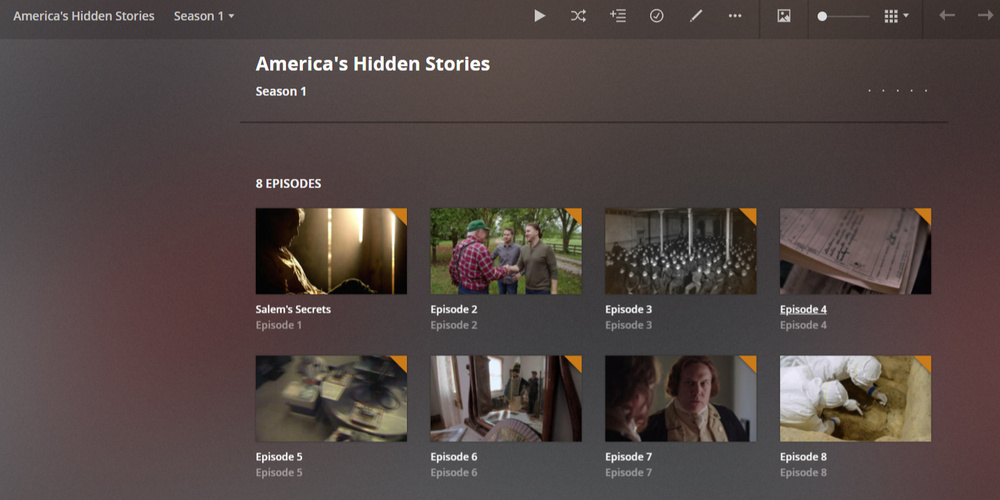
This is what I see know, after removing the show’s folder from my root folder
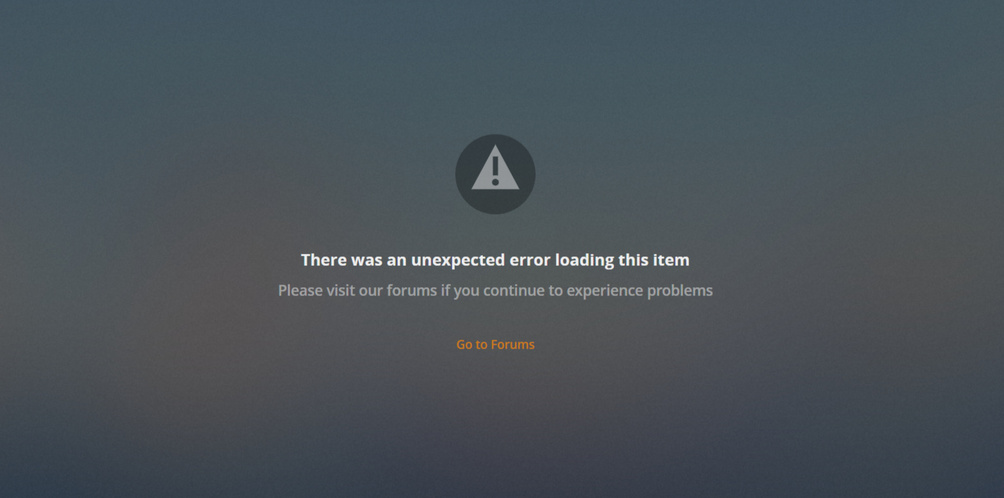
and this is what happens when I try to click on it
.
The file is not there, it doesn’t exist. I’ve tried cleaning bundles, optimising the library, scanning the library, refreshing the library’s metadata, rebooting plex, rebooting the whole server… nothing works!
I’m afraid the only thing that would work is modifying the database directly… but I have no idea how to do that! Has anyone else ever encountered the same issue?
aaaaaand now the dashboard won’t load… wtf
DEBUG logs please? (Settings - Server - Troubleshooting - Download Logs)
OK so, the dashboard would crash when I tried to delete “Jimmy Kimmel Live”, so I just rolled back the database and left Kimmel as it was, in its locked state.
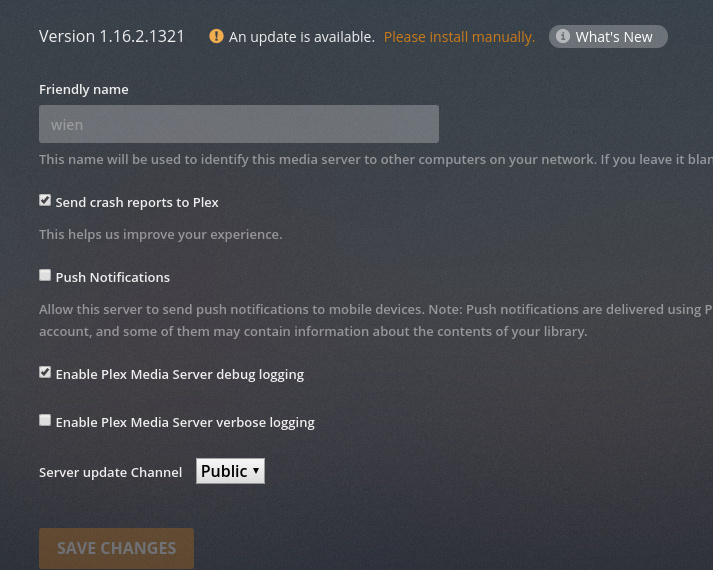
For future reference: DEBUG logging on, VERBOSE logging off. (the default values)
We only see 2 minutes of elapsed time when Verbose is enabled. It is useless for initial evaluation and debugging. It is of primary use only when dealing with Server - Client interactions. Please reset to the default settings now.
Unfortunately, with it in this state, all the active media scanning consumes the entire log set.
I will need fresh logs please with the condition recreated.
@ChuckPa Sorry for the delay, but here are the logs with Verbose OFF!
Did you remember to SAVE the changes?
Jul 29, 2019 22:48:19.162 [0x7fbc737fe700] DEBUG - Using X-Forwarded-For: 93.41.230.12 as remote address
Jul 29, 2019 22:48:19.162 [0x7fbc737fe700] VERBOSE - Auth: We found auth token (xxxxxxxxxxxxxxxxxxxx), enabling token-based authentication.
Jul 29, 2019 22:48:19.162 [0x7fbc737fe700] DEBUG - Auth: authenticated user 1 as samsepioldoloresh4ze
Jul 29, 2019 22:48:19.162 [0x7fbc737fe700] VERBOSE - Auth: Came in with a super-token, authorization succeeded.
Jul 29, 2019 22:48:19.162 [0x7fbbbaffd700] DEBUG - Request: [172.18.0.8:50038 (WAN)] GET /diagnostics/logs (25 live) Signed-in Token (samsepioldoloresh4ze)
Jul 29, 2019 22:48:19.162 [0x7fbbbaffd700] VERBOSE -  * Host => plex.justplex.it
Jul 29, 2019 22:48:19.162 [0x7fbbbaffd700] VERBOSE -  * Connection => close
Jul 29, 2019 22:48:19.162 [0x7fbbbaffd700] VERBOSE -  * X-Real-IP => 93.41.230.12
Jul 29, 2019 22:48:19.163 [0x7fbbbaffd700] VERBOSE -  * X-Forwarded-For => 93.41.230.12
Jul 29, 2019 22:48:19.163 [0x7fbbbaffd700] VERBOSE -  * X-Forwarded-Proto => https
Jul 29, 2019 22:48:19.163 [0x7fbbbaffd700] VERBOSE -  * X-Forwarded-Ssl => on
Jul 29, 2019 22:48:19.163 [0x7fbbbaffd700] VERBOSE -  * X-Forwarded-Port => 443
Jul 29, 2019 22:48:19.163 [0x7fbbbaffd700] VERBOSE -  * upgrade-insecure-requests => 1
Jul 29, 2019 22:48:19.163 [0x7fbbbaffd700] VERBOSE -  * user-agent => Mozilla/5.0 (Windows NT 10.0; Win64; x64) AppleWebKit/537.36 (KHTML, like Gecko) Chrome/75.0.3770.142 Safari/537.36
Jul 29, 2019 22:48:19.163 [0x7fbbbaffd700] VERBOSE -  * accept => text/html,application/xhtml+xml,application/xml;q=0.9,image/webp,image/apng,*/*;q=0.8,application/signed-exchange;v=b3
Jul 29, 2019 22:48:19.163 [0x7fbbbaffd700] VERBOSE -  * referer => http://plex.justplex.it/web/index.html
Jul 29, 2019 22:48:19.163 [0x7fbbbaffd700] VERBOSE -  * accept-encoding => gzip, deflate, br
Jul 29, 2019 22:48:19.163 [0x7fbbbaffd700] VERBOSE -  * accept-language => en-GB,en;q=0.9,en-US;q=0.8,it;q=0.7,pt;q=0.6,fr;q=0.5
Jul 29, 2019 22:48:19.163 [0x7fbbbaffd700] VERBOSE -  * cookie => __cfduid=d114ee5d2b937a8065e8e3e8bf46be81e1563567885; _ga=GA1.2.274765341.1564270924; WebTools=MWQ4MzFkNmQwOGIxMTdlOWI1NmQ2NGM0OWFmNGNjYzE=|1564431892|92b6007060a6a24469fe01d1f2c81ce43a4a26bd
Jul 29, 2019 22:48:19.163 [0x7fbbbaffd700] VERBOSE -  * X-Plex-Token => xxxxxxxxxxxxxxxxxxxx
Jul 29, 2019 22:48:19.163 [0x7fbbbaffd700] VERBOSE -  * X-Plex-Token => xxxxxxxxxxxxxxxxxxxx
Jul 29, 2019 22:48:19.163 [0x7fbbbaffd700] DEBUG - Diagnostics: Building logfile zip
oops.
Would you mind repeating please? It lost all which was useful.
@ChuckPa It says ENABLED, not verbose  anyway, here’s another one! Kimmel issue still persists, and it’s not grabbing metadata on any show added via automatic scan - it adds metadata (from TVDB, it’s the agent I’m using for TV) if I force a “Refresh Metadata” on the items [movies work fine with TMDb] - Also could you please delete the table you’ve posted? There’s my IP there
  thanks!
One final time:
- Settings - Server - General - Show Advanced. ( You have this display because Verbose is off by default).
- CHECK the box to Enable DEBUG logging.
- UNCHECK the box to enable VERBOSE logging
- SAVE the changes
Jul 30, 2019 12:46:08.326 [0x7fc1317fa700] VERBOSE -  * X-Plex-Sync-Version => 2
Jul 30, 2019 12:46:08.326 [0x7fc1317fa700] VERBOSE -  * X-Plex-Token => xxxxxxxxxxxxxxxxxxxx
Jul 30, 2019 12:46:08.326 [0x7fc1317fa700] VERBOSE -  * X-Plex-Version => 3.104.2
Jul 30, 2019 12:46:08.326 [0x7fc1317fa700] VERBOSE -  * X-Plex-Product => Plex Web
Jul 30, 2019 12:46:08.326 [0x7fc1317fa700] VERBOSE -  * X-Plex-Version => 3.104.2
Jul 30, 2019 12:46:08.326 [0x7fc1317fa700] VERBOSE -  * X-Plex-Client-Identifier => 6vt6tqmr56rzh5yhqm6c9rkk
Jul 30, 2019 12:46:08.326 [0x7fc1317fa700] VERBOSE -  * X-Plex-Platform => Chrome
Jul 30, 2019 12:46:08.326 [0x7fc1317fa700] VERBOSE -  * X-Plex-Platform-Version => 75.0
Jul 30, 2019 12:46:08.326 [0x7fc1317fa700] VERBOSE -  * X-Plex-Sync-Version => 2
Jul 30, 2019 12:46:08.326 [0x7fc1317fa700] VERBOSE -  * X-Plex-Model => bundled
Jul 30, 2019 12:46:08.326 [0x7fc1c6358700] DEBUG - Completed: [172.18.0.8:46552] 200 GET /:/prefs (18 live) 14ms 29903 bytes
Jul 30, 2019 12:46:08.326 [0x7fc1317fa700] VERBOSE -  * X-Plex-Device => Windows
Jul 30, 2019 12:46:08.326 [0x7fc1317fa700] VERBOSE -  * X-Plex-Device-Name => Chrome
Jul 30, 2019 12:46:08.326 [0x7fc1317fa700] VERBOSE -  * X-Plex-Device-Screen-Resolution => 1536x722,1536x864
Jul 30, 2019 12:46:08.326 [0x7fc1317fa700] VERBOSE -  * X-Plex-Token => xxxxxxxxxxxxxxxxxxxx
Jul 30, 2019 12:46:08.326 [0x7fc1317fa700] VERBOSE -  * X-Plex-Language => en-GB
Jul 30, 2019 12:46:08.326 [0x7fc1317fa700] DEBUG - [com.plexapp.system] Sending command over HTTP (GET): /system/:/prefs
Jul 30, 2019 12:46:08.326 [0x7fc1317fa700] DEBUG - HTTP requesting GET http://127.0.0.1:38033/system/:/prefs
Jul 30, 2019 12:46:08.329 [0x7fc1317fa700] DEBUG - HTTP 304 response from GET http://127.0.0.1:38033/system/:/prefs
Jul 30, 2019 12:46:08.329 [0x7fc1317fa700] DEBUG - [com.plexapp.system] HTTP reply status 304, with 0 bytes of content.
Jul 30, 2019 12:46:08.329 [0x7fc1c5b57700] DEBUG - Completed: [172.18.0.8:46558] 304 GET /system/:/p
@ChuckPa It was already like that - I restarted both Plex and the whole server multiple times before downloading these logs again, hope they’re OK now. At the moment it’s not grabbing metadata for “America’s Hidden Stories (2019)” for example.
Plex Media Server Logs_2019-08-01_09-02-04.zip (4.2 MB)
Thanks!
No errors in the logs
There is one trick which might clear this.
- If you remember the exact name of the directory containing the show,
- create an empty directory (no dummy files in it)
- now scan files, empty trash, and clean bundles.
I say this because, in the past, weird cases could happen where if the upper parent directory is gone before the series entries are gone, they get orphaned.
example:
/TV3-test/series1/Season1/files here
If TV3-test were deleted , not just dropped from the folder list, they would orphan.
I wonder…
@ChuckPa it didn’t work unfortunately… the kimmel “files” are still there!
What I did at the start of all of this was rescan the whole library (change of servers), and I noticed that kimmel didn’t update its metadata - I tried refreshing, but nothing. So I removed the show’s folder from /tv/TV, waited a couple of minutes, and scanned the library again. One season got removed completely, but the other season (plus Specials) was left there in Plex with no files, nothing. If I try and delete it manually (three dots > delete) the database corrupts about 30 minutes later, can’t even load the dashboard, etc… and even then, the Specials folder is IMPOSSIBLE to remove! It only deletes season 15.
I really don’t know what to do haha
Please show a screenshot of your library properties.
Namely the ‘Add Folders’ tab
@OttoKerner
Add folders tab
Advanced tab
While here you can see that TV shows files are scanned but DO NOT grab metadata (TVDb agent), while scanned movies that are scanned do grab metadata (TMDb agent)
This is another problem on top of the Kimmel one, which persists - and if I’m not mistaken this metadata issue started when I couldn’t remove Kimmel the first time… files scan, but do not grab metadata. If I click on “Refresh Metadata”, it grabs it 99.9% of the time. For some reason, I’ve noticed that another show was not working this morning
Many of the requests to TheTVDB are erroring out
2019-08-01 07:45:57,680 (7f65f25e1700) : ERROR (networking:219) - Error opening URL 'https://thetvdb.com/banners/_cache/posters/5c6959d6627b6.jpg' 2019-08-01 07:45:57,681 (7f65f25e1700) : INFO (__init__:1078) - HTTP Error 404: Not Found
This might have to do with their new website and API they introduced recently.
https://www.thetvdb.com/blog/something_new
I’d wait a few days and see if there is improvement later.
@OttoKerner OK great to know, thanks! I thought I was doing something wrong hehe
Talking about Kimmel one last time, what’s the better solution? I was thinking of building a new library (it will take 48h with metadata) while I keep using this old one, and then delete the old library (the one with broken kimmel in it) and hope it works!
I have no further ideas, except to: