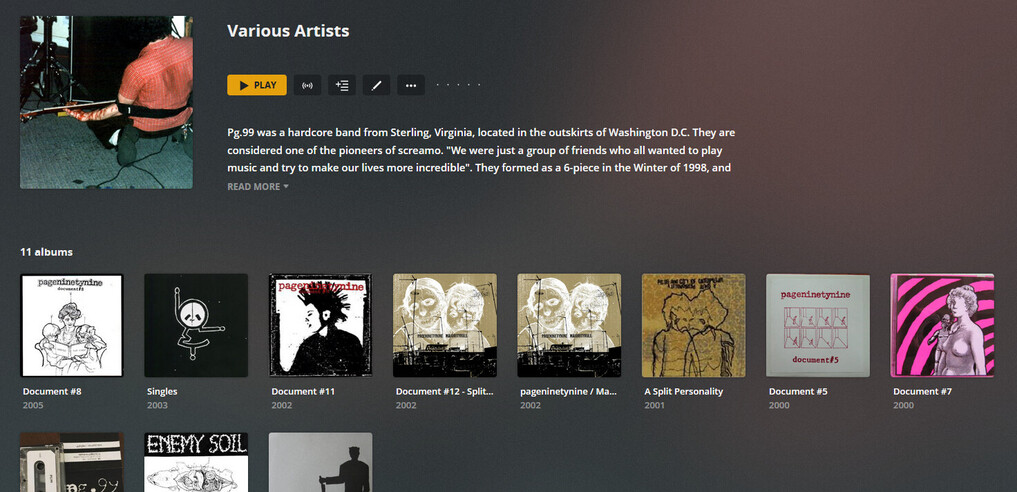
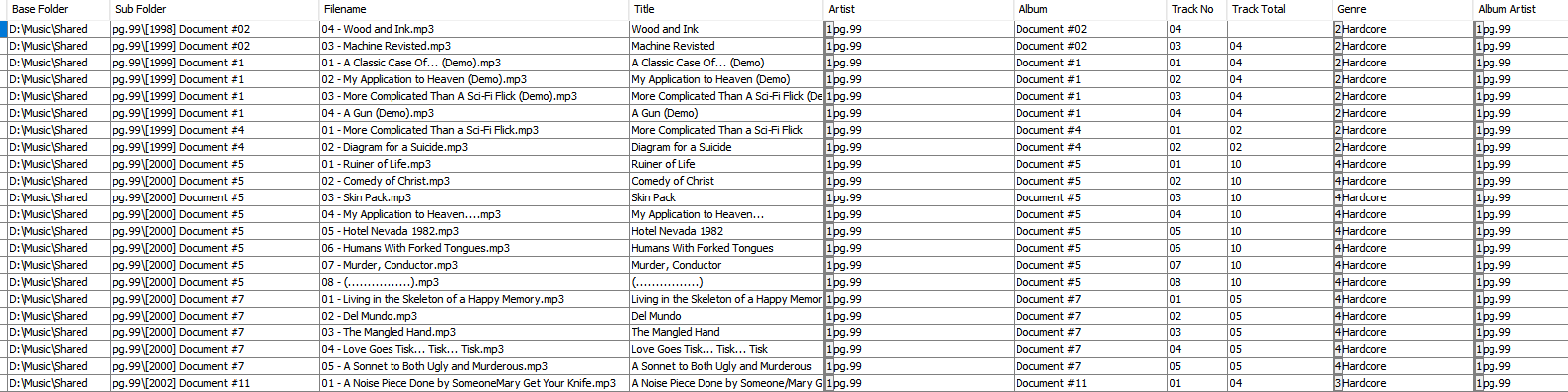
If I go into those artists, I can see whole biographies, matched art, matched albums, but the artist is showing as “Various Artists”. I have used “Fix Match”, but to no avail. If I go into each of their biography info, I can see the Name and Sort Name is not a locked field. The ID3 tags are correct, along with the folder structute. I will use the first three examples to demonstrate:
So I managed to work this one out. All artists affected had a compilation album linked to them (various soundtracks, compilations, split EPs etc etc). Removing the compilation they are in from the library and refreshing seems to force it to read from the single artist entry.
I am going to move the Various Artists albums back in and see if this breaks again or if it was a quirk at some point in the library update…
all tracks within a compilation album must have the same name within their ‘Album Artist’ meta tags
all albums which use the same name as their ‘Album Artist’ must be stored inside an Artist folder of the same name. i.e. you cannot store an album which has a different Album Artist together with other albums. So all albums which use ‘Various Artists’ as their ‘Album Artist’ need to be stored inside D:\Music\shared\Various Artists in your case.
The above is exactly how I’ve had it for years, but I recently made a change from my library where I had another folder called “Various Artists, Soundtracks & Splits”, but have moved them out. I’m thinking it may have been parts of this migration that caused some issues