A little help on what you were watching and when. I’m not seeing playback info in the latest log. I can see it doing the intro detection but no playback.
@anon18523487 Season 2, Episode 1 of The Madalorian: The Marshall
I can try again and re-upload the set from this attempt.
Yes, please try again with new logs.
Verions:
Web: 4.43.4
Server: 1.20.5.3562
Hardware transcoding is currently disabled.
Tested just now - resumed play on Mandalorian S2 E2 ‘The Passenger’
Made it a few minutes in and transcode error happened. Took new logs after maybe 60 seconds.
(File removed)
Logs are above.
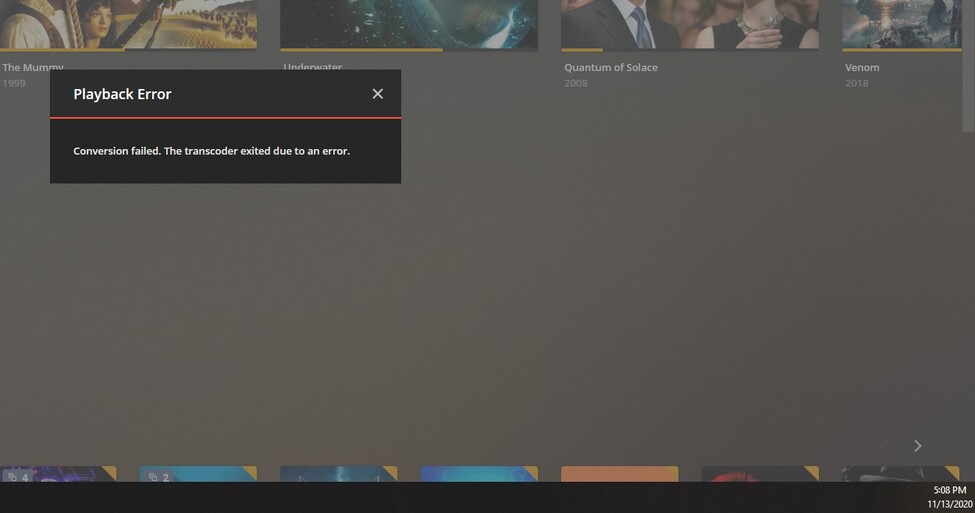
Attached also are usage stats and a time/date screenshot of the error.

And to add to the suspense…
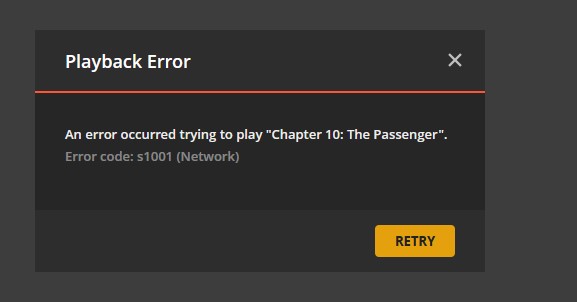
That’s over the LAN, gigabit everything - even some 10g.
Here’s the logs from that one.
(File removed)
Works !!!
Error message here: “The transcoder exited due to an error”
Solve for me Thanks, I just reencode the srt file without any translaton on this place -
“syedgakbar subs translator”
Can you post the XML from PMS for that episode?
Sure, and thank you! However - don’t get too hung up on that episode, It does this on any show, any movie.
XML from Episode: 4859789.txt (3.0 KB)
I’ll try to play something and get this error any number of times. I will start playing a random movie now and see how long it takes.
The Hunt for Red October - Direct streaming video, transcoding audio
Transcode failed error in 8 minutes.


And finally, the logs:
(File removed)
Did you get the log right after you saw that error? I don’t see any playback information for that movie in your log.
Edit - 1 thing I did notice in your logs is that you appear to be running PMS as a service. Have you double checked to make sure you are not running 2 instances of PMS?
@anon18523487
Yes, within perhaps a minute of it failing.
Yes it is running as a service, and no - multiple instances are not present.
Plex is pretty much unuseable at this point. So what information can I provide to get this resolved? It’s been running fine for a few years until one of the later Plex updates it took.
That’s odd. I don’t see that connection, reference to that movie, or the failure in your log.
Can you restart PMS? Wait 3 minute without doing anything. Then playback that file again until it fails. Get me new PMS logs.
-
Checked processes, found one instance of Plex launched by Plex Service Tray
Plex running
Plex stopped via service tray
-
Allowed file to play - odd hang at 17m 19s of playback. Stayed hung for several minutes.
Stopped playback using “x” to close playback window, resumed playback from last position
Here is the odd hang:
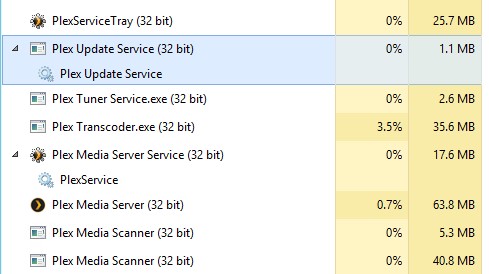
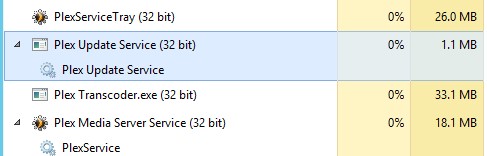
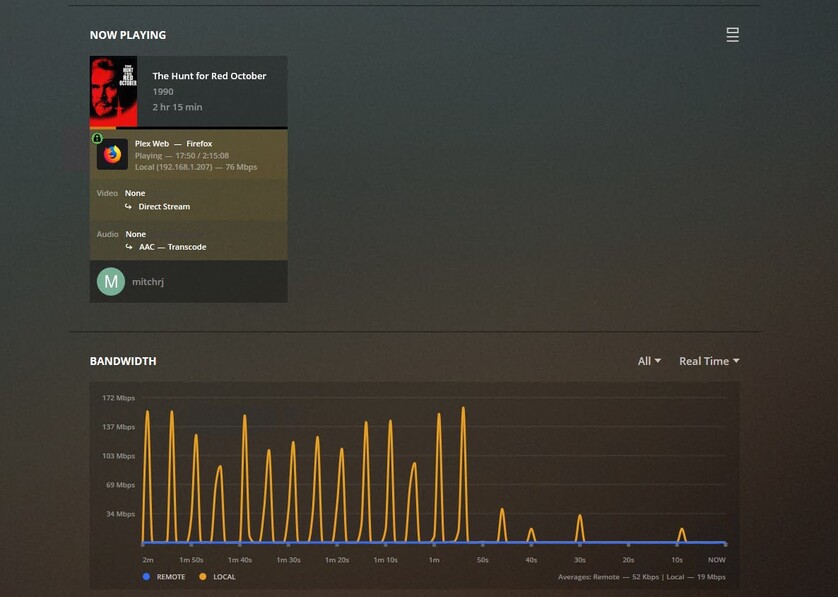
Then, transcode error at about 36m into the movie. Logs taken within 1 minute of transcode error.
(File removed)
And the XML for the file in question is here:
4074104.txt (62.9 KB)
Looking a the new log, the first thing I see is that you seem to have 2 ethernet connections. Go ahead and pick one to be the primary.

If you have 2 connections and trying to load balance or combining the connections, that doesn’t work well with Plex.
@anon18523487
Yeah, this is running on a Dell R730XD with an additional 10gb NIC.
I set the preferred NIC to the main gigabit NIC.
I’ll retest with another Sean Connery movie, as one must. 
OK, The Rock - transcode failure at 12 mins in.
(File removed)
XML 4071556.txt (61.5 KB)
Thanks for the logs
I can see evidence of the tcp dynamic port exhaustion issue
This -138 error is one of the clues to the problem
Nov 10, 2020 17:38:04.586 [8624] ERROR - [Transcoder] [tcp @ 00acb0c0] Connection to tcp://127.0.0.1:32400 failed: Error number -138 occurred
The system ran out of tcp dynamic ports whilst scanning/refreshing the TV Shows library. We run out of ports when scanning / analyzing large libraries. This happened when we got to about half way through the TV Shows library
Nov 10, 2020 17:16:22.913 [0308] DEBUG - Activity: updated activity 7c2c5a1b-bb8c-472b-8ec0-8683a67954e2 - completed 44.9% - Scanning TV Shows
Nov 10, 2020 17:16:22.957 [0308] ERROR - [Transcoder] [tcp @ 00b3b3c0] Connection to tcp://127.0.0.1:32400 failed: Error number -138 occurred
An update to curl will be incorporated into a future release of Plex Media Server which should reduce dynamic port usage by 66%. This in itself will not resolve the issue for large libraries. The problem arises when the scanner process communicates with the server process as it goes through the shows and seasons
Most of the scanning is now in-line and so reducing the need for having sepearate processes running. The last to change was the Movies category and the next that will be brought in-line will be TV Shows and development work is in progress on that
The issue here is the size of the library and the fact that scanning is in a separate process and that we have a curl bug that increased port usage for requests three-fold
Suggested Actions:
- consider splitting the TV Shows library into 2
- Look into reducing Time_Wait and doubling the tcp dynamic port in windows - see Transcoder crashes on access errors - #44 by sa2000
- Reduce the frequency of periodic scans
and of course upgrade to the version of Plex Media Server that will have the curl fix (I have no information at this point as to how soon this will be )
Thank you for the in-depth analysis - much appreciated.
I only use IPv4 in my network, so as such I have made the
“NetSh INT IPV4 SET DynamicPort TCP Start=32768 num=32768” change.
Additionally, I have set the periodic scan interval to 1 hour, down from 15 mins - which I totally forgot it was set at.
I will re-test and report results. Thank you again!
I have played a number of things and while there are still some hiccups, overall I can play most items without interruption. Thanks for the assistance!
Version: 1.21.0.3616
OS Ubuntu Server 20.04.1 - 64 bit
Raspberry Pi 4 - 4GB
Transcoder: Disabled.
Wired network, files stored on mounted network share.
Error: “Conversion failed. The transcoder exited due to an error”
Television: Tizen 3.0 with Plex 5.4.
Only error I’m seeing in the logs is: “Nov 25, 2020 12:19:28.385 [0xffff627fc190] ERROR - Error issuing curl_easy_perform(handle): 7”
I used to only get this error sporadically on certain files. (Raspbian, Pi 3/4) Did a rebuild yesterday and am now getting the error on every file. Can’t get more than a minute into anything. 4K music videos, no subs. HD movies with or without subs.
Update: After poking around and figuring out the trick to getting my television to update the plex app - I’m up to 5.4 from 3.3.4. Same behavior though.
Update 2: I guess either I had the version wrong to start with or the app decided to update itself while I was out. The version is now reading 5.5.1. Now only getting the error 50% of the time.
There was also a suggested change for reducing time_wait
@sa2000 Thanks - missed that, but the change is made now. Thank you.
how do i go about finding these logs?
