Server Version#: 1.21.3.4021
Player Version#: 4.52.1
I recently noticed that you are no longer able to see the last item in the context menu of a media item, which is the “media info” option. It is outside the viewport and the context menu itself is not scrollable:
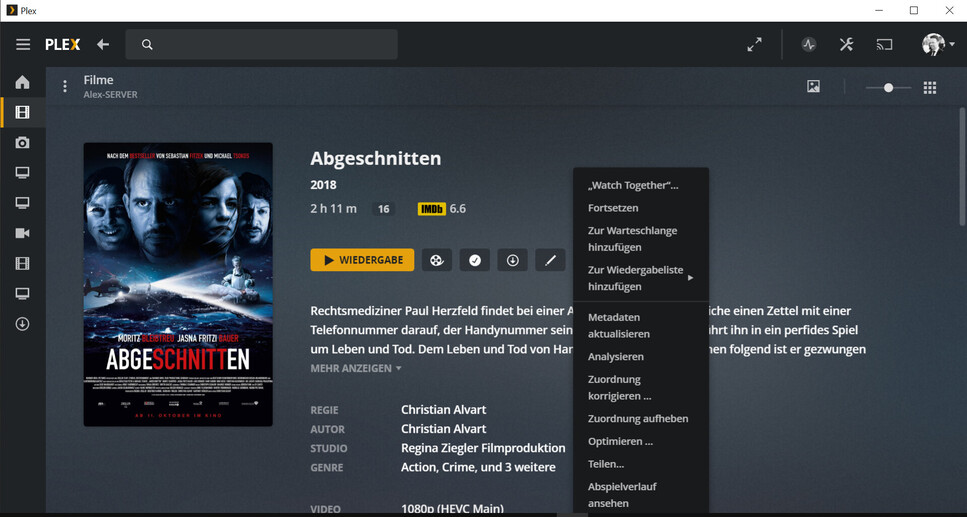
This happens whenever the three-dots-/more-button is positioned in the top half of the viewport. That is the case for pretty much all media detail pages (episodes / movies), top row items on your dashboard, the quick search results, and all items you scroll above the middle.
The issue is not related to language specific terms that make the conext menu bigger as the last item is cut with “English” as interface language as well:
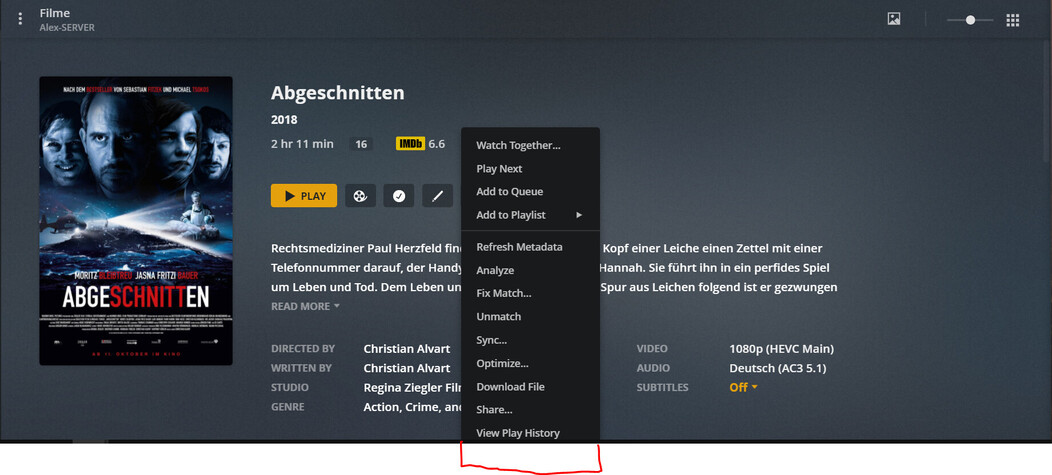
I have to zoom to 50% in Chrome to make the last option visible. As there is enough space at the top I think the positioning function is not working correctly.
Screenshot is taken on a 15" FullHD Laptop, latest Chrome (same issue with Firefox) and Windows Desktop Player. Of course this is not a problem on bigger monitors. This has not been an issue 2 days ago as I use the “media option” fairly regular.
